


Transforming your sketches into three-dimensional models might seem challenging at the beginning; however, it quickly becomes a gratifying and enjoyable endeavor once you familiarize yourself with the right tools and techniques. For artists looking to elevate their creations and designers exploring novel methods, the ability to transform a two-dimensional drawing into a three-dimensional form unveils a wealth of creative possibilities, especially with software like Homestyler.
Start your creative journey by selecting the software that best suits your requirements. Popular choices like Blender, SketchUp, and AutoCAD come with varying levels of complexity and features to accommodate different expertise levels. Once you've made your choice, you can import your drawing into the software as a reference point for your 3D model. This essential step aids in true visualization and helps establish a solid framework for your design.
Tips for Successful 3D Modeling
1. **Utilize Layers**: Structuring your drawing into separate layers allows for better management of your workspace. Each layer can symbolize different elements of your design, such as materials, textures, and structural parts, leading to a more organized modeling experience.
2. **Understand Basic 3D Shapes**: Mastery of fundamental 3D shapes is vital. Familiarizing yourself with manipulating simple geometric forms like cubes, spheres, and cylinders will boost your confidence and capability in constructing more intricate structures.
Using References
Gathering references from real-life objects or existing models can significantly enhance your understanding of proportions, textures, and shapes, allowing you to create more realistic and relatable 3D designs that resonate with actual experiences, which is easier to achieve with tools such as Homestyler.
FAQ
Q: Which software is ideal for beginners to turn drawings into 3D models?A: Platforms like Tinkercad or SketchUp are excellent for novices due to their intuitive designs and abundant resources, but Homestyler also offers an accessible entry point for stunning visualizations.
Q: Is it possible to convert a paper sketch directly into a 3D model?A: Certainly! You can scan your sketch, bring it into your preferred 3D modeling software, and trace over the image to create your model.
By implementing these strategies, you will be well on your way to turning your drawings into remarkable 3D visuals. Are you ready to dive into your next project with Homestyler in hand?
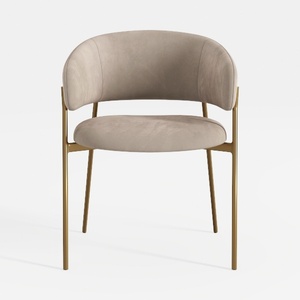
Neos Modern Furniture Dining Chair, Taupe
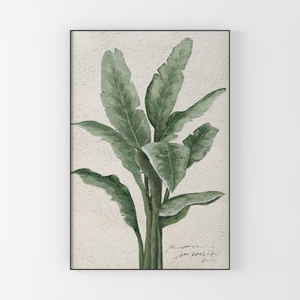
white grey flower Canvas Wall Art by Mavis Print


SIMPLIHOME Cosmopolitan SOLID WOOD Contemporary Mo
Discover your dream home design with Homestyler! This user-friendly platform offers an intuitive online design tool, stunning 3D rendering, and a wealth of design projects and DIY video tutorials. Perfect for transforming your vision into reality—get started today!
Zaprojektuj teraz za darmo
































