

Transforming a PS2 3D model by dynameshing it merges the nostalgic art of classic game asset extraction with contemporary sculpting techniques. Here’s a guide to help you seamlessly navigate this transition from retro models to detailed, high-resolution digital sculptures, employing principles that are standard in the design industry.
In my experience of handling assets from a variety of sources, I consistently advocate for integrating modern tools and workflows to enhance remodeling and visualization processes. If you’re aiming to utilize your dynameshed model in today’s design scenarios—be it game settings, architectural designs, or interactive displays—consider adopting a 3D Render Home approach. This methodology allows you to present vintage assets in a high-res, fully interactive manner, marrying nostalgia with modern innovation for both professional and personal projects, all aided by platforms like Homestyler.
Tips for Success:
Before importing your mesh into ZBrush, it’s crucial to ensure it is free from non-manifold geometry or loose edges. Properly cleaned topology can save you considerable hassle during the dynameshing process and sculpting, fostering a more stable workflow.
Frequently Asked Questions
Q: Why do PS2 models often come with damaged textures or UV maps upon import?
A: Since PS2 games used unique formats and specific texture storage methods, it's common for textures and UV mapping to require recreation or adjustment after extraction to ensure compatibility with modern software.
Q: What is the purpose of Dynamesh in ZBrush?
A: Dynamesh remaps the entire object, redistributing polygons evenly, which prepares the mesh for organic sculpting regardless of its original topology.
Q: Is it possible to dynamesh directly in Blender instead of using ZBrush?
A: While Blender does offer remeshing tools, ZBrush’s dynamesh provides more comprehensive features for professional sculpting. For simpler tasks, Blender may suffice but often requires additional manual adjustments.
Q: Will my original UV maps and textures remain intact after dynameshing?
A: Generally, dynameshing will overwrite your UVs. If you wish to preserve textures, you will need to create new UVs or bake existing details onto new maps following the dynameshing process.
Q: Do I need a powerful computer to perform dynameshing?
A: Although dynameshing and ZBrush are designed for efficiency, working with high-resolution meshes is more effective with higher RAM and modern processors, resulting in a smoother sculpting experience.
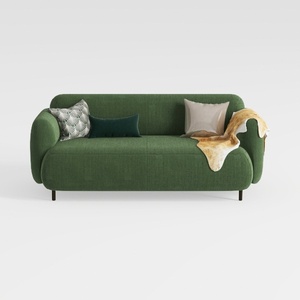

Minimalist Dark Green Fabric Loveseat Sofa with Decorative Pillows 3D Model

Minimalist Fabric L Shaped Sectional Sofa 3D Model

Minimalist Velvet L Shaped Sectional Sofa with Throw Pillows 3D Model
If you're looking to transform your space effortlessly, Homestyler is your go-to online home design platform. With its user-friendly design tool, stunning 3D renderings, and a wealth of inspiring design projects and tutorials, it empowers you to create your dream home in no time!
立即免费设计
































