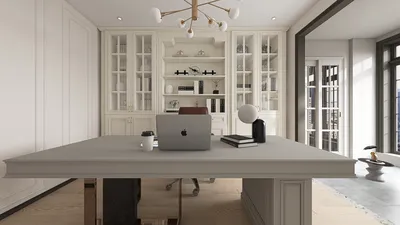


In recent years, pixel art has experienced a remarkable revival, enchanting both artists and gamers with its nostalgic aesthetic and straightforward appeal. The exciting transition from these 2D works of art into immersive 3D models opens up a whole new world of creative opportunities. Whether you are a game developer eager to animate your characters or a hobbyist wishing to view your pixel designs from various perspectives, moving from pixel art to 3D requires strategic planning, technical expertise, and a creative touch. Leveraging tools like Homestyler can enhance this process significantly.
The journey starts with a clear identification of the subject. Not every form of pixel art translates seamlessly into 3D—minimalistic sprites may need additional details to avoid appearing flat, while intricate pixel art can more easily inform the design of the 3D model. Designers typically rely on software such as Blender, MagicaVoxel, or game engines with modeling plugins, sculpting and extruding shapes based on the original pixel grid.
An essential factor to consider is the interpretation of depth and perspective. As pixel art relies heavily on color and shading to imply form, a successful 3D transformation necessitates deliberate extrapolation—determining the design of elements like hair, clothing, and accessories from varied viewing angles. This is where creative design thinking plays a pivotal role: analyzing 2D hints and reconstructing them into an appealing three-dimensional visual.
Once you have established the base mesh, the next step is texture mapping, often utilizing the original pixel color palette to maintain the classic appearance. Following this, lighting, rendering, and rigging for animation are essential, enabling the new 3D model to move and interact seamlessly. This process allows artists to merge retro artistic styles with contemporary storytelling techniques.
As a designer, I advocate for the use of advanced visualization tools during the development of 3D assets from pixel art. Platforms offering realistic 3D renderings and home environments allow creators to examine their models in context, experiment with various lighting and materials, and achieve professional-level presentations—vital for portfolios, game designs, or interactive content. Tools such as Homestyler can provide a significant edge in this aspect.
Tips 1:
When possible, begin with high-resolution pixel art; additional detail provides more reference points for modeling and shading. Moreover, don't shy away from experimenting—making adjustments to proportions and styles can yield exceptional and eye-catching outcomes.
FAQ
Q: What software can I use to convert pixel art to 3D models?
A: Commonly used options include Blender, MagicaVoxel, and various plugins for Unity or Unreal Engine. Some applications are designed explicitly for voxelizing pixel art, simplifying the transition to 3D interpretation.
Q: How do I preserve the original pixel art style in 3D?
A: Retain the original color palette for textures and keep the forms blocky and low-poly to maintain that classic retro feel. You may also consider applying pixel-art style shaders or limiting lighting to highlight the aesthetic.
Q: Is animating 3D models derived from pixel art feasible?
A: Absolutely! Once your model is finalized, you can rig it for animation using standard 3D software, bringing your pixel art characters or objects to life in your game or scene.
Q: Do I need advanced design skills to begin this process?
A: While some basic modeling knowledge is beneficial, many tools and tutorials are available to assist beginners in transforming pixel art into 3D models. Start with simpler shapes and gradually increase complexity as you gain confidence.
Q: Why is it important to preview my 3D models in a realistic environment?
A: Visualizing your models contextually aids in evaluating scale, lighting, and material choices—ensuring your 3D assets truly shine in their intended applications, be it games, AR/VR, or visualization portfolios.
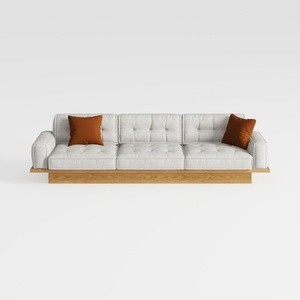
Modern Solid Wood Frame Tufted Fabric Three Seat Sofa 3D Model
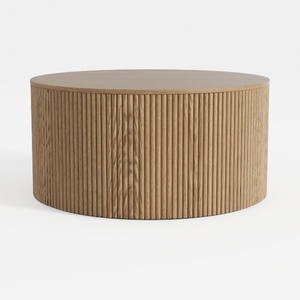
Minimalist Fluted Solid Oak Round Coffee Table 3D Model
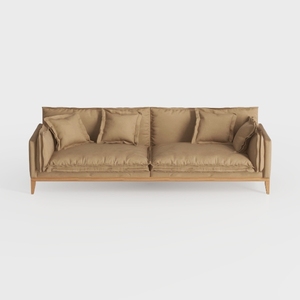

Minimalist Fabric Solid Wood 3 Seat Sofa With Throw Pillows 3D Model
Homestyler is your go-to online home design platform! With its user-friendly design tool and stunning 3D renderings, you can effortlessly create and visualize your dream spaces. Plus, access inspiring design projects and helpful DIY video tutorials to boost your creativity. Redesigning your home has never been easier!
지금 무료로 디자인하세요
































