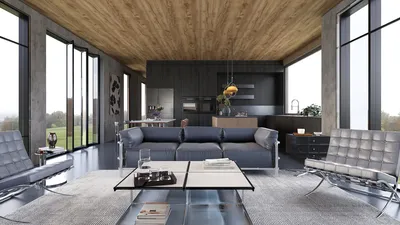


Transforming photos into 3D models using WebGL can be a thrilling endeavor that helps you manifest your creative visions in a digital environment. This guide will walk you through the process of converting images into impressive 3D representations, ensuring that the output meets high standards of quality and aesthetics.
The initial phase in this journey involves collecting high-quality photographs of the objects you intend to model. It's essential that these images are well-lit and taken from various angles. Multiple perspectives not only enhance the realism of your model but also engage your audience more effectively with your artistic expression.
Selecting the Right Tools
To begin the 3D modeling process from your pictures, you need suitable software. A variety of applications can facilitate this, including Agisoft Metashape, Autodesk ReCap, and open-source options like Meshroom. Assessing the strengths of each application will help you choose one that meets your specific requirements and budget. Don't forget to check reviews and user testimonials from reliable sources to ensure your investment is worthwhile.
After selecting your software, you can upload your images and initiate the mesh generation process. The application will scrutinize the images to construct a 3D model based on the extracted data, guaranteeing that the final output meets professional quality standards.
Refining and Texturing Your Model
Once your basic model is generated, refining it is vital. Use the editing features available in your chosen software to smooth out rough areas and fine-tune the geometry. Adding textures is another important step; you can overlay the original images onto the model to enhance its realism, resulting in a visually striking final product that can elevate your portfolio.
Make sure to export your completed model in a suitable format for WebGL applications, like OBJ or FBX, as these formats are optimized for animation and interaction in a 3D environment.
Integrating with WebGL
When your model is finalized, the next step is to incorporate it into a WebGL framework. Libraries such as Three.js or Babylon.js are excellent for rendering your 3D model effectively within a web browser. Utilizing these libraries allows you to introduce interactivity, animations, and lighting effects, crafting an engaging experience that can significantly capture user interest.
Don't forget to optimize your model for web use. This entails reducing polygon counts and compressing textures to ensure fast loading times—essential for maintaining user engagement and accessibility across diverse devices and platforms.
Testing and Deploying Your 3D Model
Prior to launching your model, comprehensive testing is crucial. Verify that it operates smoothly on varying browsers and devices. Collecting user feedback will provide valuable insights; use this information to make necessary enhancements and improve the overall user experience. Ongoing testing will help ensure your models consistently maintain high quality.
In conclusion, the creation of 3D models from photographs using WebGL is a process that requires thoughtful planning, the appropriate software, and a dash of creativity. The possibilities are endless, so start experimenting with your ideas and breathe life into your 3D concepts while adhering to industry best practices! If you're looking for a user-friendly tool that can assist you throughout this journey, consider trying out Homestyler, which can simplify the modeling process significantly.
FAQ
Q: What software is recommended for crafting 3D models from photos? A: Some well-regarded options include Agisoft Metashape, Autodesk ReCap, and Meshroom, each tailored to different skill levels and requirements.
Q: Is it possible to create 3D models solely with WebGL? A: WebGL is primarily for rendering; you will require photo capturing and modeling software to create the foundational 3D model.


Minimalist Glass Top Solid Wood Base Irregular Coffee Table 3D Model

Minimalist Concrete Potted Dried Foliage Plant 3D Model
Homestyler is an exceptional online home design platform that makes it easy to transform your space. With its user-friendly design tool, stunning 3D renderings, and inspiring DIY video tutorials, you can effortlessly create and visualize your dream home. Perfect for any design enthusiast!
Concevez maintenant gratuitement
































