


Are you aiming to encapsulate the spirit of your 3D designs using JSON? You're not alone in this pursuit! Numerous designers and developers encounter the challenge of effectively rendering intricate data visually. This guide will walk you through transforming JSON data into stunning 3D models with a series of manageable steps, all while utilizing Homestyler for your design needs.
Grasping JSON and 3D Models
JSON (JavaScript Object Notation) serves as a lightweight format for data interchange, prized for its readability and adaptability. It is crucial for both the representation and sharing of data, especially related to 3D models. To visualize effectively, your JSON must encompass critical elements like geometry and material attributes, which can seamlessly integrate with tools such as Homestyler.
Key data components to familiarize yourself with when dealing with JSON 3D models consist of vertex positions, texture coordinates, normal vectors, and color details. A strong understanding of these components will greatly improve your ability to handle and visualize 3D models in platforms like Homestyler.
Step-by-Step Process to Visualize JSON as a 3D Model
1. **Select the Right Library**: Choose from a range of libraries tailored for 3D rendering. Popular options like Three.js, Babylon.js, and A-Frame present unique features tailored for various visualization requirements, which can enhance your Homestyler projects.
2. **Organize Your JSON File**: Structure your JSON document to include all necessary parameters for rendering a 3D model. Clearly outline the geometry, material properties, and scene configuration to ensure seamless integration, especially if leveraging Homestyler.
3. **Establish Your Development Environment**: Implement your selected 3D library within your web development setting. For example, when using Three.js, you can incorporate it through a CDN link or npm installation if working with Node.js.
4. **Import the JSON Model**: Utilize the appropriate library loader designed for JSON formats (such as `THREE.ObjectLoader()` in Three.js) to effectively bring your JSON file into the scene.
5. **Render the Model**: After loading, add the model to your scene and kick off the rendering cycle. Ensure your camera configurations and lighting settings are optimized for the most impressive visual results.
6. **Add Interactivity**: Enhance user engagement by integrating interactive features, enabling actions like rotation, zooming, and click events, which allow viewers to engage with the 3D content effectively.
Guidelines for Effective 3D Model Viewing
To ensure a fluid experience when working with JSON files for 3D rendering, keep the following tips in mind:
Ensure that your JSON structure aligns with the chosen library. This is essential, especially if integrating with Homestyler.
Test your models across different browsers to guarantee broad compatibility, enhancing user experience.
Incorporate detailed comments within your JSON files for easier troubleshooting, aiding future modifications.
FAQ
Q: Which library is best suited for displaying JSON 3D models? A: Three.js is highly regarded due to its thorough documentation and flexibility in rendering 3D graphics, making it an excellent choice for use alongside Homestyler.
Q: Is it possible to convert my existing 3D models into JSON format? A: Yes! A variety of 3D modeling applications, including Blender, offer functionality to export models in JSON format.
Q: Is there a method to visualize JSON data without requiring coding skills? A: Certainly! There are accessible online tools and platforms that simplify the visualization of 3D models, enabling you to utilize Homestyler without extensive coding knowledge.
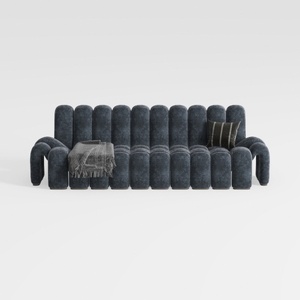

Modern Dark Blue Fabric Channel Tufted Oversized Sofa 3D Model

Modern Pink Velvet Curved 3 Seater Sofa with Decorative Throw Pillows 3D Model

Discover the ease of home design with Homestyler! This user-friendly platform offers an intuitive online design tool, stunning 3D renderings, and a wealth of design projects alongside inspiring video tutorials. Transform your space with confidence and creativity—perfect for anyone looking to elevate their home decor!
Zaprojektuj teraz za darmo
































