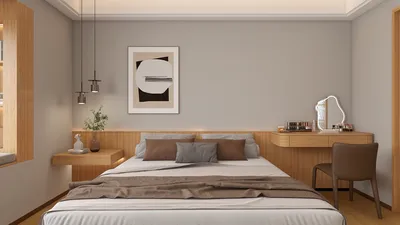


Transforming 3D art models into physical prints presents an exhilarating opportunity to manifest your digital designs into tangible forms. This process comprises several essential steps that range from selecting or creating the 3D model, preparing it for printing, slicing it appropriately, all the way to executing the print itself. Below is a thorough guide to ensure a seamless conversion and outstanding results:
1. Selecting and Preparing Models
Start by either choosing or designing a 3D model using CAD or creative software like Blender, ZBrush, or Maya. It's crucial to make certain that your model is 'watertight,' meaning it should be free from holes and intersecting geometries, as this is key for a successful printing process.
2. Exporting Your File
Export your model in a file format that is suitable for 3D printers, including formats such as STL, OBJ, or 3MF. These file types are structured to encode the geometry of your digital creations in a way that slicing software can interpret efficiently.
3. Optimizing Your Model
Before initiating the print, optimize your model accordingly. Verify that the scale is appropriate, as digital designs can sometimes be disproportionate for real-world applications. Utilize mesh repair tools, such as those provided by Meshmixer or Netfabb, to correct issues like flipped normals, unwelded edges, or walls that are too thin to print effectively.
4. Slicing Your Model
Once the model has been validated, import it into slicing software such as Cura or PrusaSlicer. Here, you can set parameters like layer height, infill density, and support structures. The slicer will subsequently generate G-code tailored for your specific 3D printer.
5. Printing and Finishing Touches
Transfer the G-code to your 3D printer and commence the printing process. Once the print is complete, remove any support structures and refine the model through sanding or painting for a polished appearance.
As an interior designer, I recognize incredible potential in transforming digital art into tangible pieces, serving as unique accent items, prototypes, or decor. Utilizing specialized platforms like Homestyler can significantly streamline this workflow, particularly when visualizing your artworks in 3D rendered home environments prior to actual printing. Such integration not only guarantees aesthetic cohesion but also enhances the functionality of your creations in real-world settings.
Tips 1:
Always verify the minimum wall thickness and detail size requirements for your particular 3D printer and material; this reduces the risk of print failures and ensures durability. It’s wise to print small prototypes initially before proceeding to a larger final version.
FAQ
Q: Which file types are suitable for 3D printing art models?
A: The most widely used file types are STL, OBJ, and 3MF, all of which are compatible with the major slicing and printing software available.
Q: How can I address errors in my 3D model before printing?
A: Employ mesh repair tools like Meshmixer or Netfabb to correct common problems such as non-manifold edges, holes, or intersecting geometries.
Q: Is it possible to print highly intricate art models?
A: Yes, you can print detailed models, but it's essential that your printer and material are capable of capturing fine details—consider adjusting layer height settings and using finer nozzles if necessary.
Q: Are support structures always necessary when 3D printing art models?
A: Not always required, but for overhangs or intricate designs, support structures help maintain precision; slicing software can generate them automatically.
Q: How can 3D printed art enhance interior design?
A: 3D printed art models can be used as distinctive decor items, functional pieces, or prototypes for client presentations, providing a personalized touch to any environment.


Homestyler is an exceptional online home design platform that empowers you to unleash your creativity. With its easy-to-use design tool, stunning 3D renderings, a wealth of inspiring design projects, and informative video tutorials, transforming your space has never been easier. Start designing today!
Progetta ora GRATIS
































