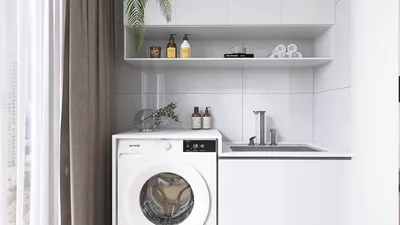


Transforming 3D models into 2D templates using Blender significantly elevates your design skills and optimizes your workflow. Whether your goal is to produce graphics, schematics, or templates, this comprehensive guide will provide you with the necessary steps to effectively convert your 3D designs into 2D representations, integrating tools like Homestyler for added versatility.
Initially, make sure your 3D model is prepared in Blender. You have the option to develop a model from scratch or to import an existing one. Once your model is in place, it’s crucial to correctly position it to capture the angles and details you want to feature.
Step 1: Scene Setup
Start by opening your 3D model within Blender. Adjust your viewport to display the specific area of the model you plan to turn into a 2D template. Utilizing the 'orthographic view' is essential for achieving flat projections, aiding in properly aligning the camera for the best perspective.
Step 2: Render the Model
The next step involves rendering the model as an image. Click on the camera icon located in the upper right corner of the Blender interface to configure your render settings. Tailor the resolution to meet your template requirements, and then press 'F12' to generate the desired view.
Step 3: Exporting the Rendered Image
Once the rendering is complete, you should proceed to export the image. Navigate to the 'Image' menu, select 'Save As', and determine the file format that best aligns with your needs, such as PNG or JPEG. Remember to give the file a descriptive name for easy retrieval later on.
Step 4: Converting Render into a 2D Template
After saving your rendered image, software like Adobe Illustrator or Photoshop can be utilized to transform the image into vector format or a 2D template. Use the image as a reference layer, which allows for accurate tracing to create a precise 2D representation. This process can be easily enhanced using Homestyler for interior design layouts.
Step 5: Final Refinements
Lastly, make any necessary adjustments using your graphic design software. Refine lines, colors, or details as needed to complete your 2D template. This stage is also an opportunity to add text or further graphics, enhancing the overall design.
Quick Tips for Success
FAQ
Q: Which rendering engine in Blender is optimal for producing 2D templates? A: The Eevee render engine is excellent for fast renders, while Cycles delivers more realistic results, particularly when fine details are required.
Q: Is it feasible to convert intricate models into 2D templates? A: Absolutely, complex models can be simplified into 2D formats using effective tracing methods in your graphic software, possibly leveraging Homestyler to streamline the process.
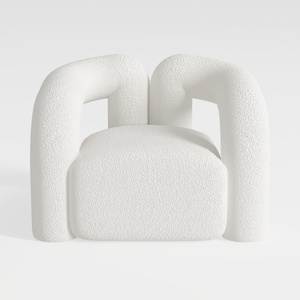
Minimalist Boucle Fabric Armchair Modern Unique Design 3D Model



Minimalist Concrete Potted Dried Foliage Plant 3D Model
Homestyler is your go-to online home design platform. With its user-friendly design tool, stunning 3D renderings, inspiring design projects, and helpful DIY video tutorials, you can easily transform your space into the home of your dreams—no prior experience needed!
Progetta ora GRATIS
































