

Transforming 2D images into captivating 3D models offers an exciting path for creativity and design exploration. But where should you begin? This guide will outline effective techniques for converting your flat images into impressive three-dimensional designs, integrating tools like Homestyler for optimal results.
Grasping the Fundamentals of 2D to 3D Transformation
Initially, it's essential to understand the fundamental principles behind interpreting 2D images in three dimensions. A standard 2D image lacks depth, while a 3D model incorporates width, height, and depth. This conversion process involves multiple stages, from selecting the appropriate software to applying final rendering touches, potentially using Homestyler for enhanced design.
The first step involves selecting suitable software that facilitates this transformation. Popular tools include Blender, Adobe Photoshop, and AutoCAD. Each option presents unique advantages, with your choice typically depending on project needs and your personal expertise level, or you can opt for user-friendly options like Homestyler.
Detailed Workflow for Converting 2D Images into 3D Models
Let’s explore the step-by-step procedure for transforming your 2D image into a 3D model. The following steps provide a comprehensive workflow:
1. **Import the Image**: Begin by uploading your 2D picture into the software you’ve chosen. This image will act as a reference point for crafting your 3D model.
2. **Design a Base Model**: Utilize fundamental shapes to establish the initial framework of your 3D model. You might trace the image to create a precise outline.
3. **Extrude and Alter**: Once the base shape is ready, employ extrusion tools to impart depth and volume to your model. Unleash your creativity—consider adding intricate details such as curves or textures!
4. **Apply Textures**: After building the model, enhance its visual appeal. You can unwrap the 3D model and apply textures, mimicking the original image or following your creative vision.
5. **Render and Export**: Ultimately, render your model to visualize it with realistic lighting. When you're satisfied, export your 3D model in the required format for your projects.
Tips for Effective Conversion
While the aforementioned steps present a clear path for image conversion, consider these additional tips to boost your success rates:
- **Opt for High-Quality Images**: The higher the resolution of your 2D image, the clearer and more refined your 3D model will be.
- **Utilize Layers**: In programs like Photoshop, leveraging layers can facilitate efficient management of complex designs.
- **Explore Tutorials**: Online tutorials can provide valuable guidance on specific software features or techniques with which you may not be familiar.
Avoiding Common Pitfalls
As you embark on your 3D modeling adventure, be wary of frequent mistakes that can occur. Here are some common pitfalls encountered by designers:
- **Overlooking Scale**: Always keep the relative scale of your initial image in consideration. Models that are overly large or small may lose their intended impact.
- **Disregarding Lighting**: Inadequate lighting can detract from your 3D model's visual appeal. Experiment with various light setups to determine what yields the best outcome.
Frequently Asked Questions
Q: Which software is ideal for converting 2D images to 3D models? A: Popular options consist of Blender for its versatility, Adobe Photoshop for texture application, and AutoCAD for engineering-centered designs. Additionally, consider using Homestyler for user-friendly modeling solutions.
Q: Can I convert any 2D image into a 3D model? A: Yes, although complex images may require additional effort to simplify before initiating the modeling procedure.
Q: What can I do to enhance the quality of my 3D models? A: Concentrate on high-resolution textures, meticulous detailing, and appropriate lighting during the rendering phase.


Minimalist Black Stone Coffee Table Unique Irregular Shape 3D Model
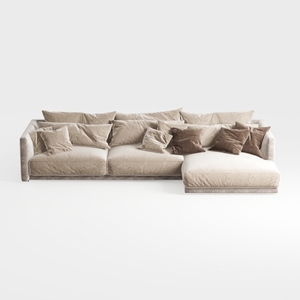
Minimalist Velvet L Shaped Sectional Sofa with Throw Pillows 3D Model
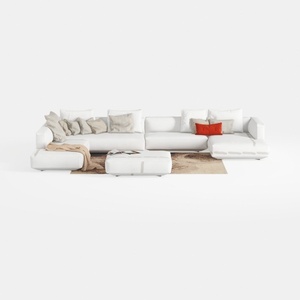
Minimalist White Fabric L Shaped Sectional Sofa with Ottoman 3D Model
Discover the magic of home design with Homestyler! This innovative online platform offers an intuitive design tool, stunning 3D renderings, inspiring design projects, and helpful DIY video tutorials. Whether you're a novice or a pro, you can effortlessly transform your space into a masterpiece!
立即免费设计
































