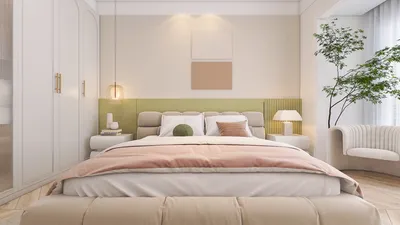


Transforming a 2D image into a 3D model might appear intimidating at first, yet thanks to modern technology, it has become accessible to everyone, particularly for those passionate about interior design. Whether your goal is to give life to your beloved artwork or construct an accurate representation of a space, this guide will walk you through the process of converting an image into a 3D model using various software, including the intuitive features of Homestyler.
1. Select the Right Software: The initial step is to choose the software that best fits your requirements. Programs such as Blender, SketchUp, and Homestyler stand out due to their user-friendly interfaces and comprehensive features. Homestyler, in particular, boasts an extensive collection of 3D models alongside a powerful rendering engine.
2. Import Your Image: After selecting your software, the next move is to import the image you intend to convert. Most software allows for a simple drag-and-drop method to place your image directly into the workspace. Be sure that your image is of high resolution to capture all the intricate details you wish to embed into your 3D model.
3. Utilize Image Tracing Tools: Numerous 3D modeling applications come equipped with image tracing capabilities that assist in creating outlines from your chosen image. This phase is vital as it lays the groundwork for your model. Fine-tune the settings to enhance the tracing process specifically for your image.
4. Develop the Model: Following the tracing, you can begin constructing your 3D model. Employ the tools provided by your software to extrude, scale, and adjust the traced outlines, adding depth and dimension. Pay close attention to proportions to ensure fidelity to the original image.
5. Apply Textures and Colors: Texturing is crucial in breathing life into your model. Use colors and textures that reflect the original image or unleash your creativity with innovative designs. Many 3D software options, including Homestyler, make it simple to apply textures from their vast libraries.
6. Render Your Model: Once you are satisfied with your creation, the next step is rendering it. Rendering will yield a high-quality visualization of your 3D model. Homestyler offers excellent rendering options that can provide a realistic appearance, capturing the essence of your initial image.
7. Export Your Model: The last step is exporting your completed 3D model. Depending on your project's needs, you can save it in various formats such as .OBJ, .FBX, or even in a format ready for 3D printing. Make sure to select the format that is most compatible with your subsequent projects.
To sum it up, converting an image into a 3D model can be a simple process when you have the right tools and know-how. With some practice, you will be able to produce impressive 3D representations that can elevate your design projects or enjoy as a creative pastime. So, don't hold back—experiment and let your imagination soar!
Tips:
Always begin with high-resolution images to guarantee the best quality in your 3D models.
FAQ
Q: Can any image be used for 3D modeling? A: Yes, any image can be utilized, but images featuring clear outlines and distinct characteristics yield the best results.
Q: What if I lack experience in 3D modeling? A: Many software options provide tutorials and beginner-friendly modes designed to help you start your journey.
Q: Is Homestyler a good option for beginners? A: Definitely! Homestyler is crafted with beginner-friendliness in mind, making it perfect for newcomers.
Welcome to Homestyler
GarveeHome 6 Drawer Dresser for Bedroom, Antique

Minimalist Clear Acrylic Rectangular Coffee Table 3D Model


Modern Marble Top Black Metal Leg Coffee Table 3D Model
Discover the ease of home design with Homestyler! This top-notch online platform offers a user-friendly design tool, stunning 3D renderings, and a wealth of design projects and DIY video tutorials. Bring your dream space to life effortlessly and inspire your creativity today!
Design Now for FREE
































