


Is it possible to transform 2D graphics into stunning 3D models? Absolutely! In fact, converting 2D designs into 3D representations is not only a prevalent practice but also vital in various industries, including gaming, architecture, and product design. Let’s explore how you can effectively convert your 2D illustrations into captivating 3D structures with the help of tools like Homestyler.
Grasping the Fundamentals of 3D Modeling
3D modeling is the art of constructing a three-dimensional object in a virtual environment. This is usually accomplished through specialized software that empowers you to manipulate shapes, apply textures, and create lighting effects. Before diving into the 3D realm, it's essential to establish a solid understanding of your 2D graphics. Consider your 2D designs as a schematic; they will serve as guidance throughout your 3D modeling journey.
Software Options for 2D to 3D Conversion
Numerous tools and software platforms can assist you in converting 2D images into 3D models. Applications like Adobe Photoshop, Blender, and Tinkercad provide features that simplify this conversion. With these platforms, you can import your 2D visuals and begin the extrusion process to transition into the third dimension. For example, in Blender, you can outline your 2D graphic and then use the extrude or bevel tool to introduce depth.
How to Create a 3D Model from 2D Graphics
1. **Choose Your 2D Graphic:** Start by selecting a clear graphic that effectively represents the shape you wish to model. Graphics with distinct outlines tend to yield the best results.
2. **Import into 3D Software:** Launch your preferred software and import the chosen 2D graphic, ensuring it's in a supported format.
3. **Trace or Extrude:** Utilize the tracing tool to outline the graphic and then apply the extrude feature to create height and depth.
4. **Incorporate Textures and Details:** After establishing the basic shape, enhance it by adding textures, colors, and intricate details to make the model more lifelike.
5. **Render Your Model:** Finally, render your creation to view how it appears in a three-dimensional space, making adjustments to lighting and materials as necessary.
Enhancing Your 3D Modeling Skills
Keep in mind that practice is essential for improvement. The more you experiment with various 2D graphics, the more adept you will become at producing intricate 3D models. Don’t hesitate to seek out tutorials specific to your chosen software to master advanced features and techniques. Exploration is key to discovering your individual style in 3D modeling!
Frequently Asked Questions
Q: What software is most effective for creating 3D models from 2D graphics? A: Renowned options include Blender, Adobe Photoshop, and Tinkercad, celebrated for their user-friendly functionality, especially for novices.
Q: Can I utilize free software to produce 3D models? A: Absolutely! Blender stands out as a robust open-source tool that is free to use, making it perfect for transforming 2D graphics into 3D models.
Q: Is a drawing tablet necessary for optimal results? A: While a drawing tablet is not a requirement, it can significantly enhance precision and efficiency during the tracing or detailing of your 3D model.

Minimalist Boucle Curved Sofa 3D Model
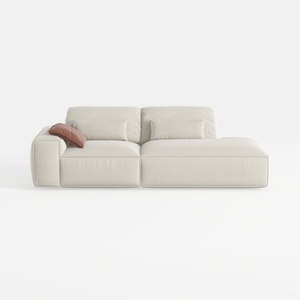
Minimalist Beige Fabric L-shaped Chaise Sofa 3D Model
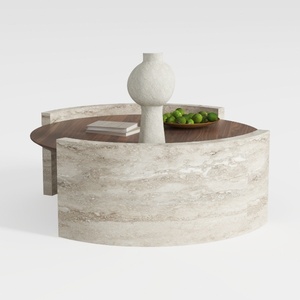
Round Coffee Table,29.52IN Wooden Coffee Table,Mid
Ready to transform your space? Homestyler makes home design a breeze with its user-friendly online design tool. Dive into stunning 3D renderings, explore diverse design projects, and learn through engaging video tutorials. Unleash your creativity and start your dream home journey today!
Desain sekarang Gratis
































