


If you want to transform a 2D sketch into a 3D model, you have come to the right spot! Though the task may seem overwhelming, with the right techniques and tools, you can make your drawings pop in three dimensions, especially with platforms like Homestyler.
Understanding the intention behind your 3D model is essential. Are you working on a video game, an architectural design, or perhaps something for personal enjoyment? This knowledge will significantly influence how you approach your modeling task.
Selecting the Appropriate Software:
There are numerous software packages available for turning 2D visuals into 3D models. Renowned options include Autodesk AutoCAD, Blender, and SketchUp. Each of these programs offers distinct features tailored to different skill levels, making it accessible for both novices and experienced users. Don’t forget to explore advanced tools like Homestyler for interior design or architectural projects.
Once you've selected your software, import your 2D sketch into this application. Employ tracing tools or extrusion functions to create a sense of depth from your design. While this step may require practice, remember that trial and error is all part of the learning process!
Refining Your 3D Creation:
After establishing the initial shape, it's time to enhance your model. This might involve applying textures, colors, and intricate details to improve realism. Consider how light interacts with your creation and don't hesitate to experiment with different materials.
Remember, regularly revisiting your design is crucial. Share your developing work with peers for constructive feedback and make necessary tweaks. Collaborating with others on your design can spark new ideas and lead to improvements!
Completing Your Model:
In the end, export your model in a format that meets your project's specifications. Whether it's intended for 3D printing, animation, or virtual reality, ensure its compatibility with your intended platform.
Are you ready to embark on this creative journey? Which 2D drawing are you excited to morph into 3D? Share your thoughts in the comments!
Frequently Asked Questions
Q: What is the most user-friendly software for beginners looking to convert 2D to 3D?
A: SketchUp is frequently recommended for newcomers because of its easy-to-navigate interface and straightforward tools.
Q: Is it possible to utilize a tablet for this task?
A: Absolutely! Using a tablet can offer a more intuitive drawing experience, particularly with stylus support available in many design applications.
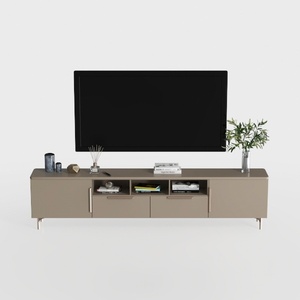
Modern Minimalist Solid Wood TV Stand Cabinet with Storage 3D Model
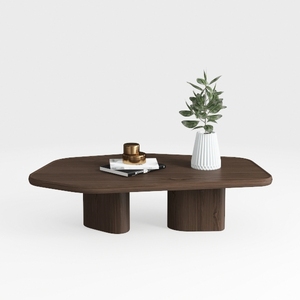
Minimalist Walnut Solid Wood Irregular Coffee Table 3D Model


Looking to revamp your space? Homestyler is your go-to online platform! With its user-friendly design tool, stunning 3D renderings, and a wealth of design projects and video tutorials, you can effortlessly create your dream home—no design experience needed. Dive in and get inspired today!
Progetta ora GRATIS
































