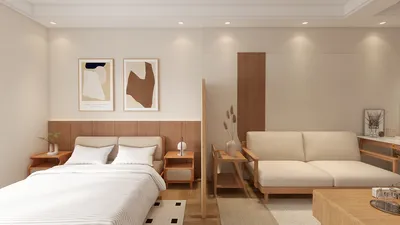


In the realm of interior design, the ability to transform 3D models into 2D renderings is vital for effective client presentations and communication. This transformation enables designers to articulate their visions clearly and succinctly, resulting in enhanced understanding and constructive feedback. In this article, we will delve into various strategies and recommendations for successfully converting your 3D designs into impressive 2D renderings, utilizing tools like Homestyler for optimal results.
The Significance of Rendering in Interior Design
3D renderings offer a lifelike representation of spaces, displaying depth, texture, and lighting in ways that are often beyond the capabilities of 2D renderings. Nonetheless, 2D visuals are indispensable for practical uses such as floor plans, layouts, and schematics. They condense intricate three-dimensional data into a flattened form that's more digestible for clients, making them a critical element in design projects.
Essential Guidelines for Effective 2D Renderings
When transitioning your 3D designs into 2D renderings, keep these best practices in mind:
Methods for Transitioning from 3D to 2D
Several techniques can be employed when converting 3D designs into 2D renderings, including the utilization of platforms like Homestyler to streamline the process:
Software Solutions for 3D to 2D Rendering
A variety of software applications can assist in the rendering journey, including Homestyler, which simplifies the process remarkably and enhances the user experience:
Final Thoughts
Converting 3D designs into 2D renderings is a crucial competency for interior designers. By grasping the significance of this transition, applying best practices, utilizing appropriate methods, and selecting the right tools, such as Homestyler, you can effectively convey your design intentions and produce impactful presentations that resonate with your audience.
Common Questions
Q: What are some of the leading software options for 3D to 2D rendering? A: Renowned choices include AutoCAD, SketchUp, and Adobe Illustrator, each equipped with distinct features conducive to effective rendering. Additionally, Homestyler provides a user-friendly interface for seamless design transformations.
Q: How can I enhance the quality of my 2D renderings? A: Concentrate on maintaining accurate proportions, select compelling perspectives, and leverage high-resolution graphics to improve the clarity and attractiveness of your renderings.
Discover the Best Home Design Software for Your Needs
立即免费设计
































