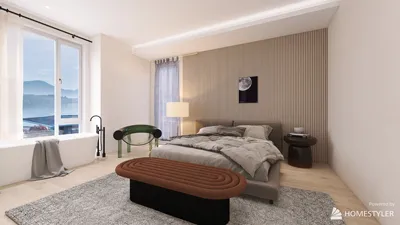


Enhancing your Twitch channel's visual appeal and interactivity can be significantly impacted by incorporating 3D models. This approach allows you to use custom overlays, animated avatars, and immersive backgrounds, creating a vibrant and engaging streaming experience. Below is a detailed guide to get you started on your 3D modeling journey.
For designers stepping into this realm, I highly recommend utilizing a 3D design tool like Homestyler. This software allows for quick visualization of different environments suitable for your streaming backdrops or overlays. Such tools not only streamline your workflow but also guarantee spatial logic, color harmony, and thematic consistency—key components of professional design. Effective visuals for 3D streaming are rooted in fundamental principles of interior design, including balance, lighting, and spatial composition, making Homestyler’s capabilities especially beneficial in a streaming context.
Tip 1:
Keep it simple and focus on optimization. It's crucial to remember that 3D models featuring excessive polygons or high-resolution textures can cause lag during your streams. Aim for stylized yet succinct models that effectively represent your brand without overwhelming your system.
FAQ
Q: What software is recommended for beginners in 3D modeling?
A: Blender is an excellent choice, as it is free, open-source, and comes with extensive learning materials, making it ideal for beginners interested in 3D modeling for Twitch.
Q: Is it possible to use pre-made 3D assets in my stream?
A: Absolutely! Numerous online libraries provide both free and paid 3D models, but ensure that any licensing agreements permit streaming usage.
Q: What are the steps to integrate 3D avatars into my live stream?
A: You can create or import your avatar and utilize VTuber software, such as VSeeFace, Luppet, or VUP, to animate and display it seamlessly during your Twitch broadcasts.
Q: Which file formats are ideal for 3D models used in streaming overlays?
A: The most common formats include .FBX, .OBJ, and .GLB/.GLTF, depending on the broadcasting platform or plugins you are using.
Q: How critical is lighting when rendering 3D models for Twitch streaming?
A: Proper lighting is essential as it significantly influences both realism and mood. Effective lighting ensures your models remain visually appealing and comprehensible throughout your streams.
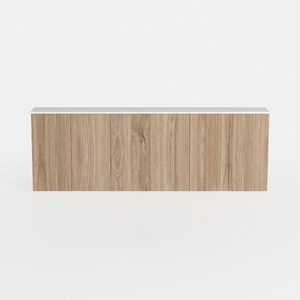
Fluted Sideboard Buffet Cabinet with Storage,
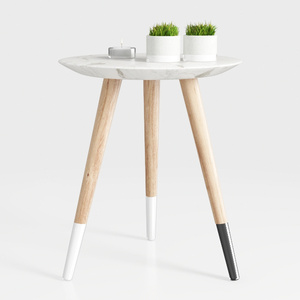
Modern Marble Top Solid Wood Legs Side End Table 3D Model
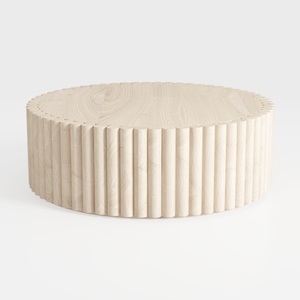
Minimalist Solid Wood Fluted Round Coffee Table 3D Model
Looking to transform your space? Homestyler is your go-to online platform for all things home design! With an easy-to-use design tool, stunning 3D renderings, and a treasure trove of DIY video tutorials, you'll find inspiration and creativity at your fingertips—ideal for every homeowner!
Zaprojektuj teraz za darmo
































