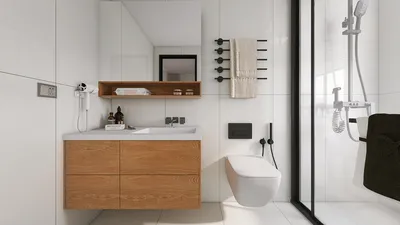


Transforming a simple sketch into an impressive 3D floor plan offers a gratifying way to visualize your living space. Whether you’re an aspiring interior designer or a homeowner aiming to revamp your home, mastering the conversion of your 2D designs into lifelike 3D representations is crucial. This article will guide you through the steps necessary for this transformation and highlight helpful tools to streamline the process, such as Homestyler.
Understanding the Fundamentals of Floor Planning
A floor plan serves as a scaled blueprint that illustrates the relationships between various rooms, spaces, and structural features on a single level. When working from a sketch, it's vital to accurately consider the dimensions and layout. Every inch is significant!
Leveraging Technology to Create 3D Floor Plans
A variety of software solutions exist that facilitate the transformation of sketches into 3D floor plans with ease. Tools like Homestyler allow users to upload their drawings and swiftly convert them into comprehensive 3D models. This efficiency not only saves time but also enriches the design experience.
Procedures for Converting Your Sketch into a 3D Floor Plan
1. Begin with a clear sketch: Ensure that your drawing is unambiguous and to scale, incorporating all key elements such as doors, windows, and fixed furniture. 2. Select suitable software: Identify a design application that meets your requirements. For instance, Homestyler offers a user-friendly interface that is effective for both beginners and seasoned users. 3. Upload your sketch: Import your hand-drawn design into the software. Many applications enable you to trace directly over your sketch to create a digital format. 4. Construct your 3D model: Adhere to the software instructions to incorporate walls, furniture, and textures into your floor plan. 5. Assess the design: Review your 3D model for precision and make any necessary modifications.
Strategies for Enhancing Your 3D Floor Plan
Add colors, textures, and lighting to your design to bring it to life. Explore various layouts to discover the most effective arrangement for your space. Engage with the design community on platforms like Homestyler’s Design Community for valuable feedback and inspiration!
Frequently Asked Questions
What software is most suitable for creating a 3D floor plan? Options like Homestyler, SketchUp, and AutoCAD are highly regarded for producing detailed 3D floor plans. Can I create a floor plan without professional experience? Certainly! Numerous user-friendly tools are specifically designed for novices, enabling anyone to craft stunning floor plans easily.
Welcome to Utilize the Free 3D Floor Planner

Meridian Furniture 77054Natural Everson Collection
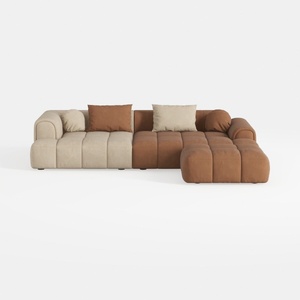
Modern Velvet Sectional Sofa, U Shape Minimalist M
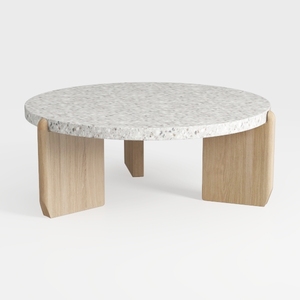
Minimalist Terrazzo Solid Oak Round Coffee Table 3D Model
If you're looking to transform your home design ideas into reality, Homestyler is the ideal platform. With its user-friendly online design tool, stunning 3D renderings, and a wealth of DIY video tutorials, you'll have everything you need to create your dream space effortlessly!
立即免费设计
































