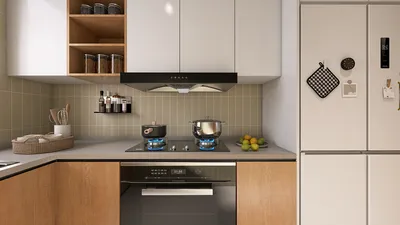


Transforming a floor plan into a 2D representation can be both simple and rewarding, especially for those passionate about interior design or architecture. Whether you're crafting your ideal home or planning a workspace layout, a 2D floor plan significantly aids in visualizing areas effectively. In this article, we will delve into the crucial steps to convert your concepts into a comprehensive 2D design using tools like Homestyler.
Grasping the Fundamentals of Floor Plans
Before we begin the conversion process, it’s important to understand what a floor plan truly represents. A floor plan is a scaled illustration of a room or building from a bird's eye view, showcasing the layout of furniture, walls, and other vital features. Converting a floor plan to 2D streamlines this layout into a more comprehensible format, facilitating the sharing of your ideas with clients or friends easily.
Utilizing Tools for 2D Floor Plan Creation
There are numerous tools that can assist in swiftly converting your floor plan to 2D. A popular choice is Homestyler, an intuitive online platform that provides a variety of features for efficient space design. With Homestyler, you can easily sketch walls, incorporate furniture, and modify dimensions to suit your vision.
Step-by-Step Guide to Floor Plan Conversion
1. **Begin with Accurate Measurements**: Take precise measurements of the rooms you wish to include in your floor plan. Document the dimensions of walls, windows, and doors carefully.
2. **Draft the Initial Plan**: Start with a rough sketch on paper, concentrating on the shape and size of the room. This first step is crucial for visualizing your space effectively.
3. **Transfer to a Design Tool**: Use Homestyler to convert your sketch into a digital format. Enter your measurements and begin placing walls and furniture according to your outline.
4. **Enhance the Design**: Incorporate details like textures, colors, and materials to breathe life into your design. This phase is vital for understanding how the space will ultimately feel.
5. **Final Review and Adjustments**: Conclude by revisiting your 2D floor plan and making any necessary changes to ensure everything aligns perfectly.
Conclusion
Developing a 2D floor plan is a critical ability for anyone aiming to design spaces efficiently. By adhering to the steps laid out in this guide, you can seamlessly turn your ideas into a polished 2D design. Remember, the key lies in experimenting with various layouts until you discover the best fit for your needs.
FAQ
Discover the Best 2D Floor Planner with Homestyler
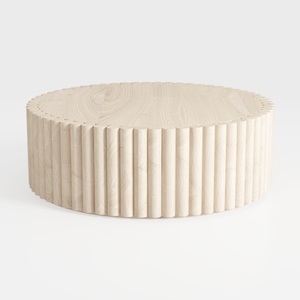
Minimalist Solid Wood Fluted Round Coffee Table 3D Model
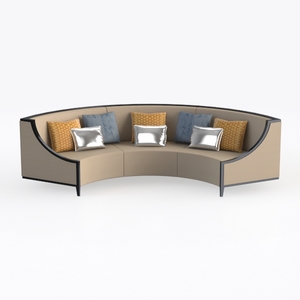
Modern Fabric Curved Sectional Sofa With Decorative Throw Pillows 3D Model
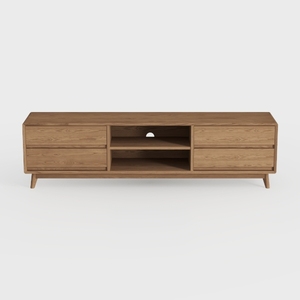
OKD TV Stand for 75+ Inch TV, Mid Century Modern
If you're looking to transform your home with ease, try Homestyler! This user-friendly online platform features an intuitive design tool, stunning 3D renderings, and a wealth of inspiring design projects. Plus, its DIY video tutorials make home design hassle-free and fun for everyone!
立即免费设计
































