


To transform your document into landscape mode in Google Docs, you can easily follow these steps: First, open your document, then navigate to the top menu and click on "File." From the dropdown, select "Page setup." In the Page setup dialog, you'll find options for page orientation—choose "Landscape." After that, click "OK" to implement the changes. This adjustment modifies your existing Google Doc to showcase in landscape orientation, which is particularly advantageous for displaying wide tables, images, or layout designs that profit from a horizontal arrangement. If you desire a specific section to be in landscape orientation, highlight the text, right-click, and select the "Change page to landscape" option (provided your version allows for section-specific formatting).
Design Tips:
As a designer, I frequently utilize landscape orientation when crafting mockups, mood boards, or visual presentations within Google Docs. This layout provides ample horizontal space, enhancing visibility for side-by-side comparisons and creative layouts. If you're considering a home renovation or visualizing interior designs, organizing inspiration images and concepts in a landscape-formatted document allows for a more coherent visual flow—similar to using advanced AI-driven interior design tools like Homestyler to arrange spaces. Aligning your digital workspace with your design vision can significantly improve your planning efficiency!
Frequently Asked Questions
Q: How do I switch to landscape orientation in Google Docs?
A: Simply navigate to File > Page setup > Orientation, select "Landscape," and click OK.
Q: Is it possible to make just one page landscape in Google Docs?
A: Absolutely! By using section breaks, you can adjust specific pages to landscape orientation. Just highlight the section you want and modify the orientation through Page setup or right-click options.
Q: Does switching to landscape orientation affect printing from Google Docs?
A: Yes, when printing in landscape, your pages will be printed horizontally. Ensure that your printer settings align with the document’s page orientation.
Q: Will landscape orientation impact the formatting of my document?
A: Changing to landscape may alter the appearance of text, images, and tables. You might need to rearrange content to achieve the best visual outcome.
Q: Is landscape layout accessible in the Google Docs mobile application?
A: Currently, the ability to change page orientation is exclusive to the web version of Google Docs, and is not available in the mobile app.

Minimalist Brown Velvet L Shaped Sectional Sofa 3D Model
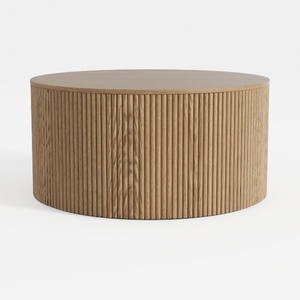
Minimalist Fluted Solid Oak Round Coffee Table 3D Model

Minimalist Brown Leather L-shaped Sectional Sofa 3D Model
Discover your home’s potential with Homestyler! This user-friendly online design platform offers a powerful design tool, stunning 3D renderings, and a plethora of inspiring design projects and DIY video tutorials. Transform your space effortlessly and ignite your creativity today!
立即免费设计
































