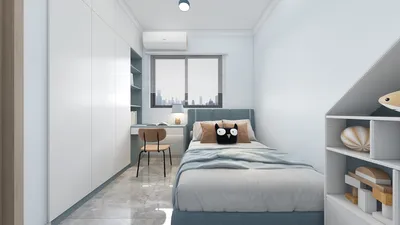


Transforming a floor plan into an engaging 3D render can revitalize your design ideas, facilitating the communication of your vision. Be it a compact apartment or a large house, mastering the art of converting your floor plan into a 3D model is vital. This article will guide you through the key steps to animate your floor plan using 3D rendering techniques and tools like Homestyler.
Grasping Your Floor Plan
The initial phase of turning a floor plan into a 3D render involves thoroughly understanding the layout. Examine the dimensions, room placements, and the overall spatial flow. This step is essential for achieving an accurate 3D depiction.
Selecting the Ideal Software
There is a multitude of software solutions available for crafting 3D renders. Noteworthy options include Homestyler, among others, which can simplify the process significantly.
Building Your Basic 3D Model
After choosing your software, such as Homestyler, it's time to construct your 3D model. Begin by entering the dimensions from your floor plan; this will serve as the groundwork for your design.
Using your chosen software, add walls and floors according to your specifications. Ensure you pay close attention to both height and thickness to maintain precision.
Subsequently, add doors and windows to your model. The positioning should align with your floor plan, and select styles that elevate the overall aesthetic.
Decorating Your Space
Once the basic structure is in place, it’s time to decorate the area. Select furniture that fits well within your room dimensions, arranging it to establish a practical layout.
In compact areas, consider multifunctional furniture to optimize space use. For instance, a sofa bed serves as a great solution for both seating and sleeping needs.
Lighting and Material Finishes
Lighting is a vital component in 3D rendering. Experiment with various lighting setups to set the desired mood. Moreover, incorporate textures on walls, floors, and furniture to enhance realism.
Final Details and Visualization
Once satisfied with your layout and furnishings, it’s time to apply the finishing touches. Include decorative elements such as art, plants, and other accessories. Finally, utilize your software to render your 3D model and envision the entire space.
Advice for an Effective Render
Consider these suggestions to facilitate a successful shift from floor plan to 3D render:
Frequently Asked Questions
Feel free to explore our Free 3D Floor Planner, designed to help you seamlessly create stunning 3D renders.
Zaprojektuj teraz za darmo
































