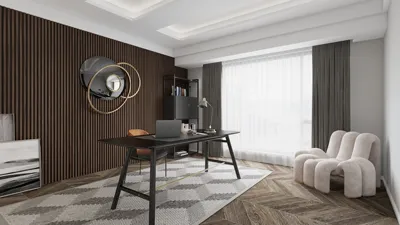


Transforming a floor plan into a 3D model may initially feel overwhelming, but with the appropriate tools and strategies, it can evolve into an enjoyable endeavor! Whether you are an interior design professional or simply seeking to visualize your living space, generating a 3D representation of your floor plan can significantly enhance your understanding of layouts and design features. In this comprehensive guide, we will explore the process and provide useful tips on how to effectively convert your 2D designs into captivating 3D models utilizing Homestyler.
Comprehending Your Floor Plan
Before diving into the fascinating world of 3D modeling, it's crucial to have a solid grasp of your floor plan. Examine the measurements, dimensions of each room, and the overall arrangement. Reflect on how the space flows and how you plan to utilize every area. This foundational insight will be invaluable when you embark on creating your 3D model. If you haven't developed a floor plan yet, consider using our user-friendly Homestyler floor planner tool to kickstart your process!
Selecting the Suitable Software
Numerous software alternatives exist to assist you in turning your floor plan into a dynamic 3D model. Programs such as SketchUp, Revit, and our innovative Homestyler tool allow you to input your flat design and effortlessly produce a 3D visualization. Prioritize software that provides an intuitive interface and features tailored to your design ambitions, simplifying the journey of transforming your vision into reality.
Step-by-Step Guide for Crafting 3D Models
1. Upload your floor plan into the selected software. Most applications allow the insertion of a scanned version of your plan. 2. Trace the outlines of your floor plan with the drawing tools, paying close attention to maintain accurate proportions. 3. Incorporate walls, windows, and doors, being mindful of their real-life sizes and placements. 4. Start extruding your walls to add height, resulting in a more authentic representation. 5. Enrich your model with textures, colors, and furnishings to create a lifelike atmosphere.
Common Hurdles and Their Solutions
Though creating a 3D model can be a fulfilling experience, you may face a few obstacles along the way. For example, ensuring precise measurements is essential yet often challenging. If you encounter difficulties, consider verifying your floor plan dimensions or seeking professional advice through platforms like Homestyler’s interior design services. Another frequent challenge is visualizing smaller areas. To enhance their appearance, consider employing lighter color schemes and reducing clutter.
Involving Your Audience
What have your experiences been like in transforming a floor plan into a 3D visual? Have you faced any struggles or found useful tips? We would love to hear your experiences and suggestions in the comments below!
Closing Thoughts
Converting a floor plan into an impressive 3D model is an invaluable skill that can significantly elevate your design expertise. By familiarizing yourself with your plan, opting for the right software like Homestyler, and adhering to a structured approach, you can create stunning 3D renderings. Remember, practice is key, so feel free to experiment with various layouts and designs!
Frequently Asked Questions
Q: What software do I require to develop a 3D model from a floor plan? A: There are several options at your disposal, including SketchUp and the excellent design tools offered by Homestyler, such as the room planner.
Q: Is it possible to create a 3D model without any prior experience? A: Absolutely! Many software programs are designed with beginners in mind, providing tutorials to guide you throughout the entire process.
Welcome to the Free 3D Floor Planner
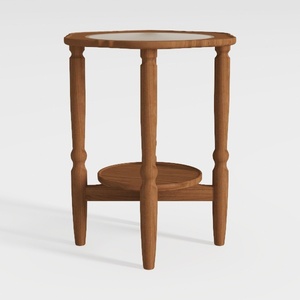

HOOBRO Small Round Side Table with Charging
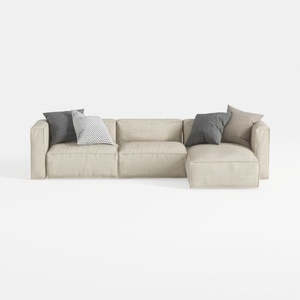
Minimalist Fabric L Shaped Sectional Sofa with Throw Pillows 3D Model

Discover the magic of home design with Homestyler! This user-friendly platform offers a powerful online design tool, stunning 3D renderings, a wealth of design projects, and helpful video tutorials. Whether you’re a novice or a seasoned designer, Homestyler makes bringing your visions to life effortless and inspiring!
立即免费设计
































