


Designing a 3D model of a table can be an exhilarating endeavor that enhances your interior design abilities. In this article, we will guide you step-by-step through the process of creating a 3D model seamlessly with the right tools. Are you ready to transform your flat sketches into a dynamic 3D representation?
Step 1: Select Your 3D Modeling Application
The initial step in crafting a 3D table model involves choosing the appropriate software. Some popular choices are SketchUp, Blender, and Revit. Each program presents distinct characteristics, yet for those just starting, SketchUp is particularly celebrated for its ease of use. Which software do you think you would prefer to utilize?
Step 2: Begin With a Basic Shape
After selecting your software, the next phase is to form the basic structure of your table. Typically, tables are designed with either a rectangular or circular top along with four legs. You can position this fundamental shape on the grid within your selected software. How do you envision your table's style? Modern, rustic, or something different entirely?
Step 3: Incorporate Dimensions and Specifics
At this point, it’s essential to establish the measurements for your table. Think about the height, width, and length that complement your design. Consider the proportions carefully; a well-proportioned table can significantly enhance any room. What elements would you like to incorporate—perhaps drawers, an interesting leg design, or even a glass top?
Step 4: Apply Textures and Color Schemes
Now, the exciting part begins! Add textures and colors to your table model. You might opt for wood textures for a traditional aesthetic or sleek surfaces for a modern appeal. This stage breathes life into your table and helps you envision how it would appear in an actual setting. What color palette aligns with your design vision?
Step 5: Render and Evaluate
Once you’ve finalized the textures and colors, it’s time to render your model. This step provides a realistic view of your 3D table. Make sure to review it and make necessary adjustments. What reflections do you have on your design so far, and what areas could benefit from enhancement?
FAQ
Q: Which software is ideal for novices to create a 3D table? A: For beginners, SketchUp is frequently suggested due to its user-friendly interface.
Q: How can I incorporate textures into my table model? A: Most 3D modeling applications offer a library of textures; you can easily select and apply the desired texture to your model.

Minimalist Solid Oak Dining Table With Cylindrical Legs 3D Model

Minimalist Concrete Large Planter Pot with Greenery 3D Model
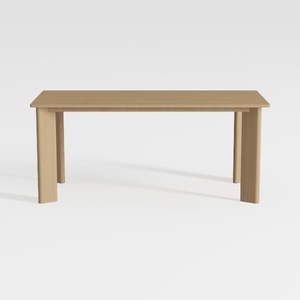

Minimalist Solid Oak Dining Table 3D Model
Homestyler is the ultimate online home design platform that empowers you to create stunning spaces effortlessly. With its user-friendly design tools, immersive 3D renderings, and a wealth of inspiring design projects and video tutorials, transforming your home has never been easier!
立即免费设计
































