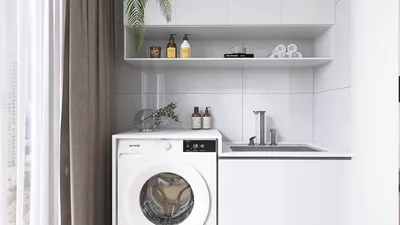


Transforming a 3D model into an engaging papercraft project is an inventive endeavor that merges digital advancements with hands-on creativity. This creative journey starts with selecting a 3D model, which can range from basic geometric figures to intricate character designs. Once you've made your selection, the next step involves 'unfolding' this model into flat components that can be printed, cut, and assembled. This process is generally facilitated by specialized software like Pepakura Designer or the paper model plugins available in Blender. After importing your 3D file, typically in OBJ or STL formats, these tools enable you to generate a net—a two-dimensional schematic of the surfaces and flaps required for reconstructing your model in paper form. Careful attention must be paid to layout each piece, incorporate glue tabs, and ensure the design is optimized for straightforward assembly. Subsequently, you can print your designs on sturdy paper, carefully cut the shapes, score the folds, and methodically glue components together. From a designer’s perspective, I always factor in the model’s stability, color palette, and display location, akin to planning room arrangements for clients. Just as appropriate lighting or furniture selection maintains equilibrium in a space, strategic model orientation and tab placement can enhance the assembling experience of your papercraft project. If you want to visualize your creations in a real-world context, a tool like Homestyler can allow you to digitally position your papercraft on shelves, tables, or display cases—helping you evaluate their effect in your interior space prior to their physical completion.
Tips 1:
Begin with basic shapes such as cubes or pyramids if you are new to papercraft. As your skills progress, you can challenge yourself with more complex designs. Always make sure to preview the unfolding process in a digital format to confirm that assembly will be straightforward. Remember, using thicker paper will yield sturdier results.
FAQ
Q: Which software is best for transforming 3D models into papercraft templates?
A: Pepakura Designer is a popular choice among enthusiasts for creating papercraft templates. Blender also offers several plugins designed for paper modeling, giving users flexibility with various file formats.
Q: What paper type is ideal for papercraft models?
A: Heavyweight cardstock (ranging from 160-220gsm) is recommended for its durability and crisp folds, although lighter paper can be suitable for smaller or more intricate models.
Q: Is it possible to include textures or colors directly onto my papercraft templates?
A: Indeed, most unfolding software allows you to apply the 3D model’s textures onto the flattened template. You can also manually customize colors and textures before printing.
Q: How can I ensure that my papercraft model remains easy to assemble?
A: Organize the parts logically, add clear glue tabs, and plan the unfolding to reduce complex joins. If possible, test the build virtually.
Q: Can any 3D model be converted into a papercraft character?
A: Technically, yes, but models with simple, flat surfaces are considerably easier to convert and assemble than those characterized by numerous curves or complex details.

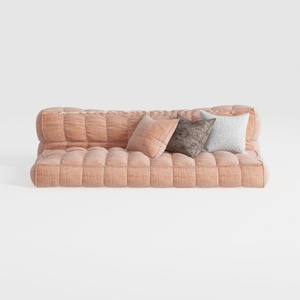
Minimalist Blush Fabric Tufted Contemporary Sofa 3D Model
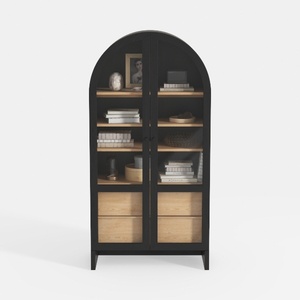
Minimalist Black Oak Arched Glass Display Cabinet 3D Model
Looking to transform your space? Homestyler is here to help! This fantastic online home design platform offers a user-friendly design tool, stunning 3D renderings, and a wealth of design projects. Plus, with DIY video tutorials, you'll be inspired every step of the way. Dive into your dream home today!
立即免费设计
































