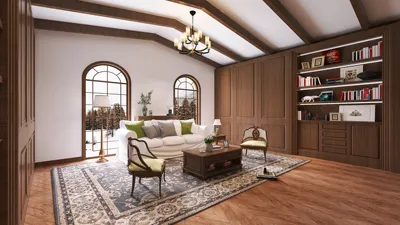


A basement can transform into the most multifunctional square footage in your residence—serving as a home office, guest suite, gym, media room, or play area—yet facing challenges such as ceiling height, moisture levels, and light requires strategic planning. I approach basement design with the same meticulousness as any primary living area, considering functionalities, arranging zones, layering lighting, and ensuring smooth traffic flow before setting up any walls. By utilizing effective online tools that cater to layouts and well-defined design briefs, you can achieve this without incurring costs.
Even below ground, performance is essential. The WELL v2 standard recommends a minimum of 300 lux for ambient lighting in living spaces, with task areas requiring between 500 and 1,000 lux based on their usage (source: WELL v2 Light concept). The Illuminating Engineering Society (IES) advocates for indirect and diffuse lighting methods in low-ceiling areas to manage Unified Glare Ratings effectively. Additionally, ergonomics and clearances are crucial for comfort. Research by Herman Miller indicates that varying posture and providing ergonomic support can lead to noticeable improvements in productivity within home office settings, influencing how desks and chairs should be arranged when setting up a basement office.
Begin with a Purpose and Clear Space Brief
I kick off the project with a straightforward brief that ranks intended functions: one primary purpose (like a media lounge), a secondary purpose (such as a guest sleeping area), alongside considerations for future needs (like a kid-friendly zone). Research from Steelcase highlights that purpose-focused zoning helps alleviate spatial conflicts and enhances the sense of control; in a home context, this translates to distinct areas for quiet work, social interaction, and storage requirements.
Identify Constraints: Ceiling Height, Egress, and Moisture
Basements typically face limitations regarding ceiling height, duct placements, and beams. Adhering to codes regarding egress is crucial for bedrooms; thus, plan for either windows or egress doors that allow for a clear escape route. Moisture management dictates material choices: steer clear of paper-faced drywall in damp regions and opt for closed-cell insulation and non-organic wall builds in susceptible areas. I prioritize circulation testing, ensuring aisles are a minimum of 36 inches for comfort while expanding to 42–48 inches near seating areas to avoid congestion, and I design door swings to keep them away from main traffic areas.
Design Zones Using a Room Planner
Employ an interior design tool that facilitates dragging and dropping walls, staircases, and furnishings, while enabling quick lighting simulations. For plans involving various activity areas, I often draft two to three prototypes, clearly labeling each with traffic flows and storage elements. A basement is well-served by a strategy that maximizes perimeter storage to keep central pathways clear. Utilize a room layout tool to envision TV visibility, gym spacing, and guest bed placements before making any final decisions.
Illuminate the Basement Professionally
Rooms below grade require a layered approach to lighting to create a welcoming atmosphere. I establish three lighting layers: ambient (using recessed or low-glare surface fixtures), task (desk lamps and under-cabinet lights in kitchen areas), and accent (wall washers to enhance perceived height and minimize shadow effects). The color temperature is vital: use 3000–3500K for general living areas to maintain warmth while avoiding dullness; employ 4000K for spaces like gyms or laundry where sharper task lighting is beneficial. I often avoid using just downlight grids—because of low ceilings that can create harsh shadows—opting instead for linear fixtures and wall grazing techniques to amplify spatial volume. Consulting WELL v2 for illuminance levels and IES recommendations for glare management can enhance your approach.
Consider Ergonomics and Human Factors
Ceiling height significantly influences posture and visual comfort. In areas where beams lower, I focus on seating arrangements—such as sofas and desks—under the lowest points while reserving taller zones for more dynamic activities. For a home office nook, I establish the work surface at approximately 29 inches high, ensuring that the chair can adjust to maintain optimal joint angles and placing monitors at eye level to avoid glare by positioning screens 90 degrees relative to light sources.
Acoustic Considerations
Basements may often lack sound insulation; noise from mechanical areas can infiltrate living spaces. I use storage walls or sliding partitions to separate quiet and noisy zones effectively. Incorporating soft materials—like rugs, upholstered furnishings, and acoustic panels—can significantly reduce reverberations. If a media area shares space with a sleeping nook, I introduce an additional layer of gypsum board with resilient channels on the partition to mitigate sound transmission while keeping costs reasonable.
Understanding Color Psychology and Visual Balance
The right choice of color can mitigate any below-ground ambiance. Research from Verywell Mind highlights that shades of blue and green promote calmness, while warmer colors inject cozy energy into the space. I recommend combining mid-tone neutrals on larger surfaces with lighter ceiling hues to elevate perceived height, and opting for richer colors on accent walls near focal points. Managing contrast is essential: matte finishes help reduce glare, and consistent baseboard lines can visually organize elongated walls.
Selecting Materials and Managing Moisture
Choosing the right materials is crucial for durability. I favor luxury vinyl plank or tile instead of carpet in potentially moist zones; should a rug be desired, I recommend using area rugs with breathable pads. As for walls: fiberglass-faced drywall is effective for pump rooms and bathrooms, while standard drywall is suitable where dryness is assured. Closed-cell spray foam or rigid insulation should line foundation walls, followed by a decoupled stud wall for electrical and finishing purposes. It’s advisable to elevate millwork off the slab to prevent moisture wicking.
Integrating Storage and Utility Solutions
Every exemplary basement showcases an invisible structure of organization. I enhance mechanical rooms into functional spaces by incorporating deep counters for tools, labeled bins, and wall-mounted systems for seasonal items. In living areas, I recommend a 16–24 inch deep storage wall that can serve as an acoustic buffer. For children's zones, consider utilizing color-coded bins at varied heights along with a cleared path for play to avoid hazards.
Prepare for Future Adaptability
Flexibility is key for future modifications. I make provisions for a potential wet bar with capped plumbing, run additional circuits for upcoming AV upgrades, and pre-wire for a projector even when a television is initially planned. Areas with potential for conversion—from a yoga studio to a guest room—thrive with modular furniture and foldable solutions.
Utilize a Free Online Design Process
Here’s my step-by-step guide for prototyping a basement online at no cost: 1) Measure and sketch the area, including stairs, windows, columns, and utilities. 2) Create a digital plan with an interior layout planner, experimenting with two to three different setups. 3) Layer in lighting and furniture while checking for clearances and visibility. 4) Render elevation views for storage and feature walls. 5) Export a materials checklist alongside MEP coordination requirements. An effective room design visualization tool can highlight spatial challenges before installation begins.
Conduct Data-Driven Evaluations
Prior to final decisions, I perform three essential evaluations: 1) Lighting: ensure 300–500 lux for communal living spaces, adjusting task lighting for functionality. 2) Circulation: uphold a minimum of 36-inch aisles, making wider pathways available near seating arrangements. 3) Ergonomics: align desk heights, monitor placements, and seating support with proven methodologies from Herman Miller research focused on posture health; this keeps comfort and usability firmly rooted in empirical evidence rather than speculation.
When to Engage a Professional
For structural changes, installation of egress windows, and plumbing modifications, professional assessment is advisable. A licensed electrician should manage any panel upgrades and basement circuits. Assessing moisture issues—such as vapor drive and sump pump functionality—can prevent costly repairs later on.
Frequently Asked Questions
Start by prioritizing functions and establishing zones: position quiet work areas away from mechanical noises, anchor storage against the periphery, and maintain a central circulation loop. Try utilizing a layout simulation tool to create and evaluate three design variations, selecting the one with the best flow.
Aim for approximately 300–500 lux in ambient living areas, adjusting task lighting to between 500–1,000 lux based on the activity. Match color temperatures of 3000–3500K for lounges with 4000K for utility or gym settings. Refer to WELL v2 and IES standards for guidance on optimizing settings.
To manage sound effectively, mix soft furnishings (like rugs and upholstered seating) with acoustic panels, and implement resilient channels with double-layer gypsum board on partitions that segregate noisy and quiet areas. Isolating mechanical spaces and adding door seals as needed can also help.
Luxury vinyl plank or tile is ideal for basement settings; consider adding area rugs for added comfort. It is advisable to avoid wall-to-wall carpeting in higher moisture environments while elevating wood elements above slab levels to prevent moisture absorption.
Utilize light, warm neutrals on ceilings and upper wall sections to enhance the feeling of height; deploy mid-tones to anchor accent walls. Shades of blue and green are suitable for calming areas, while richer tones can be applied to focus points. Choose matte finishes to better control glare.
Yes, as long as proper egress is established via either windows or doors in compliance with local regulations regarding ventilation and height. It is crucial to outline a clear exit strategy and verify dimensions before beginning construction.
Position your desk away from direct glare sources, maintain appropriate ergonomic heights, add 4000K task lighting for visual clarity, and ensure effective acoustical separation from media or play areas. Pre-wiring for data connections and sound isolation is also important.
Build storage solutions that are 16–24 inches deep along the perimeter, integrating closed cabinetry for a streamlined appearance, and keep the central space open. Consider labeling storage bins by season and providing a utility counter within the mechanical area for functionality.
Employ a room layout tool to visualize walls, furnishings, and lighting designs, export checklists, and ensure alignment with WELL v2 and IES references for best practices. Experiment with multiple design variations and select the scheme featuring the most efficient circulation and compliant egress plans.
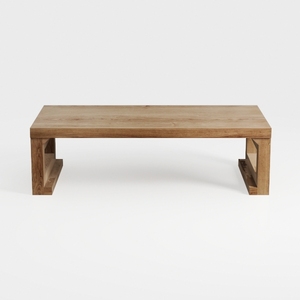
Bed Table Bed Desk Living Room Simple and Creative
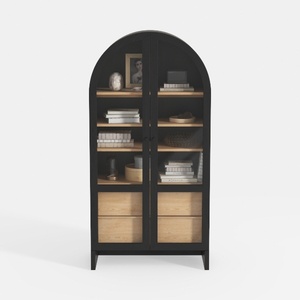
Minimalist Black Oak Arched Glass Display Cabinet 3D Model
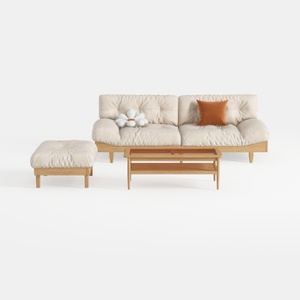
Minimalist Solid Wood Fabric Sofa Ottoman Coffee Table Set 3D Model
Homestyler is the ultimate online home design platform to unleash your creativity! With its user-friendly design tool, stunning 3D renderings, and a wealth of inspiring design projects and video tutorials, transforming your home into a personalized sanctuary has never been easier or more enjoyable.
Zaprojektuj teraz za darmo
































