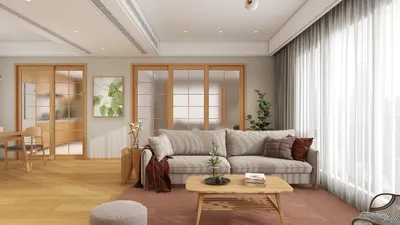


Are you fed up with the limitations of flat 2D floor plans? Do you desire to transform your designs into lively 3D visualizations? The conversion of floor plans into 3D models is not merely a trend; it's the future of interior design. Thanks to technological advancements, it's now possible to effortlessly convert your traditional sketches into interactive 3D representations. This innovative approach not only enhances your ability to visualize but also fosters creativity in your design endeavors. In this guide, we will delve into the process of converting your scanned floor plans into breathtaking 3D designs using tools like Homestyler, step by step.
Grasping the Scanning Procedure
The initial step in the journey of transforming a floor plan into a 3D model is to comprehend the scanning process. Utilize a high-resolution scanner to accurately capture every detail of your plans. Make sure that elements such as walls, doors, and windows are distinctly visible. Once you have completed the scanning process, upload the images to design software that is equipped to handle 3D modeling.
Selecting the Appropriate Software for 3D Transformation
Not all software options are the same. You will require a program that can flawlessly convert your 2D scans into impressive 3D models. Tools such as Homestyler's Floor Planner or their 2D Design Tool provide user-friendly interfaces alongside powerful features that help bring your designs to fruition. With these applications, effortlessly add textures, shades, and furnishings to develop a lifelike depiction of your space.
Advantages of 3D Floor Plans
3D floor plans offer numerous benefits when compared to traditional 2D designs. They significantly improve visualization, providing a more accurate depiction of space and layout. This is particularly valuable during renovation projects or new constructions. Furthermore, 3D models facilitate virtual tours, allowing clients to get a genuine feel for their prospective spaces.
Suggestions for Enhancing Your 3D Models
To elevate your 3D models, focus on the finer details. Utilize high-quality textures, integrate suitable lighting, and choose the right color palette to evoke specific emotions. For instance, a soft, neutral color scheme can establish a serene environment, whereas bright colors can invigorate a space. Additionally, remember to incorporate personal elements that reflect the client’s unique taste!
Final Thoughts
Transforming a floor plan into a 3D model is an exhilarating endeavor that unveils new possibilities in design. By adhering to these outlined steps and leveraging the right tools, including Homestyler, you can create stunning 3D representations of your concepts. Keep in mind that every detail counts in design, and the boundaries of creativity are limitless!
Frequently Asked Questions
Which software is ideal for converting floor plans into 3D models? There are various options available, but Homestyler’s tools are particularly effective for precise conversions. Explore Homestyler's interior design features for further insights.
Is it simple to edit my 3D models? Absolutely! Most contemporary design software provides user-friendly tools for quick editing and adjustments to your 3D models.
Welcome to the Free 3D Floor Planner
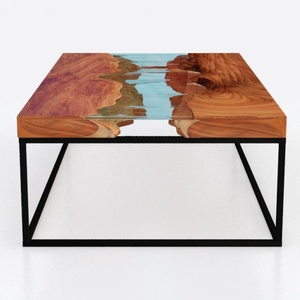
Custom 3D Waves Ocean Dining Table, Blue Ocean

Modern Solid Wood Brass Accent Single Drawer Coffee Table 3D Model
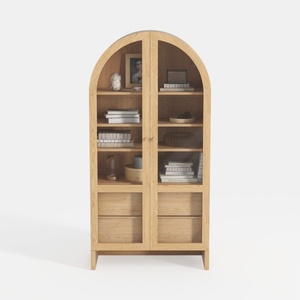
Minimalist Solid Wood Arched Display Cabinet 3D Model
Looking to transform your home? Try Homestyler, an exceptional online home design platform! With its user-friendly design tool, stunning 3D renderings, inspiring design projects, and informative video tutorials, you’ll effortlessly create the perfect space that reflects your style. Start designing today!
立即免费设计
































