

Unity has emerged as a leading platform for game developers, architects, and designers aiming to craft interactive 3D experiences. To harness its full capabilities, having dependable tools for modeling, texturing, and importing 3D assets is essential. In this article, we will delve into the top tools for generating 3D models specifically designed for Unity, highlighting both professional-grade software and accessible options ideal for beginners.
1. Blender
Blender is renowned as a flexible, open-source 3D modeling tool that encompasses everything from fundamental modeling to sculpting, animation, rigging, and rendering. Its direct export features that are fully compatible with Unity formats, such as .fbx and .obj, facilitate a streamlined workflow for both indie developers and seasoned professionals.
2. Autodesk Maya and 3ds Max
As the industry's preferred choices, Maya and 3ds Max are widely used for producing complex models, animations, and textures. Their extensive feature sets and robust export capabilities guarantee that your assets integrate seamlessly within Unity environments.
3. ZBrush
ZBrush specializes in high-detail sculpting and organic modeling. If your Unity project requires intricate character models or detailed objects, ZBrush offers sophisticated tools for crafting and optimizing meshes to be used in-game effectively.
4. Cinema 4D
While Cinema 4D is often selected for motion graphics, it is also a powerful tool for 3D model creation. Its compatibility with Unity through .fbx and .obj exporting makes it an excellent choice for artists seeking rapid prototyping and rendering capabilities.
5. SketchUp
SketchUp is appealing to both novices and professionals focused on architectural projects. Its easy-to-use interface coupled with the capability to export models directly into Unity positions it as a top contender for those designing virtual environments.
6. MagicaVoxel
Suitable for pixel-art and voxel-based creations, MagicaVoxel excels at making light, stylized 3D models that can effortlessly be imported into Unity scenes.
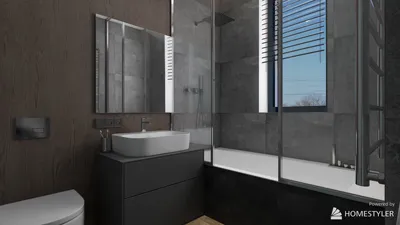
As a professional interior designer, I frequently suggest incorporating a 3D Floor Planner into your workflow. This type of tool effectively combines detailed 3D modeling with real-time visualization in Unity. It enables quick layout conceptualization, space visualization, and export of models optimized for interactive experiences—particularly beneficial for virtual staging, walkthroughs, and captivating design presentations.
Tips 1:
To maximize performance in Unity, it’s crucial to ensure your models are optimized by limiting polygon counts when possible and utilizing effective UV mapping techniques. This approach not only boosts performance but also allows for quicker loading times and smoother interactions in your final Unity application.
FAQ
Q: What file formats are ideal for importing models into Unity?
A: Unity supports various file formats including .fbx, .obj, .dae, and .3ds. Out of these, .fbx is the most commonly used for ensuring smooth integration of models, materials, and animations.
Q: Is Blender an appropriate choice for beginners wanting to create models for Unity?
A: Absolutely, Blender features an intuitive interface, extensive tutorials, and direct export functions to Unity, making it an excellent starting point for new users.
Q: How can I optimize 3D models for real-time rendering in Unity?
A: To maintain performance while preserving quality, it's advisable to lower polygon counts, use efficient texture mapping, and create Level of Detail (LOD) versions.
Q: Can I leverage 3D modeling tools for architectural projects within Unity?
A: Definitely. Tools such as SketchUp and 3D Floor Planners are specifically designed for architectural visualization and integrate seamlessly into Unity environments.
Q: Do I need programming knowledge to use these 3D modeling tools with Unity?
A: While having a basic understanding of coding can enhance your experience with Unity, most 3D modeling tools are centered on asset creation and export processes. Unity’s intuitive drag-and-drop interface facilitates asset importation, even for those without a coding background.


Minimalist Solid Wood Accent Cabinet with Textured Top 3D Model

Minimalist Black Stone Coffee Table Unique Irregular Shape 3D Model

Modern Brown Leather L-shaped Sectional Sofa With Throw Pillows 3D Model
Discover the magic of home design with Homestyler! This user-friendly platform offers an intuitive online design tool, stunning 3D renderings, a wealth of design projects, and helpful DIY video tutorials. Turn your creative vision into reality effortlessly—perfect for both beginners and seasoned decorators!
Progetta ora GRATIS
































