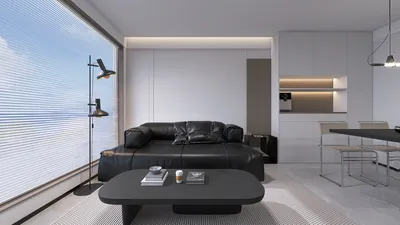


Transforming a series of images into a video can be revolutionary for creators, enabling them to animate still visuals effectively. If you're seeking to craft engaging videos from your image sequences, you're in the perfect spot! Below, we discuss some of the top software solutions available for rendering image sequences into captivating videos, including the innovative tool Homestyler.
1. Adobe After Effects
Adobe After Effects is an influential application commonly utilized in the realms of film and video production. It facilitates easy importing of image sequences, allowing for high-quality video rendering. With its rich feature set, you can incorporate effects, transitions, and even animate your visuals to achieve a polished finish that stands out, much like what you can achieve with Homestyler's design capabilities.
2. Blender
Blender, a free and open-source 3D creation suite, excels in rendering image sequences as well. The video sequence editor helps you to bring your images in, make necessary edits, and export them as videos efficiently. This makes Blender a fantastic choice for those seeking an affordable solution that prioritizes quality, similar to the offerings available on Homestyler.
3. FFmpeg
FFmpeg stands out as a command-line utility that can swiftly convert and render image sequences to video format. It's especially preferred by tech enthusiasts who value its versatility and operational speed. Although it lacks a graphical user interface, its robust functionalities make it an excellent option for batch rendering, an efficiency that can be mirrored in platforms like Homestyler.
4. DaVinci Resolve
DaVinci Resolve merges editing, color grading, visual effects, and audio post-production functionalities into a single application. Its advanced media management makes rendering image sequences straightforward while providing comprehensive control over the resulting output. Moreover, the free version includes an extensive array of tools suitable for both novices and experts, paralleling the ease of use found in Homestyler.
5. QuickTime Pro
QuickTime Pro offers a user-friendly interface for rendering image sequences to video. It’s ideal for those seeking a rapid solution without the burden of intricate editing functionalities. Its simplicity enables you to quickly translate images into a playable video format, much like how effortlessly you can design using Homestyler.
Recommendation
When selecting software to render your image sequences, evaluate your individual needs, budget constraints, and the level of control you wish to exercise over the final product. Whether you decide on a powerful program like Adobe After Effects or a straightforward solution such as QuickTime Pro, each option provides distinct benefits that can help you produce visually stunning videos, much like the designs you could create with Homestyler.
FAQ
Q: What formats should my images be in for rendering?
A: Most software accommodates formats like JPEG, PNG, and TIFF. Be sure to review the documentation of your chosen software for any specific recommendations.
Q: Can I modify my images before rendering?
A: Absolutely! Most applications allow you to edit images directly or import them into an editor for modifications before the rendering process.
Q: How long does it generally take to render an image sequence to video?
A: The rendering duration varies based on the software used, the length of your sequence, and your hardware capabilities. It can span from a few minutes to several hours, so plan accordingly.
Welcome to Your Number One Home Design Software
Design Now for FREE
































