

Recently, I assisted a longtime client in redesigning their office layout, and they hit me with a challenge:
I began my search, and almost every tool advertised as ‘no sign-up’ turned out to be misleading: they allowed you to start sketching but required registration to save your work. To alleviate this frustration, I personally tested several options. Below are my insights on floor planners that genuinely let you work without registration, including some honest G2 ratings for your convenience.
If you're ready to get started right away, simply open one of these no-sign-up floor planning tools and create your initial draft instantly.
1. Roomstyler – Launch the Tool and Start Designing (G2 ~4.0/5)
Advantages: Intuitive drag-and-drop functionality, user-friendly interface, extensive furniture library.
Drawbacks: Average 3D lighting; high-resolution exports require a paid subscription.
Ideal for: Quick sketches and rapid concept validation.
2. Planner 5D (Web) – Drawing is Allowed, but Saving Needs Registration (G2 ~4.2/5)
Advantages: Seamless 2D to 3D transitions, visually appealing renders.
Drawbacks: Saving or exporting high-res images compels you to create an account.
Ideal for: Users willing to register in exchange for polished visuals.
3. Floorplanner.com – Excellent Experience, Yet Registration Required to Save (G2 ~4.5/5)
Advantages: Clean user interface, smooth 3D transitions, reliable performance.
Drawbacks: Limited free projects; high-resolution exports are a paid feature.
Ideal for: Teams or agencies who are comfortable registering for long-term use.
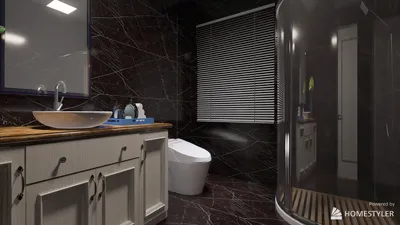
4. Homestyler – Feature-Rich but Requires Account for Saving (G2 ~4.3/5)
Advantages: Almost a professional-grade tool, extensive model and material library.
Drawbacks: Has a steeper learning curve; managing projects long-term is tough without an account.
Ideal for: Designers with software experience looking for robust capabilities.
5. Sweet Home 3D (Web) – Truly No Sign-Up + Offline Capability (G2 ~4.1/5)
Advantages: Open-source, completely free to use, supports importing custom models.
Drawbacks: Outdated interface, rendering quality could be improved.
Ideal for: Budget-savvy users prioritizing stability over aesthetics.
My Practical Ranking (Convenience without Registration + User Reputation)
Cautions & Practical Suggestions
When It’s Wise to Sign Up
In these scenarios, a brief registration is the sensible choice — it's a straightforward process that saves you time. My method: create the basic layout in a no-sign-up tool to confirm your idea, then transition to a registered, auto-saving platform for further refinement and final output.
Final Thoughts for Designers
Ultimately, sketch your ideas first and delay the registration discussion. The crucial part is getting your concept on paper; once you need saving, collaboration features, or high-resolution outputs, make the switch to a quick sign-up option. This approach will be nearly seamless, but will greatly enhance your productivity.
Homestyler is your go-to platform for transforming home design dreams into reality. With its user-friendly online design tool, stunning 3D renderings, and a wealth of inspiring design projects and video tutorials, creating your perfect space has never been easier. Start designing today!
Concevez maintenant gratuitement
































