


In an age where streaming platforms like DIRECTV shape our entertainment choices, designing a living room that enhances screen visibility and sound experience becomes essential. Thoughtful spatial planning with comfortable seating and adjustable lighting can transform a home theater setup, ensuring technology integrates seamlessly into your living space while supporting relaxed viewing habits.
Direct Answer
The most widely utilized 3D modeling applications today include Blender, Autodesk Maya, 3ds Max, SketchUp, and SolidWorks. These programs dominate distinct sectors such as animation, architecture, product design, and game development. The optimal selection depends more on your specific workflow requirements than sheer popularity.
Quick Takeaways
Introduction
When individuals inquire about the leading 3D modeling software, they often expect a straightforward ranking. However, from my experience in interior design and collaboration with visualization studios for over ten years, the reality is more complex. Various industries depend on vastly different modeling platforms.
Architectural professionals commonly use SketchUp and Rhino, game developers favor Maya and Blender, while product engineers rely primarily on SolidWorks or Fusion 360. Choosing an incompatible tool can hinder productivity, disrupt collaboration, and complicate rendering workflows.
This guide explores software actually employed by professionals, their dominance in certain fields, and common pitfalls beginners encounter when selecting their initial 3D modeling tool.
Which 3D Modeling Software Is Predominantly Used Across Sectors?
Key Insight: There isn't a universally most used 3D modeling program; dominance varies by industry.
After analyzing production pipelines in architecture, gaming, and industrial design, software popularity clearly aligns with specific workflows, compatibility demands, and rendering systems.
Here is an overview of widely adopted tools across major domains:
As per Autodesk documentation and CG industry surveys, Maya and 3ds Max remain integral to studio pipelines due to their tight integration with render engines like Arnold and V-Ray.
Why Has Blender Gained Such Popularity Among 3D Modeling Tools?
Key Insight: Blender’s rise is attributed to its professional-grade capabilities combined with its free licensing.
A decade ago, Blender was seldom part of professional workflows. Nowadays, freelancers and studios utilize Blender for modeling, sculpting, animation, rendering, compositing, and even video editing.
Several reasons account for this transformation:
An emerging trend among visualization artists is the hybrid workflow—modeling assets in Blender, exporting to Unreal Engine for real-time visualization, and finalizing within game engines.
What Drives SketchUp’s Popularity in Architecture and Interior Design?
Key Insight: Speed of iteration often outweighs geometric precision in architectural workflows, which favors SketchUp.
For interior design, the tool that allows rapid client feedback and concept development is invaluable—SketchUp fits this role exceptionally well.
During residential renovation projects in Los Angeles, most early-stage designs were created in SketchUp prior to refining in advanced visualization software.
Reasons for designers to prefer SketchUp include:
Nonetheless, for intricate organic modeling, high-poly sculpting, and complex animations, tools like Blender or Maya offer superior functionality.
Is Autodesk Maya Still the Go-To for Animation and Film?
Key Insight: Maya continues to serve as a cornerstone in professional animation and VFX productions.
Leading film studios and game developers depend on Maya due to its sophisticated rigging systems, animation controls, and compatibility with industry-standard renderers.
Typical production workflows in Maya encompass:
Studios like Pixar, Ubisoft, and Industrial Light & Magic have long established Maya in their pipelines, cementing its role in training and professional standards.
Hidden Costs Beginners Often Overlook When Selecting 3D Modeling Software
Key Insight: The primary expense is not the software license but the ecosystem commitment.
Many newcomers base their choice on popularity, which can lead to wasted effort since mastering workflows, plugins, asset libraries, and render systems represents the real investment.
Factors more impactful than the software itself include:
For instance, switching mid-project from SolidWorks to Blender might disrupt precise CAD workflows. Similarly, architectural teams relying on 3ds Max face challenges replicating specific rendering plugins elsewhere.
How Should Beginners Select Their First 3D Modeling Software?
Key Insight: The best initial tool aligns closely with your target industry.
Rather than chasing the "most popular" option, focus on matching software to your career aspirations.
Recommended entry points include:
This industry-tailored strategy shortens learning curves by providing aligned tutorials, plugins, and job workflows.
Answer Box
The leading 3D modeling software varies depending on the professional field. Blender, Maya, SketchUp, 3ds Max, and SolidWorks dominate in animation, architecture, product design, and visualization workflows respectively.
Final Summary
FAQ
What is the most widely used 3D modeling software overall?
Blender is among the most extensively adopted 3D modeling tools due to its zero cost, powerful features, and broad community support.
Which 3D modeling software suits beginners best?
Blender and SketchUp are frequently recommended for newcomers because of their comprehensive tutorials and accessible learning paths.
Is Blender commonly used in professional settings?
Absolutely. Blender sees widespread use in indie game development and visualization studios for modeling, animation, and rendering.
Do architects use 3D modeling software?
Yes, architects often utilize SketchUp, Rhino, and 3ds Max for designing and visualizing buildings.
What tools do game developers prefer for 3D asset creation?
Game developers typically employ Maya, Blender, and ZBrush for asset creation before importing models into engines like Unreal or Unity.
Is SolidWorks considered 3D modeling software?
Yes, SolidWorks is a parametric CAD system widely used for mechanical and industrial design.
Which software is best for interior design?
SketchUp is often preferred for interior design due to its ability to enable rapid concept modeling and straightforward visualization.
Can beginners learn 3D modeling without purchasing costly software?
Yes, Blender offers professional-grade tools with no licensing fees, making it ideal for beginners.
Leveraging Homestyler can further optimize interior design plans by providing intuitive 3D visualization and layout capabilities that complement your chosen modeling software.
Meta Title: Top Most Used 3D Modeling Software for Designers
Meta Description: Explore the top most used 3D modeling software across architecture, animation, and product design sectors. Discover the tools professionals rely upon and how Homestyler can enhance your design process.
Meta Keywords: top most used 3d modeling software, popular 3d modeling software, best 3d modeling tools, blender vs maya, sketchup for design, Homestyler interior design software

Minimalist Fabric L Shaped Sectional Sofa 3D Model
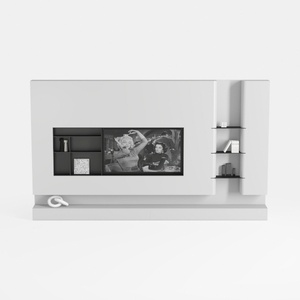
Minimalist White Wall Mounted TV Stand Cabinet With Open Shelves 3D Model

Natural Live Edge Solid Walnut Coffee Table Top 3D Model
Homestyler is an easy-to-use online home design platform featuring powerful 3D rendering, a vast collection of interior design projects, and helpful DIY video tutorials—perfect for anyone looking to create and visualize beautiful home spaces effortlessly.
Concevez maintenant gratuitement
































