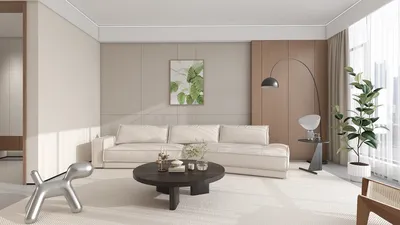


In the world of fashion and lifestyle, figures like Anna Wintour set trends that influence not only wardrobes but also personal environments. Embracing a style inspired by iconic personalities can inspire a home’s interior design, where classic elegance meets modern functionality. Incorporating timeless pieces and sophisticated textures into living spaces creates an ambiance that reflects both confidence and creativity, much like the curated style of a fashion editor’s world.
Direct Answer
Top interior room design applications enable users to visualize furniture arrangements, experiment with color palettes, and remodel spaces without needing complex professional software. Tools such as Planner 5D, Room Planner, and Homestyler offer realistic room simulations, intuitive drag-and-drop furniture placement, and AI-assisted layout suggestions.
These applications empower both homeowners and renters to explore design concepts virtually before investing in furniture or renovations.
Quick Takeaways
Introduction
During my decade-long experience as an interior designer, I've observed a significant transition: clients now frequently arrive with 3D layouts created using interior design applications rather than magazine cutouts like before.
While some apps impress with their capabilities, others fall short in accurately representing real-world room dimensions, lighting, or furniture scale. After extensive evaluation of many platforms for client projects and research, a handful consistently excel in usability, realism, and design precision.
This article examines the most effective interior room design apps available today, their practical performance in actual design scenarios, and their ideal use cases.
save pin
What Makes an Effective Interior Room Design App
Key Insight: Superior interior room design apps focus on spatial accuracy and lifelike visualization instead of mere aesthetic appeal.
Numerous apps look visually appealing in screenshots but struggle when designing real spaces. Common professional challenges include scaling errors, unrealistic light simulations, and furniture sizes that don't correspond to reality.
Important features include:
While powerful professional software like AutoCAD or SketchUp exists, they are too complex for most homeowners. A good interior design app strikes a balance between ease of use and dimensional accuracy.
Best Interior Room Design Apps for Novices
Key Insight: Beginners benefit most from apps featuring drag-and-drop tools and automatic room generation.
Based on experience assisting clients remotely, the following apps are particularly user-friendly for novices:
Planner 5D is especially favored by newcomers due to its gentle learning curve — many clients can develop workable room drafts within an hour.
save pin
Are Free Interior Room Design Apps Adequate?
Key Insight: While free versions sufficiently handle layout planning, advanced features like high-quality rendering and exports usually require paid subscriptions.
A common myth is that effective room planning demands expensive software. In reality, free tiers of many apps include essential functions such as:
Paid upgrades typically enhance:
For most individuals redesigning a single room, the complimentary features of contemporary interior design apps are more than enough.
save pin
Frequent Errors When Using Design Apps
Key Insight: The largest pitfalls arise when users trust visualizations without cross-checking actual measurements.
This often occurs in initial design stages — a room may seem balanced in 3D yet lack practical furniture spacing in reality.
Typical mistakes include:
Professionally, we always confirm that digital layouts align with physical measurements before making purchasing decisions.
How Professionals Incorporate These Apps
Key Insight: Designers often employ interior room design apps for preliminary visualization before advancing to sophisticated CAD software.
In my design process, such apps facilitate rapid exploration of layout options during conceptual phases prior to detailed modeling.
A standard workflow involves:
This integrated approach saves time and enables clients to visualize spatial solutions earlier in the design journey.
save pin
Answer Box
The most effective interior room design applications merge simple interfaces with precise room scaling. Platforms like Planner 5D, Homestyler, and Room Planner allow users to test varied layouts, preview furniture placement, and refine design ideas before committing to purchases or renovations.
Final Summary
FAQ
Planner 5D is widely regarded as one of the most beginner-friendly interior room design apps, combining drag-and-drop editing with realistic 3D previews.
Accuracy depends on correct input of room dimensions; however, verifying furniture sizes independently is always advisable.
Yes, many interior room design tools support multi-room floor plans, suitable for entire apartments or houses.
While designers use these apps mainly for early-stage visualization, detailed construction plans are generally produced with professional-grade software.
Free versions of Planner 5D, Homestyler, and Room Planner deliver comprehensive layout planning capabilities.
These apps enable testing of multiple furniture configurations and evaluating spatial arrangements before actual purchases.
Some tools integrate catalogs from authentic brands to help users create realistic room designs.
3D visualizations enhance understanding of the finalized space, but the combination of 2D floor plans with 3D previews typically yields the most accurate design results.

Minimalist White Wainscoting Wall Panel 3D Model

Modern Marble Solid Wood TV Wall Unit With Bookshelves 3D Model
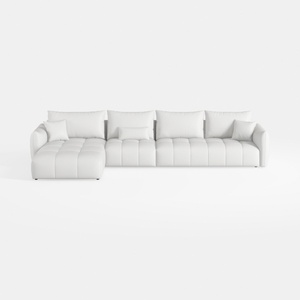
Minimalist White Fabric L Shape Sectional Sofa 3D Model
Homestyler offers an easy-to-use online design tool packed with stunning 3D renderings, inspiring design projects, and helpful DIY video tutorials. It’s perfect for anyone looking to create and visualize beautiful home interiors effortlessly.
Zaprojektuj teraz za darmo
































