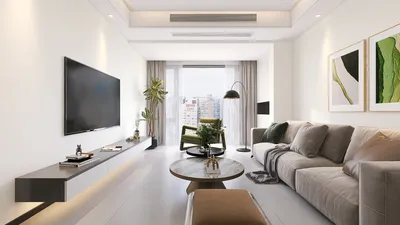


Designing an efficient and visually appealing floor plan is crucial for maximizing any area, especially within compact residences. Luckily, there are numerous free tools available that can aid you in bringing your design concepts to life without incurring expenses. Here’s a look at some of the top options to kick off your next interior design journey.
1. SketchUp Free
SketchUp Free serves as a straightforward online resource that enables you to craft intricate 3D representations of your space. It’s ideal for proactive designers eager to test various layouts and aesthetics.
2. Floorplanner
Floorplanner stands out as a multifunctional platform that features an intuitive drag-and-drop interface for designing both 2D and 3D floor plans. Its extensive object library makes furnishing your layout a breeze, providing an excellent way to visualize your home with ease.
3. Roomstyler 3D Home Planner
Roomstyler is especially attractive for those captivated by interior design. Its realistic 3D renderings and diverse furniture options allow you to experiment with various stylistic combinations in your environment.
4. Planner 5D
Planner 5D offers a robust toolkit suitable for novices and seasoned designers alike. It allows for the creation of precise 2D and 3D blueprints, and even includes augmented reality capabilities for a real-world visualization of your projects.
5. SmartDraw
SmartDraw is a comprehensive drawing application that provides pre-made templates for different layout types, including floor plans. Although it features a premium package, its free version facilitates basic floor plan development, making it a valuable option for quick designs.
6. Homestyler
Homestyler is a fantastic choice for planning your floor plan as well. Its user-friendly interface combined with powerful 3D visualization tools helps you achieve realistic designs effortlessly, and you can get started at no cost!
Tips for Utilizing Floor Plan Creators
1. Begin with a concise vision for your space: Take accurate measurements of your area and identify the essential features you want to incorporate.
2. Play around with layouts: Don’t hesitate to explore different configurations until you discover the one that resonates best with you.
3. Make the most of object libraries: Most of these platforms provide an array of furniture and decor items that allow you to visualize your design accurately.
4. Regularly save your progress: Protect your work by frequently saving your designs to avoid data loss.
FAQ
Q: Can I design a floor plan using my smartphone?A: Absolutely! Many of the tools mentioned, including Roomstyler and Planner 5D, offer mobile applications that let you create floor plans wherever you are.
Q: Are there drawbacks to using free floor plan creation software?A: Although the free versions provide substantial features, they may be limited regarding advanced functionalities, object selections, or export capabilities compared to their paid counterparts.
Q: How can I share my floor plan with others?A: Most applications enable you to export your layouts as images or share links directly with your friends or family for their input.
Welcome to the world of floor plan creation, featuring Homestyler as your top choice!
Projete agora para LIVRE
































