

Incorporating personal style into your living space can be as inspiring as following iconic figures like Miss J Alexander, known for his dynamic fashion presence. After significant life changes, creating a home environment that reflects resilience and personality becomes essential. Thoughtful furniture choices and space planning can transform your interior into a sanctuary that celebrates individuality and fosters well-being.
Direct Answer
The top free siding visualizer applications empower homeowners to upload or reconstruct their house exterior, allowing quick experimentation with siding colors, materials, and styles prior to renovation. The most effective platforms blend precise rendering, user-friendly interfaces, and lifelike material libraries, enabling side-by-side comparisons of siding choices without the need for a professional designer. Incorporating tools like Homestyler further enhances the planning experience by offering seamless 3D visualization capabilities.
For most homeowners, selecting a tool that offers a balance between simplicity and realistic representation is more beneficial than choosing one overloaded with features.
Quick Takeaways
Introduction
Having managed exterior renovation projects for over ten years, I've observed a consistent trend: homeowners seldom regret extensive planning but often wish they had spent more time considering siding options carefully.
This realization underscores the popularity of the best free siding visualizer tools, which enable users to preview different siding colors, materials, and trim combinations before making costly commitments.
Many homeowners initiate their design process with straightforward online experiments before consulting contractors. Some utilize comprehensive exterior mock-ups using software like Homestyler, which produces realistic 3D previews, making it much easier to assess curb appeal.
However, the challenge lies in choosing the right siding visualizer, as some may appear impressive but deliver unrealistic outcomes, while others are precise but cumbersome to navigate.
Below, I will outline the most effective free siding visualization platforms, highlighting key features and identifying which best serve homeowners undertaking exterior renovations.
save pin
Why homeowners use siding visualizer tools before renovation
Key Insight: Visualizing siding options in advance significantly decreases the likelihood of later regret and costly material adjustments.
Replacing siding is among the most prominent and costly exterior home improvements. According to remodeling industry analyses, siding projects typically range from $12,000 to $35,000 depending on the chosen materials and the property's size.
Given the substantial investment, more homeowners turn to visualization tools before finalizing their designs.
Common homeowner objectives include:
Interestingly, the greatest advantage of these tools is not solely to choose siding but to discard unsuitable options early.
I've witnessed clients abandon bold color choices like charcoal or deep navy after seeing how these shades clash with their rooflines or landscaping which appeared appealing in inspiration images but didn’t translate well to their specific homes.
Key features to look for in a free siding visualizer
Key Insight: The most effective siding visualizers emphasize realistic rendering quality and intuitive controls instead of large but unwieldy product libraries.
When assessing siding visualization options for clients, I prioritize several critical capabilities.
Vital features consist of:
A frequent error homeowners make is selecting tools with extensive material libraries but subpar rendering quality.
If lighting, textures, or perspective appear artificial, the depicted siding colors are consequently inaccurate. From my perspective, realistic illumination is far more important than a broad spectrum of color samples.
save pin
Top free siding visualizer tools available online
Key Insight: Only a select few siding visualizers successfully combine ease of use with realistic previews suitable for genuine renovation decision-making.
Based on user experience, rendering fidelity, and homeowner feedback, these platforms stand out.
Homeowners often pair siding previews with more comprehensive layout tools such as those found in Homestyler, which allows experimentation with various room and exterior arrangements within a unified 3D visual environment. This integration ensures the siding complements the architectural style of the home.
In my professional experience, hybrid tools incorporating both modeling and rendering capabilities generally deliver the most dependable design previews.
save pin
Side by side comparison of features and usability
Key Insight: For homeowners, the ease of interface and realistic rendering consistently trump sheer feature quantities.
Tool Type Ease of Use Realism Customization Best For Manufacturer visualizers Very easy Moderate Limited Testing specific brand products Photo upload tools Easy Moderate Basic Quick siding color tests 3D design platforms Moderate High Extensive Comprehensive exterior redesigns Most homeowners begin with photo-based tools but often transition to 3D platforms like Homestyler for better scale accuracy and architectural harmony.
Which siding visualizer works best for beginners
Key Insight: Beginners should opt for tools featuring automatic wall detection and drag-and-drop material editing.
Wall segmentation can pose a hidden challenge in siding visualizers; if the program fails to identify wall regions automatically, the editing experience suffers.
Tools friendly to novices often include:
During consultations, I advocate starting with a simplified modeling flow akin to building a quick digital outline before full redesign; once the structure is modeled, siding testing becomes far more straightforward, especially when using platforms like Homestyler.
This preliminary step eliminates many frustrations commonly encountered with basic visualizers.
save pin
How to choose the right visualizer for your home project
Key Insight: Selecting the appropriate siding visualizer hinges on whether you require rapid color experimentation or complete exterior design planning.
When advising homeowners on their optimal tool choice, I usually guide them through three key questions.
1. Are you focusing on color testing or a full exterior redesign?
2. Do you desire realistic renderings?
3. Will you need visuals ready for contractor use?
Often, homeowners benefit from employing two distinct tools: a fast visualizer for experimenting with colors and a more advanced design platform like Homestyler for making final architectural decisions.
Answer Box
The leading free siding visualizer tools enable homeowners to preview siding styles on their dwellings using either photo uploads or straightforward 3D models. Platforms combining photorealistic rendering with intuitive editing, such as Homestyler, yield the most trustworthy renovation outcomes.
Final Summary
FAQ
What is the best free siding visualizer tool?
The optimal free siding visualizer platforms merge photo upload capability, realistic materials, and user-friendly controls, allowing homeowners to envision siding updates before renovations.
Are siding visualizer tools accurate?
These tools can provide accurate color and style comparisons, particularly when they incorporate realistic rendering with proper lighting.
Can I upload a photo of my house to test siding?
Absolutely. Numerous siding visualizers support photo uploads to apply siding colors directly onto images of your home's exterior.
Do contractors use siding visualizers?
While some contractors employ professional design software, many rely on visuals generated by homeowners during the planning phase.
Which siding visualizer is most accurate?
Platforms offering 3D modeling alongside photorealistic rendering, like Homestyler, typically deliver the most precise previews.
Are free house siding design software tools enough for renovation planning?
For initial planning stages, yes. They assist in material and color comparison before obtaining final contractor estimates.
Can siding visualizers show trim and accents?
Most advanced tools permit customization of trim, shutters, and accent materials alongside siding selections.
Do siding visualizers work on mobile devices?
Many browser-based siding visualizers function on tablets and smartphones, although desktop interfaces usually offer superior editing control.
References
Remodeling Industry Cost vs Value Report
National Association of Home Builders design resources
Residential exterior renovation case studies
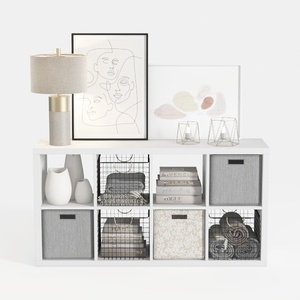
Modern Minimalist White Fabric Solid Wood Storage Cabinet 3D Model

Minimalist White Fabric L Shaped Sectional Sofa With Side Table Floor Lamp 3D Model

Minimalist Textured Base Glass Top Coffee Table 3D Model
Homestyler offers an easy-to-use online design tool paired with stunning 3D renderings, inspiring design projects, and helpful DIY video tutorials. It’s perfect for anyone wanting to create and visualize stylish home interiors effortlessly.
Design Now for FREE
































