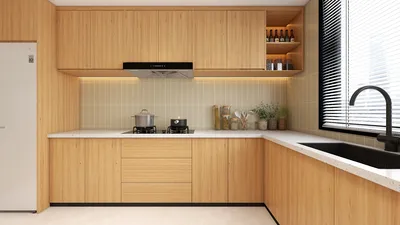


I dedicate a significant segment of my week to experimenting with floor plan tools, which are essential for conducting swift feasibility assessments, facilitating student workshops, and engaging in pre-design discussions with clients. The evolution of free software now enables it to manage precise room dimensions, diverse furniture libraries, and fundamental rendering capabilities. This versatility is particularly beneficial for UK users dealing with constrained spaces, unique Victorian layouts, and limited refurbishment budgets.
In various workplace initiatives, I have consistently observed the profound influence of early spatial planning on final results. Research by Steelcase associates well-designed layouts with enhanced collaboration and productivity, identifying space configuration as a crucial factor in their workplace studies. The WELL v2 framework emphasizes the importance of planning basics: ensuring clear circulation, maximizing natural light, and maintaining ergonomic distances significantly contributes to occupant comfort and health.
When lighting considerations arise, adhering to IES recommended illuminance levels (approximately 300–500 lux for general tasks) helps ensure that floor plans remain practical, especially in home offices and kitchen work areas. Neutral color palettes can visually enlarge compact rooms found in the UK; Verywell Mind’s exploration of color psychology indicates that cool tones (like blues and greens) tend to reduce perceived stress—making them useful for designing multipurpose living areas.
Top Free Floor Plan Tools to Consider
I focus on tools that provide a harmonious blend of precision, efficiency, and ease of learning. Here’s my approach to matching them with frequent UK scenarios.
An excellent choice for rapid space evaluations, this tool allows users to drag and drop furniture while offering clear visualizations. Whether you’re rearranging a flat in London or enhancing circulation in a suburban semi, this interior layout planner helps validate clearances and sightlines before engaging with tradespeople. The room layout feature is perfect for effectively placing furniture in small spaces and checking circulation: room layout tool.
For those seeking direct control over geometric configurations, SketchUp Free provides accurate line work and basic 3D massing. It’s particularly beneficial for designs involving dormers, loft conversions, or the unusual party-wall conditions that are common in UK terraces. This can be complemented with a straightforward luminance plan: positioning desk areas near windows can help achieve WELL v2 visual comfort objectives and minimize reliance on artificial lighting.
If you’re preparing rentals or evaluating furniture for a new tenancy, Floorplanner’s templates simplify the iteration process. Take into account a viewing distance between sofa and TV of about 2.0–3.0 meters for 55–65" screens to maintain ergonomic posture and mitigate glare by managing window orientations.
For homeowners, RoomSketcher is a fantastic tool that allows for intuitive drawing along with neat export capabilities for sharing designs. It’s particularly valuable for kitchens, as it’s important to respect the typical UK galley clearances of 900–1000 mm for comfortable movement, while aiming for a work triangle that minimizes cross-traffic.
If you prefer open-source solutions, Sweet Home 3D includes essential features such as dimension tools, customizable textures, and basic walkthrough capabilities. I often utilize it on small refurbishments to assess acoustic zoning—keeping bedrooms distant from noisy areas and utilizing storage walls for effective sound buffering.
What Matters Beyond the Software
Selecting the right tool is merely the initial step. Attaining optimal results relies on adhering to disciplined planning principles and making decisions centered on human needs.
Establish minimum clear paths of 800–900 mm in narrow UK hallways; 1000–1200 mm creates a comfortable space for two-way circulation. Maintain a buffer of 450–600 mm around beds to facilitate easy access and linen changes. For home office setups, it's crucial to observe ergonomic standards—such as using adjustable chairs, ensuring a 90°–100° elbow angle, and positioning monitor tops at eye level—aligning with workplace research on musculoskeletal comfort as noted by Steelcase.
Aim for general ambient lighting around 300–500 lux following IES recommendations, increasing task lighting to 500–750 lux for desktops and kitchen prep areas. Use warm-white light at 2700–3000K in living rooms, and 3500–4000K in kitchens and studies. A blend of direct and indirect lighting fixtures helps minimize harsh shadows, and the use of matte finishes near windows can reduce glare.
Cool hues can create a serene ambiance in narrow rooms, while lightly tinted whites contribute to a sense of increased space. Prioritize the use of durable, low-VOC paints and FSC-certified timber whenever feasible, as sustainability enhances long-term value and elevates indoor air quality. Acoustic rugs, fabric panels, and bookshelves can serve as functional dividers in open-plan flats.
Begin with a 60/30/10 rule for visual balance: 60% base tone, 30% secondary, and 10% accent. Maintain significant furniture occupancy to 60–65% of the floor area in compact rooms to preserve circulation pathways. In kitchens, strive to allow for a turning circle with a diameter of 1500 mm whenever possible, particularly for designs that prioritize accessibility.
UK Use Cases and Tool Pairings
- Victorian terrace redesign: Utilize Homestyler for quick furniture assessments and daylight visualizations, then SketchUp Free to detail unconventional angles and bay windows.
- Loft conversion assessment: Use SketchUp Free for analyzing roof geometry and height considerations; Sweet Home 3D helps simulate the bedroom layout under sloping ceilings.
- Rental staging: Floorplanner facilitates fast furnishing designs, ensuring consistent scale and comfortable seating arrangements.
- Compact home office: Homestyler proves valuable for desk placement and storage solutions; set task lighting between 500–750 lux and a color temperature of 3500–4000K in alignment with IES and WELL recommendations.
How I Evaluate Free Floor Plan Software
- Drawing accuracy: Features like snap-to-grid, customizable dimensions, and adjustable wall thickness are essential.
- Quality of libraries: Relevancy and availability of UK-standard furniture dimensions, as well as appliance profiles and door/window specifications.
- Lighting and material controls: Basic parameters for managing color temperature and finishes to achieve realistic visual previews.
- Export function: Clear 2D plans with dimensions and straightforward 3D views aid stakeholder engagement.
- Ease of use: Initial 30 minutes of use should yield productive outcomes without needing extensive tutorials.
Workflow Tips for Better Plans
- Measure first: Capture structural details such as wall thickness, sill heights, and ceiling slopes; older UK homes often hold unexpected challenges.
- Light before layout: Position work desks and prep areas where they can benefit from natural light, supplemented by task lighting according to IES standards.
- Zone according to activity: Keep quiet workspaces separated from social areas; utilize storage walls to mitigate noise levels.
- Explore various layouts: Within an interior layout planner, create multiple iterations before finalizing. The layout simulation tool in Homestyler can expedite side-by-side comparisons.
- Document your choices: Maintain a brief design rationale for each version; clients tend to align quicker when trade-offs are clearly defined.
Authority Resources Worth Bookmarking
For a deeper understanding of how spatial planning affects productivity and wellbeing, consult Steelcase's workplace studies and WELL v2 criteria. These resources serve as practical references for transforming a free software outline into a functional and effective space.
FAQ
RoomSketcher and Homestyler present strong alternatives. RoomSketcher offers clear 2D plans with seamless export options, while Homestyler allows for quick validation of clearance and circulation designs. Aim for a lighting level of 500–750 lux on preparation surfaces based on IES guidelines.
Absolutely. SketchUp Free is adept at managing custom geometries and unique angles; combine it with Homestyler to visualize furniture placements within alcoves and narrow rooms.
The tools typically provide dimension features suitable for initial planning phases. Always verify measurements on-site and ensure to account for structural wall thickness and door swing clearances before placing any orders.
General ambient lighting should be around 300–500 lux with task light settings reaching 500–750 lux. Place desks near windows to minimize eye strain, maintaining alignment with WELL v2 visual comfort standards.
Position noisy activities away from bedrooms, utilize storage walls as barriers, and incorporate soft materials (like rugs and curtains). Free tools allow you to prototype these noise zones prior to making purchases.
Core features are accessible for free. Premium exports, high-resolution renders, or expanded material libraries may necessitate paid subscriptions. For feasibility assessments and early design phases, the free versions suffice.
Ideal hallway circulation ranges between 1000–1200 mm; kitchens benefit significantly from a 1500 mm turning circle for accessible design. Maintain a buffer of 450–600 mm around beds for clean access.
Most free software does not provide comprehensive photometric analysis, yet you can simulate fixture locations and color temperatures. Utilize IES recommendations for target illuminance levels as a practical check.
Cool colors and light neutrals can induce calmness and enhance a sensation of space, aligning with color psychology findings; keep vibrant accent colors limited to about 10% to prevent visual overload.
Replicate your foundational plan and develop three variations—one sparse on furniture, one storage-focused, and one balanced. A room design visualization tool like Homestyler facilitates quick side-by-side comparisons.
Homestyler is your go-to online platform for home design! With its easy-to-use design tool, stunning 3D renderings, and countless design projects, you can visualize your ideas effortlessly. Plus, you'll find inspiring DIY video tutorials to guide you every step of the way. Transform your space today!
Design Now for FREE
































