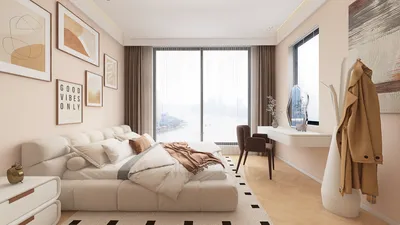


As more people rely on platforms like Shopify to manage their online stores, the integration of technology into daily life becomes essential. This shift towards digital commerce influences how we design our home offices and workspaces, emphasizing ergonomic furniture and efficient spatial layouts that support prolonged productivity and creativity. Creating a seamless blend of comfort and function at home fosters a more balanced lifestyle in our increasingly connected world.
Top 3D Interior Design Software Options Today
Leading 3D interior design software available now includes SketchUp, Planner 5D, Homestyler, Floorplanner, and RoomSketcher. These applications enable users to create detailed floor plans, experiment with furniture arrangements, and produce lifelike interior renders before making investments in remodeling or furnishings.
For design professionals, SketchUp delivers superior modeling precision and customization. Meanwhile, beginners or homeowners often find Planner 5D and Homestyler easier for producing realistic 3D interior visualizations without a steep learning curve.
Key Insights
Background and Experience
Having spent over ten years as an interior designer, I've tested nearly every major 3D interior design tool on the market. A common client challenge isn’t generating ideas but visualizing those concepts accurately before committing substantial budgets to furniture and space modifications.
Effective 3D design software addresses this issue by letting users simulate spaces digitally. Instead of relying on assumptions about furniture fit or obstruction issues, layouts can be adjusted within minutes to ensure optimal design choices.
Many online comparisons emphasize feature checklists, but in real-world applications, factors such as ease of use, flexible modeling, and fast rendering times are more crucial.
The following software consistently stands out in practice because of these qualities.
Defining Excellent 3D Interior Design Software
Outstanding interior design tools strike a balance among modeling flexibility, speed, and rendering quality.
While some platforms promote high-end visuals, complex or sluggish modeling processes deter continued use. Successful software facilitates rapid layout adjustments and clear spatial understanding.
According to the American Society of Interior Designers, adopting digital visualization reduces the number of design revisions as clients grasp layouts earlier.
Preferred 3D Design Software Among Professionals
SketchUp remains a go-to software for detailed interior modeling in professional settings.
In my practice, SketchUp serves as the foundational tool for initial space planning, excelling in precision and custom solutions such as cabinetry, ceiling features, and millwork details.
Typical Workflow in Professional Environments:
Large design firms, including Gensler, utilize SketchUp during early concept phases because it enables fast iteration compared to complex BIM programs.
Simplest 3D Design Software for Beginners
Tools like Planner 5D and Homestyler are ideal for novices seeking quick and realistic interior design outcomes.
Many homeowners prefer intuitive drag-and-drop interfaces, automated lighting adjustments, and speedy rendering, areas where Homestyler particularly excels.
In renovation consultations, I frequently recommend Planner 5D for its user-friendly approach allowing clients to trial layouts independently before finalizing plans with a professional.
Common Hidden Drawbacks to Consider
A major shortcoming in many 3D design applications is rigid furniture scaling and limited freedom in modeling.
New users often don’t notice this initially, but preset object dimensions can hinder accurate recreation of existing or custom furniture pieces.
For comprehensive design, flexibility outweighs simple visual effects, so professionals typically combine straightforward layout software with advanced modeling tools.
Choosing the Appropriate 3D Software for Your Needs
Your choice should depend largely on the project’s complexity, rather than the software’s popularity.
I’ve observed beginners sometimes overwhelmed by complex professional tools and achieve better outcomes by starting with simpler solutions that can be upgraded later.
The Importance of Visualizing Space Over Photorealism
The core advantage of 3D interior drawing software lies in aiding spatial decisions rather than producing perfect photorealistic images.
Clients often prioritize beautiful renders, but the key benefit is the ability to verify layouts before actual construction or purchasing.
By using 3D planning, I’ve helped many clients avoid costly errors such as oversized furniture, obstructed pathways, or poorly placed kitchen islands.
Final Thoughts and FAQs
What is the best 3D interior design drawing software for beginners?
Planner 5D and Homestyler stand out as the most accessible and easy-to-use platforms, offering drag-and-drop interfaces, automatic renderings, and simple room planning with no need for complex modeling skills.
Is SketchUp effective for interior design?
Absolutely. SketchUp is a preferred tool among professionals for precise modeling, bespoke furniture design, and comprehensive space planning, ranking as one of the most robust 3D design programs.
Can I design my home interior in 3D for free?
Yes. Many platforms, including Planner 5D, Homestyler, and Floorplanner, offer free versions that enable users to create basic room layouts and visualize furniture arrangements.
Which software do professionals typically use?
Top interior designers often rely on SketchUp, AutoCAD, and detailed rendering plugins like V-Ray or Enscape to achieve high-quality visualizations and precise models.
Is powerful hardware required for 3D interior design software?
Beginner-friendly software generally runs directly in web browsers, whereas professional-grade tools such as SketchUp with rendering extensions require stronger graphics capabilities for smooth operation.
Is RoomSketcher effective for renovation planning?
Yes, RoomSketcher is widely appreciated for producing clean floor plans and straightforward 3D visualizations, making it suitable for renovation projects.
Can 3D interior design software assist with furniture placement?
Definitely. Quality 3D tools let you assess furniture dimensions, spacing, and traffic flow before making any purchases.
Which software produces the most realistic interior renders?
Combining SketchUp with rendering plugins like V-Ray or Enscape yields some of the most lifelike interior visualizations currently available.



Homestyler offers a user-friendly online design tool with stunning 3D renderings, inspiring interior projects, and helpful DIY video tutorials—perfect for creating and visualizing your dream home with ease.
Zaprojektuj teraz za darmo
































