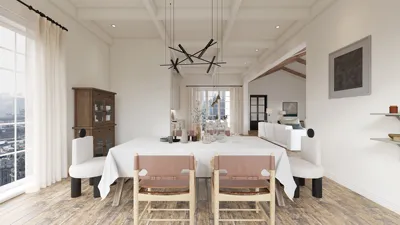


With the emergence of new technologies and user-friendly applications, crafting 3D floor plans has become increasingly simple. Whether you're a seasoned interior designer or an enthusiastic DIYer, identifying the ideal app can significantly enhance your ability to visualize spaces and realize your design concepts. In this piece, we will delve into some leading applications for 3D floor planning, emphasizing their functionality, user-friendliness, and creative options, including the versatile tool known as Homestyler.
1. SketchUp
SketchUp stands out as a robust application treasured by both professionals and amateur designers. Featuring a user-centric interface, it allows for the effortless creation of complex 3D models. Users can initiate their journey with a 2D blueprint, seamlessly upgrading it to a 3D representation by incorporating walls, furniture, and textures.
2. Floorplanner
Floorplanner is an online solution that enables users to effortlessly design and visualize floor plans in 3D. Its drag-and-drop functionality makes it easy for anyone to craft impressive designs in just a few moments, making it a popular option among users, including those utilizing Homestyler.
3. RoomSketcher
RoomSketcher offers a fantastic platform for users seeking to create comprehensive 3D floor plans with ease. Equipped with advanced features, it allows for the customization of intricate design elements, ranging from room sizes to furniture arrangement.
4. Sweet Home 3D
This open-source tool is ideal for design enthusiasts who prefer a more hands-on style. Sweet Home 3D allows users to draft their floor plans in 2D before transitioning to 3D for a more lifelike representation of their interior designs. This is similar to the capabilities offered by Homestyler, making it a competitive option.
5. Homestyler
Homestyler caters to both novice and advanced users, providing an intuitive platform for crafting beautiful 3D floor plans. It comes packed with an array of design tools that encourage users to explore various layouts and styles without feeling overwhelmed.
Conclusion
These applications grant users the ability to effortlessly create 3D floor plans tailored to their specific design aspirations. Whether you are embarking on a new home project, remodeling an existing space, or simply brainstorming design ideas, these tools will aid you in transforming your vision into reality.
FAQ
Q: Which application is best suited for beginners looking to develop 3D floor plans? A: Floorplanner and RoomSketcher are both excellent starting points for newbies, thanks to their user-focused interfaces and supportive tutorials.
Q: Are these applications accessible on mobile devices? A: Yes, many of these platforms, including Floorplanner and Homestyler, offer mobile applications or can be conveniently accessed via web browsers, allowing for flexible design work while on the move.
Q: Are there any free resources available for 3D floor planning? A: Certainly, Sweet Home 3D is a free open-source software, and various features of Floorplanner and RoomSketcher can be accessed without charge, albeit with basic functionalities.
Welcome to Use Free 3D Floor Planner
Concevez maintenant gratuitement
































