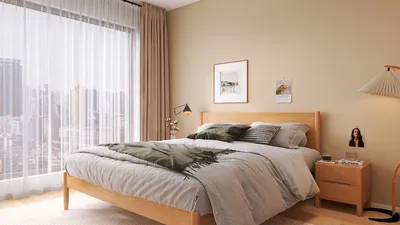


In my experience, I once chose an incorrect shade of white for a client, which felt reminiscent of a ghost story — everything appeared overly bright and lifeless. This blunder prompted me to create a few quick test walls, including a compact test wall, helping me discover what truly works for a painted wall intended for projector screens, particularly through tools like Homestyler.
When working with limited spaces, clever decisions become essential, and a painted projection wall stands out as one of the most rewarding and cost-effective enhancements for small homes. Here are five practical ideas from my actual projects, each straightforward and honest about their respective advantages and drawbacks.
Select the appropriate color and finish
While pure white seems like the go-to choice, a neutral gray (varying from mid to dark gray based on ambient lighting) often provides superior black levels and enhanced contrast perception. Matte finishes prevent hot spots, whereas satin could lead to glare if the projector or room lighting isn’t adequately managed.
Benefit: improved contrast and greater tolerance in daylight-capable rooms. Challenge: choosing the perfect gray is crucial — too dark can diminish peak brightness, while too light may cause black tones to wash out. I typically test swatches at projector brightness levels for better decision-making.
Surface preparation is more crucial than premium paint
A well-primed and smooth wall often outperforms specialty screen paint. Fill in any dents, sand meticulously, and apply a quality primer to ensure a flat and even topcoat. Textured walls disperse light irregularly and can soften the sharpness of images.
Benefit: often more affordable and can result in better image fidelity. Challenge: the preparation process requires time and effort — yet it’s the step that distinguishes a professional-looking DIY project from a mediocre one.
Plan the screen dimensions and borders
Establish the aspect ratio first (commonly 16:9) and outline the boundaries with low-tack painter’s tape. Adding a thin black border around the image area boosts perceived contrast and frames it like a true screen.
Measure twice: I create a precise wall layout—even in compact areas—so the placement of the projector and throw distance aligns without much reliance on significant keystone correction. A sharp edge, although a minor detail, greatly enhances visual impact.
Control ambient light and incorporate masking techniques
Ambient light negatively affects contrast. Blackout curtains, directional lighting, or a simple low-gain gray paint can be effective solutions. If total blackout isn’t achievable, consider adding side masks or a painted dark frame to manage stray light.
Benefit: significantly enhances image quality without the expense of a high-end screen. Challenge: living spaces often serve dual functions, necessitating a balance between aesthetics and practicality — dark frames may be both subtle and elegant if executed properly.
Evaluate with actual content and make adjustments
Before finalizing the project, run real movie clips and calibration patterns. Tweak projector settings (brightness, contrast, gamma) — sometimes a minor adjustment resolves what appears to be a paint issue. Tools like Homestyler can facilitate rapid photorealistic renderings to help clients envision the finished wall in their space.
Benefit: low-cost iterations with observable improvements. Challenge: calibration demands patience; typically, I bring a calibration disc or an app to perform two rounds: one for daytime and another for nighttime settings.
Quick Tip:
An effective and practical approach: create three 60cm × 60cm swatches (white, 50% gray, 30% gray) and project the same video clip onto each under the room's usual lighting conditions. This is the quickest means to identify the ideal shade and finish for your area.
Frequently Asked Questions
Q1: Can I use standard wall paint for a projector screen?
A: Absolutely. A high-quality matte finish on a well-prepared, smooth wall frequently rivals specialty screen paint, especially in rooms with controlled lighting.
Q2: What color works best for a painted projector wall?
A: Neutral gray (the range depends on ambient light) typically ensures better contrast than stark white. Testing swatches under actual projection is vital to find the right tone.
Q3: Does the paint sheen have significance?
A: Certainly. Opt for matte or flat finishes to eliminate hotspots; eggshell or satin may be acceptable in very dark rooms but risk glare.
Q4: How does the cost of a painted screen compare to a store-bought one?
A: A DIY painted screen often represents the most economical approach — costs generally revolve around paint and preparation supplies. For an average small living room wall, anticipate spending less than $100 for materials compared to several hundred for a good retractable screen.
Q5: Will ambient light ruin a painted projection wall?
A: Ambient light diminishes contrast but doesn’t entirely negate it. Addressing this can be achieved with darker gray paint, blackout curtains, or a painted border to maintain image quality in lit environments.
Q6: Is it possible to fix textured walls for projection?
A: You can apply a skim coat and sand the surface to achieve smoothness; otherwise, texture detracts from image quality and sharpness. Preparation is the critical trade-off: invest the effort now for significantly enhanced results later.
Q7: How can I determine the accurate paint tone?
A: Utilize projected content for testing. The Imaging Science Foundation (ISF) and professional calibrators suggest assessing real images and adjusting tone and projector settings rather than relying solely on paint samples.
Q8: Is specialized screen paint a worthy investment?
A: For high-caliber home theaters or rooms with challenging lighting, specialized paint can indeed be beneficial (it often incorporates optical modifiers). For most smaller spaces, a carefully selected gray matte wall strikes the best balance between cost and performance.
Discover Homestyler, the ultimate online home design platform! With its user-friendly design tool, stunning 3D renderings, and a wealth of DIY video tutorials, you can effortlessly create and visualize your dream spaces. Transform your home design journey today with Homestyler!
立即免费设计
































