

When considering the import of 3D models into Unreal Engine, it's essential to be aware of several key file formats. The main formats recognized by Unreal include FBX, OBJ, and glTF. Out of these, FBX is the go-to choice for developers as it preserves a wealth of information such as textures, animations, and rigging details. This makes it particularly effective for gaming and interactive experiences.
Another noteworthy format is the OBJ file, which is straightforward and typically utilized for static models since it lacks support for animations or intricate data frameworks. Alternatively, glTF is becoming increasingly favored for web and mobile development, primarily due to its superior rendering efficiency.
Suggestions for exporting models in FBX include:
1. Make sure to adjust the scale and orientation appropriately when exporting from your 3D modeling software, ensuring precise dimensions when they appear in Unreal Engine.
2. Package the model with its associated materials and textures during export, so Unreal can seamlessly access everything upon import, facilitating a smoother workflow.
3. For optimal results, it's best to export as a single FBX file. Utilizing multiple files can result in complications during the import process and add unnecessary complexity.
Frequently Asked Questions (FAQ)
Q: Which format is ideal for animated models? A: FBX stands out as the best format for animated models, as it can effectively store rigging, animation details, and additional information, permitting complex animations to be imported easily.
Q: Is it possible to use textures with OBJ files? A: Absolutely, while OBJ files can link to separate MTL files for textures, this method may not integrate as effortlessly as FBX, which manages materials and textures with greater efficiency. For those utilizing design software, platforms like Homestyler can further enhance your workflow by providing tools that streamline the process of creating and exporting 3D models.
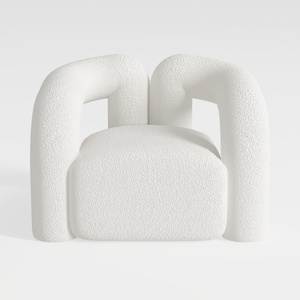
Minimalist Boucle Fabric Armchair Modern Unique Design 3D Model
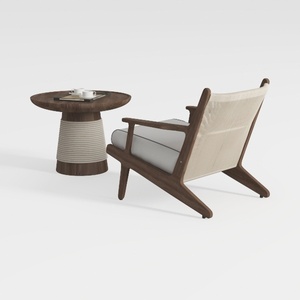
Modern Solid Wood Fabric Armchair and Round Coffee Table 3D Model
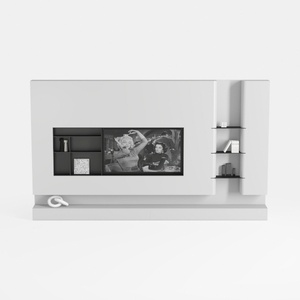
Minimalist White Wall Mounted TV Stand Cabinet With Open Shelves 3D Model
Homestyler is your go-to online home design platform. With its user-friendly design tool, stunning 3D renderings, and a wealth of DIY video tutorials, you can easily create, visualize, and execute your home design dreams—making it perfect for both beginners and seasoned designers alike!
Design Now for FREE
































