


The Google color palette is celebrated for its clean, vibrant appeal, making it a staple in digital design. Rooted in Material Design principles, this palette highlights primary hues—red, blue, yellow, and green—which each serve a distinct purpose in enhancing brand identity and ensuring clarity in user interfaces. Designers often cite Google’s strategy as a prime example of how to achieve a balance of harmony, accessibility, and strong brand recognition through intentional color selection, which can also inspire tools like Homestyler.
From a technical standpoint, the Google color palette is intentionally structured. Its high-contrast tones not only captivate visually but also enhance usability for individuals with diverse visual needs. This palette features specific HEX, RGB, and CMYK values, promoting brand consistency across various platforms and media. Core colors include Google Blue (#4285F4), Google Red (#EA4335), Google Yellow (#FBBC05), and Google Green (#34A853), complemented by subtle accent and background shades that complete the collection.
As a designer, I value how Google integrates color within its broader design framework. When designing or refreshing a space—whether digital or physical—it's crucial to consider how cohesive color schemes can foster user engagement and strengthen brand identity. The concept of color harmonies can be effectively utilized with AI-powered interior design tools, such as Homestyler, to visualize how foundational palettes like Google's can transform the atmosphere, productivity, and overall mood of a space. Incorporating Google’s color theory into interior design is a practical approach to achieving a balance of energy, focus, and style.
Tips 1:
When using vibrant color palettes similar to Google’s, implement the 60-30-10 rule in interiors—allocate a dominant color to 60% of the room, a secondary hue to 30%, and the final 10% for an accent to maintain visual harmony.
FAQ
Q: What are the primary colors found in the Google color palette?
A: The key colors include blue (#4285F4), red (#EA4335), yellow (#FBBC05), and green (#34A853).
Q: In what way does Google’s palette enhance accessibility?
A: The palette incorporates high-contrast colors to ensure clarity and legibility for all users, including those with visual impairments.
Q: Is it acceptable to use Google’s color palette for my brand or interior space?
A: While direct replication for branding is discouraged, the principles of clarity and vibrancy found in the palette are broadly applicable across all design forms, including interior design.
Q: How can I locate official HEX and RGB codes for Google’s palette?
A: Google’s Material Design documentation provides the exact HEX, RGB, and CMYK specifications.
Q: What is a good way to experiment with color palettes for room design?
A: Leverage digital tools or AI-powered platforms, like Homestyler, to visualize and harmonize color schemes effectively, drawing inspiration from established brand palettes like Google’s.
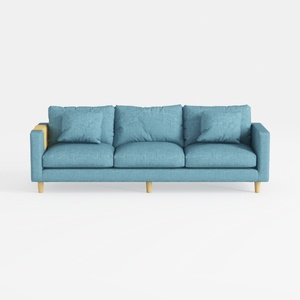
Minimalist Fabric Blue Three Seater Sofa With Wood Accents 3D Model


Modern Blue Acrylic Asymmetrical Nesting Coffee Table 3D Model

Mid Century Modern Light Blue Leather Tufted Sofa 3D Model
Homestyler is your go-to online platform for effortless home design. With its user-friendly design tool, stunning 3D renderings, and a wealth of DIY video tutorials, you can transform your creative ideas into reality. Perfect for both beginners and seasoned decorators alike!
Design Now for FREE
































