


Why Every Homeowner Should Consider an Exterior Design Application
A recent 2023 survey conducted by the American Institute of Architects (AIA) revealed that 67% of homeowners place significant importance on exterior enhancements when planning renovations. According to Harvard’s Joint Center for Housing Studies (JCHS), investments in exterior improvements regularly lead the way in home renovation expenditures across the United States.
Unfortunately, many homeowners encounter challenges in this area:
Top 10 Challenges Homeowners Experience in Exterior Design
1. Planner 5D – User-Friendly, Smart Solution for Beginners
For those interested in experimenting with front elevations or simple designs, Planner 5D serves as an excellent entry point. The application’s dual 2D and 3D presentations simplify the process of sketching your ideas.
✅ Pros: Intuitive drag-and-drop interface, ideal for quick façade designs.
❌ Cons: Realism in textures is limited; better suited for drafts than polished final visuals.
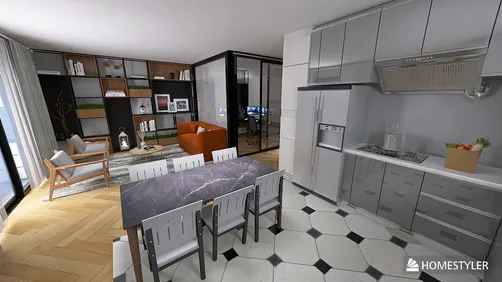
2. Homestyler – Best for AI-Powered, Realistic Exterior Design
For those seeking lifelike renderings and swift AI prompts, Homestyler excels at delivering quality results. It offers a variety of exterior templates, intelligent material suggestions, and high-resolution visuals—all accessible via your browser.
✅ Pros: Extremely realistic renderings, AI-driven templates, and fast exporting capabilities.
❌ Cons: A slight learning curve may be needed for first-time users, taking about 5–10 minutes.
3. Roomstyler – Create from Ground Up with a Drag-and-Drop Tool
Whether you’re planning your ideal home or exploring structural designs, Roomstyler’s straightforward interface makes it a preferred choice for homeowners with a flair for creativity.
✅ Pros: Easy-to-use layout, perfect for conceptual designs.
❌ Cons: The range of material options might seem restrictive compared to other applications.
4. HomeByMe – Upload Your Home Image and Let AI Revamp It
If you’re contemplating a new paint job or different siding without needing to grab a brush, upload an image, and the AI can simulate updates in lighting, landscaping, and materials.
✅ Pros: Real-image simulations provide great previews for renovations.
5. Home Depot VisualizeColor – Instant Paint Testing with Real Products
Looking to visualize Sherwin-Williams or Behr paint on your home? Simply upload a picture and see how a multitude of paint colors will appear instantly.
✅ Pros: Lightweight application, ideal for quick color adjustments.
❌ Cons: Does not support structural editing or 3D visualizations.
Color Decisions in Just 7 Days
In Austin, Texas, Jane was eager to repaint her Craftsman-style house. Using HomeByMe, she experimented with seven different color options and ultimately decided on a soft white paired with sage green trim. Remarkably, she completed her design collaboration with her contractor in only one week.
Expert Analysis: Which Tool Suits Your Needs Best?
What Should You Consider When Selecting an Exterior Home Design Tool?
The ideal design application should offer:
Frequently Asked Questions
Q: What’s the best free app for designing a house exterior?
A: According to both G2 and design experts, Homestyler, Planner 5D, and HomeByMe are top choices.
Q: Is it possible to upload my home’s photo and redesign it?
A: Absolutely! You can utilize HomeByMe or Home Depot VisualizeColor for this purpose.
Q: Are there tools that allow for building a home from scratch?
A: Yes. Both Roomstyler and Homestyler enable comprehensive exterior layout constructions.
Q: Which free tools support AI exterior design capabilities?
A: Homestyler, Planner 5D, and HomeByMe all provide AI-assisted planning features.
Q: Are these applications mobile-friendly?
A: Planner 5D and HomeByMe both offer robust mobile app support.
(Source: JCHS Remodeling Futures Program)
Homestyler's roots trace back to Autodesk, the global leader in design and engineering software. That heritage lives on in every feature we build. Today, with a community of more than 20+ million registered users (platform data, 2026) worldwide, Homestyler continues to make professional-quality interior design accessible to everyone — from first-time decorators to seasoned architects.
(Source: AIA Home Design Trends Survey)
Diseño ahora GRATIS























![[For dear Adelina madee 🤎]](https://hs-designs.homestyler.com/production/design/images/8a07e535-9cbc-4132-a42a-5932dac3a112/1706972286037.jpg?x-oss-process=image/resize,w_502,m_mfit/format,webp)