


The transformation of physical items into 2D or 3D models signals a groundbreaking shift for designers, particularly in the realm of interior design. In today's world, where visual fidelity and quick prototyping hold great importance, the ability to convert tangible objects into digital formats is crucial for achieving success.
Grasping the Scanning Process:
The first step in the scanning procedure involves choosing the right type of scanner. A flatbed scanner excels for capturing two-dimensional images, while three-dimensional objects require specialized 3D scanners or photogrammetry applications. The potential these tools offer is immense, allowing designers to replicate intricate features and easily incorporate them into digital design platforms like Homestyler!
Proper preparation is essential—make sure the object to be scanned is clean and well-lit; this often-neglected detail can greatly influence the quality of your final output. What techniques do you use to prepare for your scanning tasks?
Selecting the Appropriate Tools:
In the realm of 3D scanning, options such as laser scanners and structured light scanners are highly esteemed. For those on a budget, mobile phone camera applications can produce surprisingly good results. Would you rather invest in high-end equipment or make use of more economical options?
For two-dimensional projects, investing in a high-quality flatbed scanner or utilizing high-resolution photography is advisable for achieving clear and detailed results. As you consider your equipment choices, think about how each tool impacts your design process. Which tools do you find most effective for your projects?
Advancing Your Scans:
Once your scans are complete, the next phase involves processing the data. With 2D images, this may include correcting imperfections and adjusting colors or saturation. In contrast, 3D models might need refinement using software such as Blender or MeshLab, preparing them for use in design tools. Have you encountered the annoyance of a poorly executed scan? What methods do you employ to enhance your models?
After finalizing your scans, you can import your models into design applications such as Homestyler or SketchUp, making it easier to integrate realistic representations into your interior design projects. What strategies do you follow for incorporating scanned models into your workflow?
Frequently Asked Questions
Q: What type of scanner is best for creating 3D models? A: The best scanner really depends on your individual needs and budget, but structured light scanners are often praised for their accuracy and detail.
Q: How can I enhance the quality of my scans? A: Make sure to have adequate lighting, stabilize the object being scanned, and choose high-quality scanning tools. Always engage in post-processing to correct any imperfections.
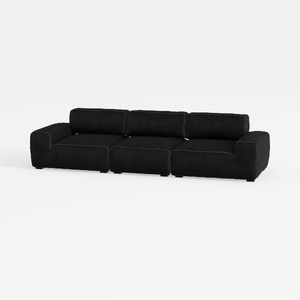

Minimalist Black Fabric Modular Sofa 3D Model
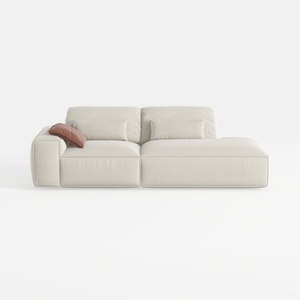
Minimalist Beige Fabric L-shaped Chaise Sofa 3D Model

Minimalist Fabric Curved Sofa With Throw Pillow 3D Model
Homestyler is your go-to online home design platform! With its user-friendly design tool, stunning 3D renderings, and an abundance of design projects and video tutorials, you can effortlessly create and visualize your dream spaces. Start your design journey today!
Design Now for FREE
































