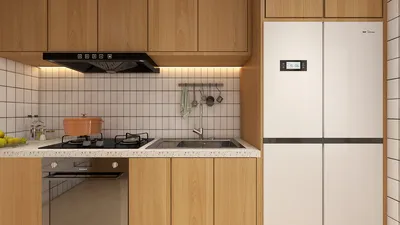


Quick Summary
- 3D remodeling software offers realistic visualization, helping you avoid unnecessary expenses while refining your design before any actual work starts.
- Numerous platforms facilitate collaboration between clients and contractors, enhancing communication for better project outcomes.
- Homestyler features a user-friendly 2D Design Tool, mobile applications, and various tutorials, catering to both beginners and experienced users.
Are you ready to take your home design projects to the next level? Utilizing 3D remodeling software can open up a realm of opportunities for both homeowners and designers. With these robust tools, you can visualize your space effectively, experiment with multiple layouts, and make well-informed renovation decisions. Whether you're a professional interior designer or a DIY hobbyist, mastering these tools can significantly elevate your design process.
Benefits of Using 3D Remodeling Software
The advantages of 3D remodeling software are manifold. Firstly, it provides a lifelike visualization of your design concepts, allowing you to see how different colors, textures, and layouts will interact within your space. This capability helps in avoiding expensive errors and allows you to fine-tune your ideas before any physical implementation begins. Furthermore, many platforms include features that facilitate seamless collaboration with clients and contractors, significantly improving communication and project efficacy.
Popular 3D Remodeling Software Options
When selecting 3D remodeling software, a variety of options exists to suit different needs and expertise levels. Notable tools include Homestyler, SketchUp, and Home Designer Suite, each bringing unique functionalities such as intuitive drag-and-drop interfaces, extensive libraries of furniture and decor, and capabilities for crafting detailed floor plans.
How to Choose the Right 3D Remodeling Software
Determining the best software for your needs hinges on several factors. Reflect on what functionalities matter most to you: do you require advanced rendering features, or do you prioritize usability? It’s also prudent to consider your budget and whether the software provides a free trial, enabling you to explore its features before purchase. For example, Homestyler offers a 2D Design Tool, making it an excellent starting point for novices.
FAQ
Q: Can I use 3D remodeling software on my mobile device? A: Yes, many modern software solutions come with mobile applications, allowing design work while on the move.
Q: Is prior experience needed to use these tools? A: While some applications are more complex, many are designed with newcomers in mind, equipped with tutorials and user-friendly platforms.
Welcome to Homestyler
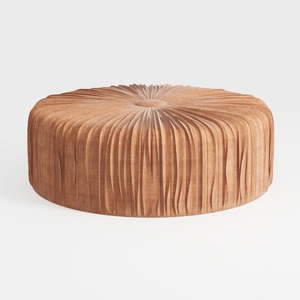
Minimalist Round Tufted Fabric Ottoman 3D Model
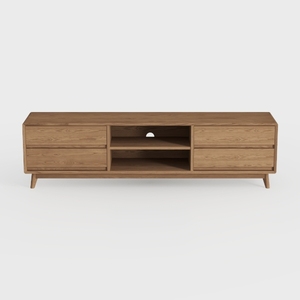
OKD TV Stand for 75+ Inch TV, Mid Century Modern
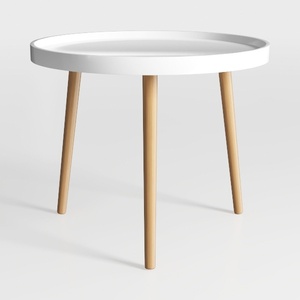
danpinera Round Side Table, Metal Legged Accent
Discover your home's potential with Homestyler! This user-friendly online design platform offers a dynamic design tool, stunning 3D renderings, and a wealth of DIY video tutorials. Perfect for anyone looking to transform their space effortlessly—unleash your creativity today!
Design Now for FREE
































