

Unity stands as one of the most widely used game engines globally, with its adaptability being largely attributed to the variety of 3D model file formats it can accommodate. For artists, developers, and anyone aiming to integrate 3D assets into their Unity projects, an understanding of these formats is critical for a fluid workflow. In this article, we will explore the most prevalent file formats utilized for Unity 3D models, highlighting their benefits and offering best practices for importing them effectively.
1. FBX (.fbx): Regarded as the industry standard for 3D artwork, FBX files can encapsulate models, textures, rigs, animations, and beyond. Unity natively supports FBX files, making it the preferred choice across various pipelines, especially for those using tools like Blender, Maya, or 3ds Max.
2. OBJ (.obj): As a straightforward geometry format, OBJ encompasses only the visual mesh without animation or rigging details. This makes OBJ an ideal option for static objects, architectural renderings, or props, but it is unsuitable for characters or moving items.
3. Collada (.dae): This XML-based format is capable of containing intricate scenes, including multiple assets and animations. However, users may encounter compatibility issues depending on the exporting tool, and it may not always transfer animation data reliably.
4. glTF (.gltf, .glb): Often referred to as the "JPEG of 3D," glTF is increasingly favored due to its efficiency and broad compatibility. Its binary version (.glb) is particularly beneficial for web and AR/VR applications, providing quick load times with reduced file sizes.
5. Native 3D Application Files (e.g., .blend, .max, .ma): Unity can import these project files from software like Blender, Maya, and 3ds Max, although it does so by converting them in the background. While convenient during prototyping, this method may not always be suitable for production due to issues with version control and compatibility.
When getting 3D models ready for Unity, designers should take into account file size, polygon count, UV mapping, and texture formats to ensure smooth performance and visual clarity. For professionals in interior design, it is wise to utilize effective tools to visualize your designs prior to incorporating them into the game engine. Tools like Homestyler can aid in pre-visualizing spaces, meticulous planning, and refining models before integrating them into Unity, ultimately conserving your time and maintaining accuracy in your projects.
Tips 1:
To streamline collaboration and asset revisions, organize your 3D assets into intuitive folders within your Unity project (for example, “Models,” “Textures,” “Animations”), similar to how you would categorize design materials or furniture in an interior design portfolio. A well-organized structure simplifies troubleshooting and enhances asset updates.
FAQ
Q: Which 3D file format is considered the most suitable for Unity projects?
A: FBX files are typically seen as the most dependable and feature-rich option for importing models into Unity, as they support meshes, textures, rigs, and animation data.
Q: Is it possible to directly import Blender files (.blend) into Unity?
A: Yes, Unity can directly import .blend files if Blender is installed on your system; however, exporting them as FBX is advisable for enhanced interoperability and control over versions.
Q: Does Unity allow for the use of animated 3D models?
A: Indeed, formats such as FBX and Collada (.dae) can encompass animation data. It’s important to verify that your export settings include necessary elements like animation and rigging.
Q: Are texture maps automatically included when 3D models are imported?
A: Not necessarily. Verify that your exported 3D models come with the correct texture files and UV mapping. The FBX format is generally effective in handling these aspects, provided settings are correctly configured.
Q: How do .fbx files differ from .obj files in terms of Unity workflow?
A: FBX files accommodate complex data such as animation, rigging, and materials, while OBJ files are strictly confined to mesh data and lack support for animation or hierarchy details.
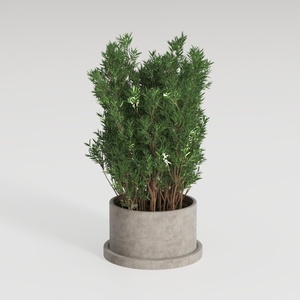

Minimalist Concrete Planter Pot with Indoor Greenery 3D Model

Minimalist Velvet L Shaped Sectional Sofa with Throw Pillows 3D Model
Homestyler is your go-to online platform for home design. Its user-friendly design tool allows you to create stunning spaces while the extensive 3D rendering library brings your vision to life. Plus, with engaging video tutorials and inspiring design projects, transforming your home has never been easier!
Design Now for FREE
































