


Developing a comprehensive reference sheet is a vital first step in the 3D modeling process. A well-structured reference sheet not only guides you through your design but also ensures uniformity throughout the modeling journey. This article explores the key components of creating a reference sheet and offers practical tips for achieving this task effectively.
Comprehending the Role of a Reference Sheet
Before you start creating, it's crucial to understand what a reference sheet is meant for. It acts as a visual framework that captures all essential details concerning a character or object, thereby promoting accurate modeling. Typically, a standard reference sheet includes various angles, detailed close-ups of significant features, and matching color palettes.
Collecting Inspiration and Resources
Start by seeking inspiration from existing artworks, photographs, or various concept designs. Resources such as Pinterest or specialized art websites can be incredibly helpful. Reflect on the personality traits and characteristics of the 3D model you aim to create and curate visuals that represent those features.
Key Components of a Reference Sheet
Your reference sheet must feature front, back, and side perspectives of your model. These views are essential for accurately translating a 2D concept into a 3D form. Moreover, include detailed close-ups of aspects like facial expressions and unique textures that contribute to your model's identity. Adding annotations or notes to emphasize critical model details, such as color schemes and materials, is also advisable.
Selecting the Right Software
Choose design software that matches your skill level, such as Adobe Photoshop or Illustrator, for crafting your reference sheet. On the other hand, if you prefer operating within a 3D space, consider using software like Blender or Maya to create a direct 3D model reference. Alternatively, tools like Homestyler can also assist in designing an engaging reference sheet.
Advice for Creating a Compelling Reference Sheet
1. Organize efficiently: Make sure that visual elements are arranged in a logical manner, with clearly labeled viewports. 2. Use defined and consistent colors: A harmonious color palette helps convey the essence of your model. 3. Ensure proportional accuracy: Confirm that all components on your sheet are proportionate to one another to reduce possible confusion.
Frequently Asked Questions
Q: Which software is best for creating a reference sheet? A: Programs like Adobe Photoshop, Illustrator, or your preferred 3D modeling software can serve as excellent tools.
Q: How many perspectives should I include on my reference sheet? A: Your reference sheet should ideally consist of front, back, and side views, along with close-ups of key details to enhance clarity.

Industrial Metal Wood Rolling Serving Cart 3D Model
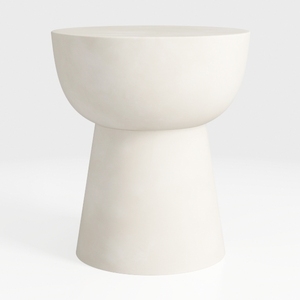
Minimalist Modern Solid Concrete Round Side End Table 3D Model

Minimalist Walnut Curved Side Table 3D Model
Discover your interior design potential with Homestyler! This user-friendly online platform offers an innovative design tool, stunning 3D renderings, and a wealth of DIY video tutorials. Perfect for anyone, from novices to seasoned designers, Homestyler makes transforming your home a delightful experience.
Design Now for FREE
































