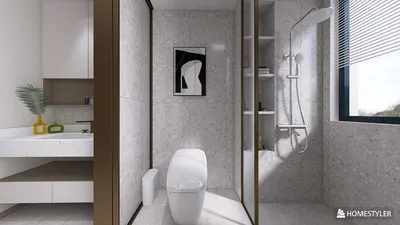


Accessing 3D models through your browser has never been easier, catering to both seasoned designers and those just starting out. Today, a variety of online resources and tools are available, helping you find the perfect model for your project with ease.
Searching for 3D Models on Online Platforms
A multitude of websites offer an extensive range of 3D models, readily accessible from your browser. Platforms like Sketchfab and TurboSquid showcase user-generated models across diverse categories. By simply searching for your desired item, you can browse different options and download them accordingly. But how do you determine which models are of the highest quality?
Utilizing Browser-Based 3D Modeling Tools
In addition to downloading pre-made models, there are many browser-based tools that allow you to create your own 3D models. Platforms such as Tinkercad and Homestyler offer user-friendly interfaces that simplify the design process. Once you enter the application, you’ll be greeted with a workspace where your ideas can be transformed into 3D reality.
Exporting Your Finished Models
After creating or selecting your 3D model, the next step is to export it in a format that suits your needs, such as OBJ or STL. Most platforms provide clear options for downloading or exporting in various formats. Make sure to review the licensing terms to ensure you are using the model legally.
Frequently Asked Questions (FAQ)
Q: Can I use 3D models for commercial projects? A: Yes, but you must verify the licensing conditions of the model before using it for commercial purposes.
Q: Are there free options for 3D models? A: Absolutely! Many websites provide free models, although they may come with certain restrictions or require attribution.
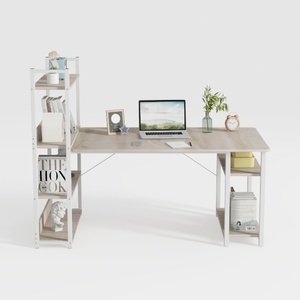
Modern Minimalist Oak Metal Computer Desk With Storage Shelves 3D Model
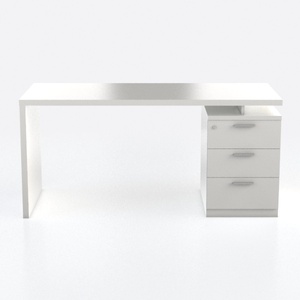
Lufeiya White Desk with 4 Drawers - 47 inch Gaming
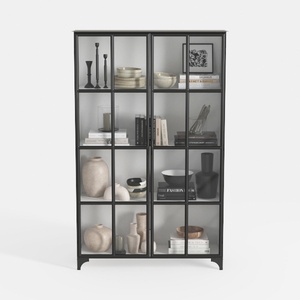
Triple Wide 5-Tier Bookshelf, 70.87" L x 79.13" H
Homestyler is an exceptional online home design platform that empowers you to turn your ideas into reality. With its user-friendly design tool, stunning 3D renderings, and a wealth of DIY video tutorials, you’ll find all the inspiration and guidance you need for your home projects!
立即免费设计
































