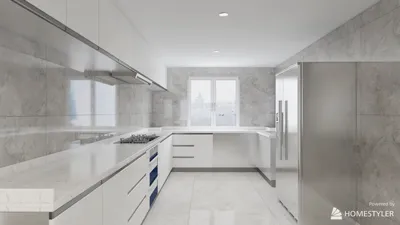


Over the past ten years, I have dedicated myself to designing study environments for students, artists, and professionals alike. An essential aspect of this process is wall color, which plays a vital role in establishing an atmosphere that encourages focus, vitality, and comfort. A well-chosen color palette not only enhances cognitive performance but also minimizes visual fatigue and adjusts to the variations in natural lighting. Colors influence behavior significantly; for instance, research from Steelcase indicates that environments that facilitate focus and choice can significantly boost perceived productivity. Subtle changes in color are powerful cues that can effectively engage our minds. Furthermore, WELL v2 emphasizes the connection between visual comfort—covering elements like glare, contrast, and interplay of colors—and overall cognitive and emotional health. It highlights the necessity of well-balanced color schemes and appropriate lighting levels.
According to data from Verywell Mind, color psychology reveals that cooler shades—especially soft blues and gentle greens—can alleviate stress and promote concentration. In contrast, bright reds may heighten arousal but can disrupt prolonged focus needed for tasks such as reading or analytical work. For study room walls, saturation levels between 10% and 40% offer the best results; they maintain tranquility and diminish glare, especially when paired with ambient lighting ranging from 300 to 500 lux, as suggested by IES for efficient workspaces. I strive for an ambient lighting level of 350 to 450 lux while providing adjustable task lights to achieve a total of 500 to 750 lux at the desk area, ensuring that wall color and lighting work cohesively rather than against each other.
Color Selection: Soothing Neutrals with Accent Features
For the majority of study locations, I tend to select a muted base color—options like warm gray with a hint of taupe, soft greige, or pale blue-gray are ideal—and complement it with subtle accents via shelving, fabric, or a singular highlighted area. This combination effectively lowers cognitive load and visual distractions. Blues enhance sustained attention, greens provide balance and rejuvenation between tasks, while warm neutrals create a more comfortable feel during lengthy study sessions. It's crucial to keep the chroma low; managing contrast is key, rather than overwhelming with saturation.
Steelcase's findings regarding focus-centric environments resonate with the concept of low-stimulation settings; reduced visual clutter and softer color palettes are vital for maintaining attention. The WELL v2 framework emphasizes factors like glare control, even and balanced light levels, and adaptable illumination. Achieving these qualities is more attainable using matte and mid-value paints rather than high-gloss or extreme color contrasts. For thorough insights, readers can refer to Steelcase research and WELL v2 resources:
Steelcase Research | WELL v2
Lighting, Finish, and Glare: Aligning Color with Illumination
The interaction of color and light is crucial. In north-facing rooms that receive cooler daylight, I introduce warmth with shades like greige or warm gray to prevent a dull ambiance. Conversely, south-facing spaces, which benefit from brighter, warmer light, can incorporate cooler undertones like blue-gray to maintain visual equilibrium. Under ambient lighting levels of 350 to 450 lux, walls with a medium Light Reflectance Value (LRV) of 50 to 70 distribute light evenly without over-illumination. Selecting a matte or eggshell paint finish helps minimize reflective glare from screens and glossy books.
Optimal Color Palettes
• Soft Blue-Gray (low saturation, medium value): promotes focus and lessens visual distractions.
• Muted Sage or Olive-Green Tint: fosters relaxation between intensive tasks, perfect for deep work and recovery periods.
• Warm Greige or Taupe: enhances comfort during extended study hours and pairs beautifully with wood and natural textures.
• Pale Sand or Cream (as opposed to harsh white): provides brightness without creating stark contrasts, more suitable for sensitive eyes.
• Charcoal Accent (for a single wall or panel): adds depth and anchors the workspace, while maintaining lighter, matte surroundings.
Human Factors: Ergonomics and Visual Balance
Beyond color, the ergonomics and visual rhythm of the space play significant roles in how effortlessly one perceives incoming information. Consistency in the primary wall color behind your monitor can minimize contrast shifts that lead to fatigue. It is advisable to avoid overly vibrant patterns in the peripheral vision, which can contribute to eye strain. Establishing a harmonious visual rhythm—light walls, a medium-tone desk, and a darker floor or rug—can help ground the individual and reduce restlessness. If you're reconfiguring furniture and pathways, utilizing a design tool like Homestyler can help simulate sightlines and color harmony during the planning phase.
Behavioral Dynamics: Study Modes and Color Zoning
Different modes of study require varying stimuli for optimal performance. For activities such as reading and writing, adopting cooler tones with minimal contrast fosters consistent attention. In more creative tasks like brainstorming or artistic endeavors, consider introducing a single invigorating accent—such as terracotta or mustard—but in modest amounts rather than dominating walls. Zoning the area cleverly—a muted-toned desk space combined with a small breakout area featuring textured rugs and an accent shelf—provides guidance on behavior without overwhelming visual communication.
Sound Absorption, Materials, and Sustainability
Hard surfaces can intensify both noise and visual glare. To counterbalance this, include acoustic panels or fabric pinboards in soft colors that not only absorb sound but also maintain a peaceful atmosphere. Opt for low-VOC paints for a healthier environment and durability; lighter, matte finishes wear better in study scenarios and reflect less light. Incorporating natural materials, such as cotton and linen, in curtains and upholstery softens both sound and color temperature, ensuring a cohesive design.
Lighting Temperature and Harmonious Color Coordination
The temperature of color is an essential factor. Pair cooler color schemes (like blue-gray or sage) with task lights between 4000K and 4500K to keep whites sharp on paper and screens. Warmer bases (greige or taupe) pair well with lights set at 3000K to 3500K for a cozy clarity. Make sure the CRI (Color Rendering Index) is 90 or above to ensure true color representation and to avoid muddled contrasts. Following IES guidelines for task lighting, strive for layered solutions that include ambient, task, and accent lights, allowing for flexibility without the need for repainting.
Common Pitfalls to Avoid
• High-gloss finishes producing glare on screens.
• Stark white walls combined with cool LED lighting, which can create jarring contrasts and strain the eyes.
• Oversaturated accent walls that overpower a room’s aesthetic.
• Neglecting light layering, leading to uneven lighting conditions with only one overhead fixture.
• Ignoring the orientation of daylight, since color can skew warm or cool based on sunlight exposure.
Practical Approach: Experiment, Adjust, and Commit
Purchase sample pots and apply two-foot squares on various walls. Observe the effects throughout the day—morning, noon, and evening—and consider the impact of task lighting. Capture photographs from your desk height to evaluate screen reflections. For those using the room for video conferencing, ensure skin tones appear natural against the chosen wall colors; excessively cool backgrounds can render individuals flat on camera. Once you find an effective base color, introduce a single accent element—like shelves or cushions—that can be adjusted without extensive repainting.
FAQ Section
Q1: What wall color is best for extensive reading sessions?
A soft blue-gray or muted sage with low saturation encourages sustained attention and lessens visual distractions, especially when using ambient lighting of 350 to 450 lux and matte finishes.
Q2: Are pure white walls suitable for a study area?
Pure white can lead to increased glare and contrast, potentially causing eye strain. Better alternatives include off-whites or pale creams with medium LRV and matte or eggshell finishes.
Q3: What color temperature is appropriate with my wall shade?
Cooler palettes work well with task lights between 4000K and 4500K, while warmer palettes balance effectively at 3000K to 3500K. Strive for a CRI of 90 or above for accurate color rendering and readability.
Q4: Can a dark accent wall enhance focus?
A single charcoal or deep blue accent can help anchor your workspace and decrease peripheral distractions. However, it’s crucial to keep the surrounding walls lighter and matte for optimal light management.
Q5: How do I manage a compact study area?
Choose light, low-chroma walls with medium LRV to reflect light evenly. Avoid drastic contrasts, and layer ambient and task lighting to achieve 500 to 750 lux at your workspace.
Q6: What if my room is north-facing and feels uninviting?
Introduce warmth with greige or taupe walls, combined with wooden textures. Opt for 3500K to 4000K lighting to keep whites looking crisp while softening the space's overall tone.
Q7: Is the color green truly calming for study environments?
Desaturated greens are associated with equilibrium and recuperation, which are beneficial between focused tasks. Maintaining low saturation is key to preventing visual overstimulation.
Q8: How can I avoid screen glare with my chosen wall color?
Select matte or eggshell finishes, keep a consistent mid-tone color behind your monitor, and strategically position lighting to reduce direct reflections on screens.
Q9: Which finish is easiest to upkeep?
Eggshell finishes strike a great balance—they provide lower glare than satin and are still cleanable for marks and smudges that are common in study areas.
Q10: Is it feasible to mix warm and cool colors?
Definitely—maintain a neutral foundation and introduce small, desaturated accents. Ensure the lighting temperature harmonizes so the mix appears intentional and not chaotic.
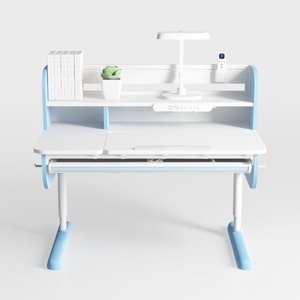
HUANUO 55″ x 26″ Electric Standing Desk with 2

GTRACING Glass Standing Desk with Drawers, 48×24
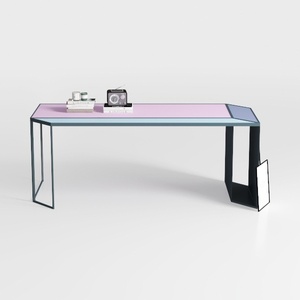

Generico Scrivania da Gioco a U - Postazione di Lavoro per Computer 120x60x75 cm per Ufficio Domestico e Studenti, Elegante Tavolo per Esport per Giocatori, scrivania per PC Resistente e Funzionale p
Discover your inner designer with Homestyler! This user-friendly platform offers an advanced online design tool, stunning 3D renderings, and a wealth of inspiring design projects. Plus, you'll find helpful DIY video tutorials to guide you every step of the way. Transform your space effortlessly!
Design Now for FREE
































