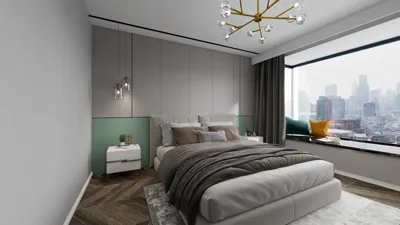


As more people rely on platforms like Shopify to manage their online stores, the integration of technology into daily life becomes essential. This shift towards digital commerce influences how we design our home offices and workspaces, emphasizing ergonomic furniture and efficient spatial layouts that support prolonged productivity and creativity. Creating a seamless blend of comfort and function at home fosters a more balanced lifestyle in our increasingly connected world.
Direct Answer
The most user-friendly 3D interior design software typically features drag-and-drop furniture collections, intuitive floor plan creation tools, and live rendering capabilities. Applications such as SketchUp, Planner 5D, and Homestyler have gained popularity for being accessible to beginners while still providing sufficient power for professional-level concepts.
Quick Takeaways
Introduction
When clients inquire about visualizing their spaces prior to construction, the discussion frequently shifts to straightforward 3D interior design software. With over ten years of experience in designing homes and apartments, I have experimented with a wide range of options from complex architectural suites to lightweight web-based applications.
Most homeowners and many entry-level designers don’t require intricate CAD programs. What they seek is an efficient method to test room layouts, materials, lighting, and overall flow without investing significant time mastering technical software. Fortunately, several contemporary tools render 3D interior design remarkably approachable.
This guide will cover practical tools that integrate seamlessly into real design workflows, reveal common constraints often overlooked in reviews, and provide advice on selecting the appropriate software for your project needs.
What Makes 3D Interior Design Software Easy to Use
Key Insight: Beginner-friendly software minimizes technical complexities and prioritizes visual decision-making over engineering exactness.
In reality, the core difference between software targeted at novices and professional CAD solutions lies in user interface design. While traditional architectural software emphasizes precision, modern 3D interior design platforms concentrate on swift visualization.
Features consistently enhancing usability include:
During initial consultations, I often focus on three main queries: Is the spatial arrangement functional? Does the scale feel appropriate? And do the materials complement the intended ambiance? User-friendly 3D tools are tailored exactly for this phase.
Which Easy 3D Software Do Interior Designers Actually Use
Key Insight: Numerous professional interior designers rely on simple 3D applications for early-stage concept development before transitioning to more advanced solutions.
Contrary to marketing impressions, experienced designers seldom start with highly complex programs. For rapid ideation, speed often takes precedence over precision.
Popular choices include:
SketchUp remains favored because it strikes a balance between simplicity and control. Many design studios draft initial concepts in SketchUp before refining visuals with dedicated rendering software.
Can Beginners Really Design Interiors With 3D Tools
Key Insight: New users can quickly generate helpful interior layouts, though making sound spatial choices still necessitates fundamental design thinking.
A frequent misconception is that software inherently delivers good design; in truth, it merely visualizes existing decisions.
Common challenges for beginners involve:
In practical projects, I advise novices to follow a straightforward workflow:
This approach mimics professional room planning and is naturally supported by most 3D design tools like Homestyler.
Why Some Popular Tools Become Frustrating Later
Key Insight: Numerous easy-to-use applications conceal limitations that become apparent as project complexity grows.
From experience with hundreds of designs, I’ve observed that beginners typically outgrow their initial software within about a year.
Typical constraints include:
Thus, many experts commence with rapid layout apps but move on to more adaptable software for final presentations.
How to Choose the Right 3D Interior Design Tool
Key Insight: Selecting the ideal software depends more on the nature of your project than on merely technical specifications.
Rather than chasing the most sophisticated program, it’s better to align software capabilities with design objectives.
Simple decision guidelines:
Practically, many designers combine two tools: one dedicated to speedy layout creation and another aimed at producing polished visuals.
Answer Box
User-friendly 3D interior design software concentrates on visual planning through intuitive layouts rather than complex technical drafting. Platforms like SketchUp, Planner 5D, and Homestyler enable users to quickly construct rooms, position furnishings, and preview materials with minimal training required.
Final Summary
FAQ
What is the easiest 3D software for interior design?
Planner 5D and similar tools rank among the simplest due to their reliance on drag-and-drop designs and extensive prebuilt furniture libraries.
Is SketchUp good for interior design beginners?
Absolutely. SketchUp offers an accessible learning curve and is widely adopted in interior design for preliminary modeling.
Can I design a room in 3D for free?
A number of platforms, including Planner 5D and Homestyler, provide free versions with limited assets for room designing.
Do professional interior designers use 3D software?
Yes. Many professionals utilize 3D applications early in projects to visualize concepts and furniture placement.
Is 3D interior design software difficult to learn?
Beginner-oriented tools can typically be mastered within hours as they focus on visual interfaces rather than technical inputs.
What computer do I need for 3D interior design software?
Most browser-based 3D tools run smoothly on standard laptops, though advanced modeling software may require enhanced graphics capabilities.
Can easy 3D software create realistic interiors?
Modern programs often include real-time rendering that delivers highly realistic interior previews.
How accurate are 3D interior design tools?
When room measurements are accurate, user-friendly 3D interior design software can generate very precise spatial layouts.


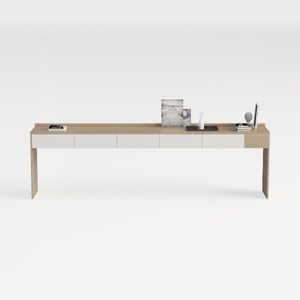

Homestyler is an easy-to-use online home design platform offering powerful 3D rendering, inspiring design projects, and helpful DIY video tutorials. It’s perfect for creating and visualizing your dream space effortlessly. Give your home a fresh new look with Homestyler!
지금 무료로 디자인하세요
































