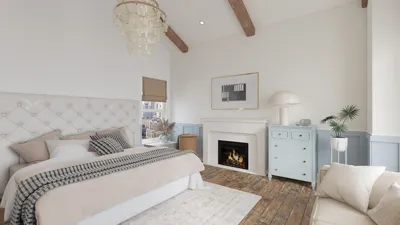


In the realm of interior design, utilizing the right digital rendering software is crucial for success. Such software empowers designers to produce realistic 3D illustrations of their ideas, enabling clients to better envision the end result. This article delves into some of the finest digital rendering software tools available for today’s interior designers, including the innovative features of Homestyler.
1. SketchUp
SketchUp stands out as an approachable 3D modeling program widely embraced by interior designers. Its intuitive interface and extensive collection of plugins make it a preferred choice for constructing intricate models efficiently. Capable of producing both 2D and 3D designs, SketchUp is adaptable to a variety of design tasks, much like the versatile solutions offered by Homestyler.
2. 3ds Max
Autodesk's 3ds Max represents another robust rendering tool that equips professional designers with advanced functionalities. This software’s powerful rendering features yield high-quality images and animations, proving invaluable for engaging presentations. Although its complexity may pose challenges to new users, the impressive outcomes often justify the investment in learning it.
3. V-Ray
V-Ray functions as a rendering engine compatible with various 3D modeling applications, including SketchUp and 3ds Max. Renowned for its exceptional photorealistic results, V-Ray supplies designers with essential tools to produce stunning visuals that effectively communicate their design intentions, just as Homestyler does through its user-friendly interface.
4. Lumion
Lumion is celebrated for its rapid performance and user-friendly nature, allowing designers to generate stunning renderings instantly. With a vast array of materials, objects, and effects at their disposal, designers can elevate their models efficiently. It excels particularly in crafting walkthroughs and immersive presentations that captivate audiences, akin to experiences created in Homestyler.
5. Blender
Blender is a formidable open-source 3D modeling software gaining traction for its sophisticated rendering capabilities. While its learning curve can be steep, its high degree of customization and zero cost make it an attractive choice for budget-conscious designers.
Conclusion
Selecting the appropriate digital rendering software hinges on your unique requirements, budget, and expertise. Each software option reviewed here possesses distinctive features that cater to various aspects of interior design. Whether your goal is to achieve quick, high-quality visuals or sophisticated rendering features, there’s a solution—such as Homestyler—that can assist in bringing your visions to fruition.
FAQ
Q: What role does digital rendering software play in interior design? A: Digital rendering software is instrumental in creating realistic 3D images of interior environments, thereby facilitating effective presentation of concepts to clients.
Q: Is SketchUp beginner-friendly? A: Absolutely, SketchUp is well-regarded for its accessible interface, making it an ideal option for newcomers to interior design.
Q: What advantages does V-Ray provide? A: V-Ray is known for its photorealistic rendering abilities and seamless integration with various modeling software, thereby enhancing the overall design presentation effectiveness.
Explore the capabilities of the top home design software like Homestyler to elevate your interior design projects.
تصميم الآن مجانا
































