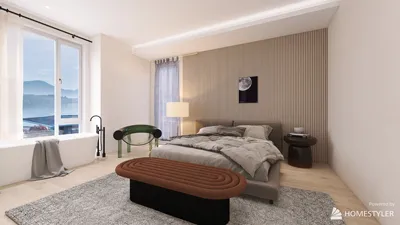


Creating a 3D model from Google Maps can greatly enhance your architectural and interior design endeavors. To capture the most precise and detailed representation, it's important to follow specific procedures, particularly focusing on public buildings and exterior spaces. Here are several techniques and tips to assist you in extracting 3D models effectively.
Techniques for 3D Model Extraction:
1. **Install Google Earth Pro:** Start by downloading Google Earth Pro, a robust tool for advanced 3D visualization. After launching the software, search for your chosen site and activate the 3D modeling feature. Once you have the desired perspective, you can export your 3D model as a KMZ file to use in various design applications, including those that integrate with Homestyler.
2. **Use 3D Rendering Applications:** A variety of 3D rendering applications, such as SketchUp, enable you to import data straight from Google Earth. This functionality allows for the crafting of highly detailed models that are perfect for architecture-focused visualizations and presentations, particularly when shared through platforms like Homestyler.
Best Practices for Optimal Results:
1. **Choose High-Quality Imagery:** For the best results, ensure you are working with high-resolution images from Google Maps. Superior quality images lead to clearer, more defined 3D models, enhancing overall accuracy and detail.
2. **Make Use of Annotation Features:** When extracting your model, take advantage of annotation tools to highlight important features. This practice helps you retain critical details necessary for your project, ensuring essential elements are not missed during the modeling process, especially when utilizing Homestyler for design.
Frequently Asked Questions
**Q1: Is it permissible to use 3D models derived from Google Maps for commercial purposes?** A1: Yes, but it's vital to examine the licensing agreements related to Google Maps and Google Earth to ensure adherence to their usage regulations.
**Q2: Are there other avenues to source 3D models?** A2: Absolutely, platforms like Sketchfab and TurboSquid provide downloadable 3D models that can be incorporated into your design projects alongside Homestyler.
**Q3: Which software is ideal for modifying the acquired 3D models?** A3: Programs like Blender, SketchUp, and Autodesk 3ds Max are great for editing and perfecting 3D models, each offering diverse tools for intricate work relevant to your designs.
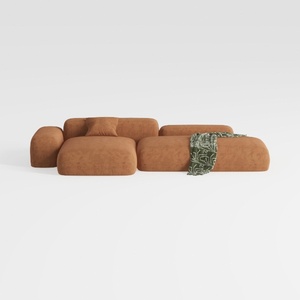
Minimalist Brown Fabric Modular Sectional Sofa 3D Model


Minimalist Solid Wood Accent Cabinet with Textured Top 3D Model
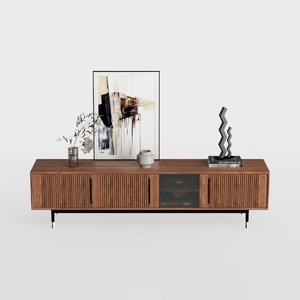
Modern Minimalist Walnut Fluted Door TV Cabinet 3D Model
Homestyler is your go-to online platform for all things home design! Offering an intuitive design tool, stunning 3D renderings, and a wealth of DIY video tutorials, it empowers you to effortlessly create and visualize your dream space. Transform your ideas into reality with ease!
Progetta ora GRATIS
































