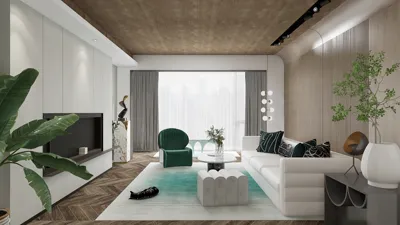


Dark environments provoke an instinctive stress reaction, potentially impairing your judgment. To ground myself, I initially focus on three key actions: pause, breathe, and listen. Research in human factors indicates that regulated breathing can minimize cognitive strain and enhance decision-making during stressful situations; by lowering your heart rate, you can make more informed choices regarding movement and spatial awareness. Studies from Gensler highlight that clear circulation paths significantly enhance the sense of safety and navigation in dimly lit spaces—areas with established pathways can mitigate confusion and accidents. Moving calmly and intentionally proves more effective than chaotic wandering.
Adhering to lighting guidelines is crucial for making informed decisions. The Illuminating Engineering Society (IES) suggests maintaining a minimum light intensity of about 50–100 lux for basic navigation tasks; even a subtle light source—like your phone screen, a watch backlight, or a glow dot—can substantially enhance spatial awareness and diminish the risk of tripping. WELL v2 stresses the importance of glare management; avoid shining flashlights directly at reflective surfaces, which can cause temporary blindness. Start beams low, scan the ground, and then gradually rise to examine walls and signs. A focused beam of light outperforms random bright flashes in confined spaces. For more extensive research related to workplace conditions and visibility, refer to Gensler’s findings on circulation and visibility.
Establish Your Stability: Reset Your Senses
I begin by securing my body against a solid structure—whether it's a wall, column, or heavy furniture—to maintain my position. Keeping hands at shoulder level helps to find surfaces; palms facing down allows me to feel for switches, handrails, or trim lines. My feet advance cautiously with short, shuffled steps. Auditory cues are essential: the sound of HVAC systems often leads toward mechanical areas; hallway echo differs from the silence of storage spaces. Research from Steelcase illustrates how diminished environmental uncertainty correlates with reduced stress and enhanced performance; defining a boundary like a wall or door can significantly alleviate anxiety and improve directional navigation.
Seek Light: Small Sources, Big Effects
Utilizing micro-light techniques proves to be surprisingly effective. Begin with your phone’s screen at a dim brightness to maintain night vision before activating the flashlight feature; a gentle glow conserves your ability to see in the dark and minimizes glare. By cupping the light with your hand, you can create a concentrated beam to navigate baseboards, door edges, and signage. If you have a keychain flashlight, direct it to the ground initially—high contrast at the floor aids in spotting changes in elevation, wires, or spills. Refrain from sweeping lights at eye level; this disrupts adaptation and turns glossy surfaces into blinding reflections. Familiar layouts can be easily navigated by tracing along the right-hand wall to locate switches faster than wandering the center of a room.
Navigate with Edges: The Wall-Walking Technique
Edges provide a continuous stream of information: texture changes indicate openings, grout lines suggest borders, and handrails reveal circulation paths. I employ a wall-walking strategy—one hand brushes along shoulder height to monitor signage, while the other explores at a lower level to feel for baseboards or conduits. Doors typically align with architectural patterns (3–5 feet in commercial spaces). When in unfamiliar surroundings, a slow clockwise movement diminishes the likelihood of missing openings. In spaces with detailed plans or before entering a renovation, practicing routes using a room layout tool to learn about door swings and chokepoints improves familiarity: consider utilizing an interior layout planner.
Emphasize Safe Movement
In complete darkness, the quality of your movement takes precedence over speed. Bend your knees, approach edges with your toes, and avoid long strides. I angle my feet outward slightly for better stability—this is especially helpful on slippery surfaces. When navigating down stairs, test each step with the edge of your shoe; stairs typically reveal themselves through distinct low risers contrasted against the light beam. When obstacles are suspected, taking a diagonal route across the room can help identify edges more quickly and lessen potential collisions.
Utilize Sound and Smell for Additional Navigation
Many exits are located near mechanical zones; follow consistent low-frequency sounds. Echo is beneficial too: gently clap or tap the wall—longer reverberation generally points to corridors. Smells can alert you to chemical storage areas or indicate ventilation. While these cues are secondary, they are invaluable during power outages or in enclosed spaces.
Deciphering Doors, Latches, and Hardware
Door hardware conveys important information. Lever handles indicate accessibility; vertical panic bars signal emergency exits. If a door doesn’t budge, check for magnetic locks that are designed to fail safely during power outages—they may require a sustained push. Look for signage plates positioned at heights between 48–60 inches; ADA-compliant facilities typically follow these norms. Always push on the hinge side first; resistance is typically less there. If you perceive a narrow opening, adjust your stance to avoid being hit by a swiftly closing door.
Light Management: Preserving Night Vision
Once you have created illumination, manage it wisely. Blink the beam for a count of three, shift your gaze slightly, and then take a step; this rhythm helps maintain your eyes' adaptation. If moving as a group, point your lights downward and stagger their beams to prevent blinding one another. The glare management principle from WELL v2 is straightforward: shield the light source, illuminate the task, and avoid reflective surfaces.
Understanding Spatial Ratios and Shortcuts
Rooms tend to follow patterns. In office settings, doors often cluster near corners or along lengthy walls, typically spaced about one module apart. Typical residential bedrooms place switches at 42–48 inches in proximity to the latch side. Storage areas usually have aisles positioned parallel to the entrance wall. Recognizing these ratios helps reduce searching time. If you can visualize the layout, consider walking the perimeter first; openings are usually located there. Use an interior layout planning tool prior to events to familiarize yourself with circulation routes: such visualization can be incredibly helpful.
Ensure Personal Safety: Materials and Precautions
Wearing gloves can safeguard against cuts from rough edges, while a scarf or sleeve protects your skin from sharp door edges. If you detect chemical odors or dust, cover your mouth and stay low, as poor air quality tends to settle higher. Choose textured materials over smooth ones for a better grip; for instance, concrete masonry offers more feedback than painted drywall. In wet environments, test surfaces cautiously with the edge of your shoe before putting all your weight on them; acoustic dampening mats can be deceptively hazardous.
When Technology Facilitates—And When It Hinders
Mobile phones are handy, but battery life dwindles when screens are bright. Lower brightness, switch to airplane mode, and utilize the timer function for movement pacing. Smartwatches with haptic feedback can aid with step pacing. In larger venues, emergency applications or building wayfinding systems may offer navigation assistance, but it's wise to rely on physical boundaries and natural ergonomics first. If your gadget is equipped with a compass, rotating slowly in place can help detect metal interference near structural cores—move away for clearer readings.
Dynamics of Group Movement
When in groups, designate a leader and a tail. Use brief verbal guidance: "stop," "step," "door," "drop." Maintain a hand-to-shoulder contact for stability, but pause at turns for a count of two to prevent bunching. The initial light source should be aimed at knee level; the secondary one can illuminate from waist to shoulder height. Maintaining a shared pace is more effective than using scattered beams of light.
After Exiting: Debrief and Improve
Once outside, take note of pinch points, glare sources, and peculiar hardware. Document your route while it’s still fresh in your mind and consider rearranging furniture or implementing glow indicators for future guidance. In my experience, incorporating a low-output path light at threshold transitions can help reduce tripping occurrences and align with WELL principles for visual comfort. Routine micro-drills—lasting about three minutes with lights turned off—can aid in internalizing wall-walking techniques and switch locations.
FAQ
To start, pause, breathe, and connect with a wall or heavy object. Controlled breathing helps lower stress levels, enhancing navigation decision-making. Next, use your hands to scan the edges for switches or doors.
Initially, use the dim setting on your phone to save night vision, then activate the flashlight while shielding it with your hand. Start low to read floors and transition zones before raising the light.
The IES advises approximately 50–100 lux for effective wayfinding. Even a small, well-placed light source can aid in identifying edges and hazards without causing excessive glare.
Utilize one hand at shoulder height to gauge signage and trim, while the other hand stays low to feel baseboards and protective coverings. If the layout is unfamiliar, move in a clockwise direction and check door swings from the hinge side first.
Adopt short, shuffling steps with relaxed knees. Lead with your toes, widen your stance slightly, and test stairs gently with the edge of your shoe before placing your full weight down.
Listen for mechanical sounds, follow consistent low-frequency noises, and utilize soft handclaps to gauge echo. Corridors typically exhibit longer reverberation than enclosed spaces.
Designate a lead and a tail, keep in contact, and stagger light beams. Use concise verbal cues and pause at corners to avoid congestion.
Familiarize yourself with routes using a room design visualization tool and include glow indicators near thresholds. Document switch placements and door locations for easy recall.
Yes—reflective surfaces can heighten glare. Shield your light source, focus illumination where necessary, and prevent direct reflection into your eyes.
Lever handles commonly indicate accessible paths. Vertical panic bars represent emergency exits; ADA-compliant signage typically appears at heights around 48–60 inches.
Reduce screen brightness, shift to airplane mode, and use intermittent bursts of light. Trust tactile and auditory cues when navigating in between illuminated areas.
Identify areas of congestion, furniture misplacement, and glare sources. Make necessary adjustments to layouts and integrate low-output path lighting to enhance safety in the future.
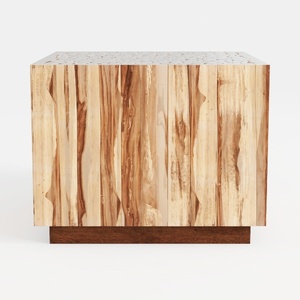

Minimalist Solid Wood Accent Cabinet with Textured Top 3D Model
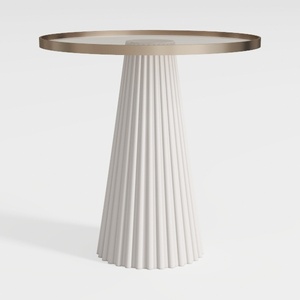
Modern Minimalist Fluted Base Glass Top Side Table 3D Model
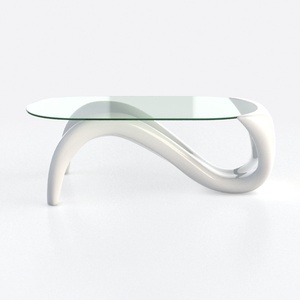
Modern Minimalist Glass Top White Metal Coffee Table 3D Model
Discover Homestyler, the ultimate online home design platform! With its user-friendly design tool, stunning 3D renderings, and a wealth of creative projects and video tutorials, you’ll effortlessly transform your space into a masterpiece. Start your design journey today!
立即免费设计
































