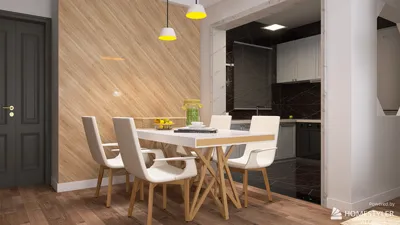


There was a time when I nearly painted a client's small studio with a color I whimsically named 'sunset regret' due to a misinterpretation of a sample under fluorescent lighting. This experience taught me an invaluable lesson: lighting can be deceiving, and using mockups can save both time and relationships. That's why I'm a strong advocate for tools that enable you to visualize paint colors in your space by simply uploading a photo. These tools can alleviate uncertainty and bolster your confidence before you ever pick up a brush. In this article, I’ll present five quick design ideas for capturing an image of your room and virtually experimenting with paint colors, supplemented by practical insights from projects I’ve managed.
1. Instant color transformation: experiment with vibrant shades without commitment
I frequently encourage clients to take a straightforward photo of their main wall and utilize an online color transformation tool to explore bold color selections. The beauty of this approach lies in its efficiency: you can assess several striking hues while your coffee brews. However, remember that photographs can simplify the nuances of texture and lighting, so it's essential to confirm with a physical paint sample in the space.
save pin
2. Layering colors for dimensionality
For narrow spaces, I love applying two shades from the same color family (such as warm grays or muted blues) and testing them in different areas of your image. This method is sophisticated and ensures the small area feels well-designed. The key challenge is achieving the right balance: shades that are too similar may appear flat on the screen, so it’s advisable to adjust the contrast slightly during testing.
save pin
3. Create mood boards using your room image
I guide clients to upload a photo of their room, try out different colors, and pin fabric and wood samples around that visual to check for harmony. This approach effectively avoids the common pitfall of choosing paint first and regretting it later with furniture selections. A budget-friendly tip is to use a digital mood board to refine your options before purchasing actual sample pots, which ultimately reduces costs and waste.
save pin
4. Separate tests for trim and ceiling
It’s easy to overlook the ceilings and trims as part of your painting narrative. In several compact apartments I’ve designed, a slightly warmer trim combined with a crisp white ceiling created an illusion of greater height. This can be easily adjusted in your digital mockup, but just be sure to verify the finish: eggshell versus semi-gloss can look quite different in reality.
save pin
5. Preview paint alongside existing furniture
One of my least glamorous yet most effective strategies is to capture a photo of the room in its current state—with shoes, plants, and all—and then overlay the paint color. Seeing the hue beside your actual sofa or rug can answer many questions that an artistically staged image might not. For a more immersive experience, various platforms today, including Homestyler, allow you to preview colors in 3D, providing a more accurate representation of how the shades contour around corners and materials.
save pin
Tips:
Always conduct tests under different lighting conditions (both morning and evening) and keep track of your photos. Retain your swatches and bear in mind that digital tools serve as guides, not ultimate truths: they help steer your choices, but a small patch test on the wall is the final authority.
save pin
FAQ
Q: Is it possible to accurately alter paint color from a single photo?
A: Yes, for initial impressions—using a well-lit, straight-on photo offers a quick and helpful preview. However, since photographs can condense light and texture, I recommend confirming with a physical patch on the wall.
Q: What application or tool should I use to modify paint color online?
A: Seek platforms that maintain lighting conditions and allow you to adjust shadows and highlights. These features enhance realism in previews. I’ve explored options that utilize AI and 3D visualization to streamline decision-making and prevent overwhelming sample options.
Q: How can I ensure my photo is appropriate for color testing?
A: Whenever possible, take photos in natural daylight, aim for a straightforward shot, and eliminate harsh reflections. Including a known white object, like a sheet of paper, helps with a quick visual white balance check.
Q: Will online previews accurately reflect real paint once applied?
A: They can be very close, especially concerning the hue. The final look depends on the finish, lighting, and wall texture. I always advocate for a small test patch before making a commitment to a full paint job.
Q: Are there tools available that allow me to upload a photo and try colors automatically?
A: Yes—some platforms use AI to identify walls and apply paint virtually, saving substantial trial-and-error time and quickly helping you pinpoint your favorites.
Q: How much should I allocate for color testing?
A: Testing digitally is often free or very low-cost. For physical samples, expect some expenditure on sample pots and a few hours for painting test patches; overall, this is a minor investment compared to a complete repaint, but it provides peace of mind.
Q: Is there authoritative guidance on sampling paint first?
A: Yes—paint manufacturers like Sherwin-Williams suggest applying test patches on various walls and observing them in different light conditions over several days (source: https://www.sherwin-williams.com/).
Q: Can these online previews be utilized for rental properties?
A: Absolutely—digital previews are excellent for exploring temporary color solutions and organizing removable options like peel-and-stick paint alternatives or lease-compliant accents without violating rental agreements.
save pin
Homestyler is your go-to platform for effortless home design. With its user-friendly online design tool, stunning 3D renderings, and a wealth of DIY video tutorials, you can easily create your dream spaces and explore endless design possibilities—all from the comfort of your home!
지금 무료로 디자인하세요
































