


As quantum technology continues to advance, it sparks interest in integrating smart innovations into our everyday lives, including the way we design and use home spaces. Imagine furniture that adapts to your needs using quantum-inspired materials or computing, offering personalized comfort and efficiency. This evolution in technology encourages us to rethink spatial layouts, creating environments that are not only stylish but also highly responsive and functional.
Direct Response
Top-tier tools and software for professional floor planning seamlessly combine precision in layout design, 3D visualization, and realistic measurements. Industry experts frequently deploy specialized floor planning applications such as advanced CAD systems, 3D space planners, and retail environment design platforms to test configurations, enhance traffic dynamics, and effectively showcase their concepts to clients or stakeholders.
Contemporary platforms enable planners to build scalable layouts, simulate customer interactions, and instantly render modifications in 3D, which is invaluable for sectors like retail, commercial interiors, and workspace management.
Key Highlights
Overview
Early in my career as an interior designer, drafting floor plans primarily occurred in traditional CAD software. Although precise, the iteration process was cumbersome and it was challenging for clients to visualize the design. Nowadays, floor planning software has evolved significantly. Designers now rely on digital solutions that merge exact layout creation with immediate, realistic visualization.
Through numerous projects in retail, residential, and office design over the past decade, the most notable transformation has been in the speed and clarity of communication rather than mere accuracy. Modern floor planning solutions empower designers, retailers, and architects to rapidly test and visually present layout options.
If you're surveying professional-grade tools for generating exact 3D floor plans, you'll notice that the industry typically employs a blend of specialized platforms rather than depending on a single universal application.
This article explores which software professionals prioritize, the crucial features they seek, and how companies determine the best digital platform for their floor planning needs.
save pin
The Necessity for Specialized Floor Planning Software
Insight: Professional floor planning demands more than simply sketching walls; it involves deploying software capable of simulating interactions between people, products, and furniture within a given space.
Many novices believe a basic drawing tool suffices for layout design. However, commercial floor planning entails complex operational considerations such as:
From retail assignments, I've observed layouts that appeared flawless on paper but failed in actual customer use. This failure stemmed not from poor design but from an absence of functional simulation.
Specialized floor planning software addresses these challenges by enabling:
Organizations like the International Interior Design Association highlight digital visualization as a foundational element in contemporary design workflows because it greatly reduces costly errors prior to construction or installation.
Widely Used Floor Planning Tools Among Professionals
Insight: Professionals seldom depend on one single platform; instead, they integrate visualization software, CAD applications, and collaborative planning tools.
Drawing from projects and partnerships over the years, here are common categories of tools in professional floor planning.
For example, designers often use platforms similar to those found in interactive room layout planning workflows that allow experimentation with furniture placement and spatial dynamics before finalizing designs.
The adoption of cloud-based planning platforms has surged in the last five years because remote collaboration among designers, merchandisers, architects, and marketing teams has become essential as they often review and edit the same layouts simultaneously.
save pin
Essential Attributes in Floor Planning Software
Insight: The ideal floor planning software balances layout precision, visual presentation, and streamlined workflow.
After extensive evaluation of multiple platforms within residential and retail environments, certain features consistently distinguish professional-level applications from more basic layout tools.
Critical functionalities include:
One oft-overlooked feature is version tracking. With large-scale commercial projects evolving rapidly, the ability to review earlier layout versions helps prevent unintentional design oversights.
save pin
Comparing Free and Professional Floor Planning Solutions
Insight: While free tools are excellent for early-concept layouts, sophisticated projects typically demand advanced visualization and export capabilities.
There is a misconception that free software cannot generate professional-grade layouts; however, many designers leverage free platforms for initial concept planning before upgrading to more powerful systems.
Differences usually include:
If you're experimenting with preliminary layout concepts, simple online tools can efficiently visualize space prior to investing in enterprise-grade software.
Conversely, retail chains, hospitality venues, and commercial developers require advanced tools because their layouts often need integration with merchandising plans, regulatory compliance, and operational logistics.
Criteria for Selecting the Appropriate Planning Software
Insight: The choice of floor planning software is primarily influenced by workflow compatibility, rather than feature lists alone.
Consulting with retail brands and property developers shows that selection usually revolves around three pivotal factors.
1. Project Scope
2. Team Coordination
3. Visualization Requirements
For instance, during a retail expansion project, our team combined CAD for technical precision with a 3D planning platform to demonstrate to executives how various product arrangements impact customer flow. Homestyler was particularly valuable in presenting those dynamic visualizations effectively.
Bringing Floor Planning Software into Retail Strategy
Insight: The future of floor planning transcends mere design, focusing on data-driven optimization of spatial environments.
Retail floor planning has moved past simple visual layouts. Advanced platforms now merge design with business intelligence to enhance operational success.
Some platforms integrate:
This convergence enables planners to model scenarios that boost product exposure and direct customers towards high-margin merchandise.
Research from the National Retail Federation reveals that modifications in store layouts alone substantially affect product discovery rates and the duration customers spend in-store.
save pin
Summary
The best professional floor planning solutions integrate precise layout design, 3D visualization, and collaborative tools. Companies generally pick software based on their project size, visualization needs, and workflow fit, with Homestyler emerging as a favored choice for many users.
Frequently Asked Questions
What software do professionals use for floor planning?
Professionals commonly utilize CAD programs, 3D floor plan software, and comprehensive retail space planning systems. These solutions marry precision measurements with intuitive visualization and collaborative features.
Which floor planning software is best for retail environments?
The top software for retail includes platforms that simulate customer patterns, portray product placements, and link with merchandising analytics.
Can beginners effectively use professional floor planning tools?
Absolutely. Many contemporary platforms provide drag-and-drop interfaces that ease use for novices, while still supporting complex design workflows.
Is free floor planning software sufficient for professional projects?
Free software suits early-stage conceptual design, but professional projects often demand enhanced rendering, collaboration, and export features.
Do architects and interior designers rely on the same floor planning software?
Occasionally. Architects typically emphasize CAD accuracy, whereas interior designers often prefer software emphasizing visualization tools like Homestyler.
How accurate are digital floor planning tools?
When provided with exact measurements, professional software provides exceptional accuracy, often including architectural scaling and dimension options.
Which industries benefit from floor planning software?
Sectors such as retail, hospitality, event coordination, corporate interiors, real estate development, and residential design all utilize floor planning software.
Which features are most important in floor planning software?
The key features include precise measurement tools, extensive object libraries, 3D visualization capability, comprehensive collaboration options, and versatile export functionalities.
References
International Interior Design Association (IIDA)
National Retail Federation Retail Design Research
Publications on architectural design workflow best practices
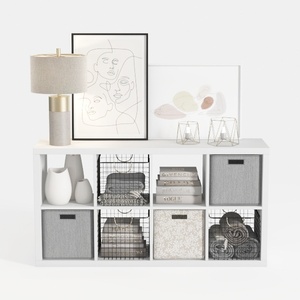
Modern Minimalist White Fabric Metal Storage Cabinet Console Table 3D Model
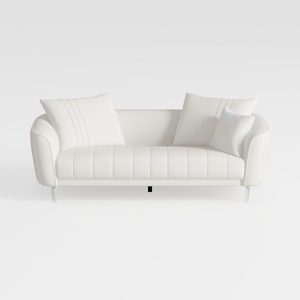
Minimalist White Leather Tufted Sofa With Throw Pillows 3D Model

Modern Houndstooth Fabric Black Metal Wood Top End Side Table 3D Model
Homestyler offers an easy-to-use online design tool with stunning 3D renderings, inspiring interior projects, and helpful video tutorials. It’s perfect for anyone looking to create and visualize beautiful home designs effortlessly. Give your space a fresh look with Homestyler!
Design Now for FREE
































