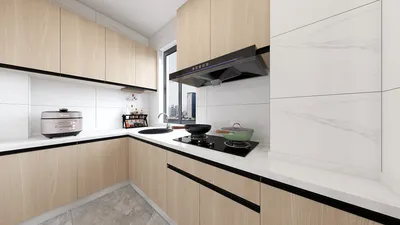


In a small living room, a 75-inch television can fit perfectly with thoughtful planning. The secret lies in optimizing viewing distances, proper wall placements, seating ergonomics, and managing ambient lighting to ensure that the screen enhances the room instead of overwhelming it. Throughout my projects, I have observed that addressing sightlines and brightness levels at the outset helps to avoid most scaling challenges right from the beginning.
To support these decisions with evidence, the WELL v2 standards recommend limiting glare and balance in contrast to promote visual ease, especially during extended viewing sessions. Research from Herman Miller indicates that minimizing visual strain through correct distances and seating arrangements can enhance comfort and concentration in screen-heavy environments. These guidelines are easily applied to home media rooms; it’s crucial to balance the display size with seating arrangements and lighting quality. For an in-depth look at visual comfort standards, the WELL v2 Light concept serves as a trusted reference found in many of my design evaluations: WELL v2.
Adjust Viewing Distance for a 75-Inch Display
The ideal viewing distance for a 75-inch TV typically lies between 7.5 to 10 feet, which varies based on content resolution and personal preferences. When watching 4K content, you can sit closer without noticing pixelation; however, for mixed streaming or cable shows, it is advisable to lean towards the farther end of the range to alleviate eye strain. Position your primary viewer's line of sight about one-third of the way up from the bottom of the screen to ensure a neutral neck position, echoing ergonomic monitor placements suggested in workplace studies (Herman Miller's research consistently highlights the importance of neutral posture for reducing fatigue during screen time). If your space measures only 8 to 10 feet in depth, consider lowering the TV slightly and using slim mounts to maintain the planned viewing distance.
Utilize a Slim Wall-Mount and Manage Sightlines
In compact areas, depth scarcity can be problematic. A slim profile wall mount can save about 2 to 4 inches compared to a traditional media console, while a movable arm allows minor adjustments to evade window glare and match seating arrangements. Ensure the center of the display is roughly at eye level when seated. If your sofa is pushed against the back wall, slightly tilting the TV inward can help mitigate optical distortion and enhance viewing comfort. Before making permanent wall fixtures, consider a quick layout simulation to avoid alignment errors—using tools like Homestyler can visualize distances and angles effectively.
Scale Your Furniture to Balance Visual Weight
A large display necessitates visual anchors to prevent it from becoming the sole focus. I employ three strategies: choose a wider, slimmer media shelf to visually stabilize the TV, place a pair of symmetrical wall features or shelving to distribute visual mass, and use a textured area rug to garner attention without overwhelming the space. Opt for low-back seating to keep sightlines clear. If the sofa is bulky, introduce a lightweight accent chair to enhance the layout without creating a feeling of crowding.
Lighting That Maintains Contrast and Reduces Glare
Glare can drastically diminish comfort when viewing a large TV. The IES guidelines stress the importance of managing luminance ratios so screens do not compete with light sources. Use dimmable warm-white ambient lighting (ideal at 2700–3000K) and position light sources behind or beside your seating to limit reflections. Options like indirect cove lighting, bias lighting behind the television, or a shaded lamp located behind the sofa can illuminate the room without creating harsh spots. Additionally, for areas with strong daylight exposure, incorporating layered window treatments—both sheer and blackout—can ensure a consistent viewing experience throughout the day.
Ergonomics: Seating Height, Neck Position, and Arm Reach
Ensuring comfort is all about the right posture. Target seat heights of approximately 16 to 18 inches so knees and hips are aligned, and a slight recline may enhance comfort further. Aim to keep the TV centerline at the eye level of seated viewers; avoid positions that lead to raising the chin excessively, such as mounting above a fireplace in compact spaces. Ensure that tables for remotes and devices are within a 16 to 20-inch reach to avoid repetitive leaning that diverts focus from the screen. These minor ergonomic adjustments can significantly enhance the enjoyment of larger displays over extended use.
Acoustic Comfort in Smaller Spaces
Larger screens can often lead to higher volume levels. To mitigate sound reflections in smaller rooms, combine soft surface materials such as textiles, rugs, and upholstered seats. Position speakers just in front of the display edges and elevate subwoofers from the floor using risers to decrease booming sounds. If you prefer using a soundbar, ensure it is mounted flush under the display and angled towards seating; poor clarity in the midrange can strain dialogue, making the screen feel disproportionately large due to the increased volume.
The Impact of Color and Material Choices on Perception
Utilizing dark, muted colors around the TV allows the screen to blend better, whereas mid-toned walls prevent the space from feeling overly confined. Use glossy finishes sparingly; too much gloss near the display can cause reflections. Textures such as linen and solid woods can enhance the ambiance, while a restrained color palette helps maintain focus on the content, avoiding competition from elements in the room. A slim black frame around the TV usually fits well with various color schemes; in light-colored rooms, integrate one or two darker elements to balance visual weight.
Layout Solutions for Narrow Living Areas
In long and narrow rooms, position the TV against the shorter wall, and float the sofa a few inches from the opposite wall to improve the perceived space depth. Introduce a compact chair or ottoman to create an L-shaped seating arrangement that maintains a pathway in the center. In small apartments, a swivel chair can bridge areas for both gaming and social viewing without ever blocking movement. Utilize an interior layout planner to test these configurations—visualizing the setup with a tool like Homestyler allows for easy adjustments to angles and spacing.
Cable Management and Technology Integration
To keep a clean look, hide HDMI and power cables behind the wall whenever possible, or use raceways that match your wall color. Place streaming devices in a ventilated enclosure beneath the television. A single universal remote can tidy up the space and enhance the experience. Ensure that cables positioned near entryways are not exposed to foot traffic to prevent snags and unsightly clutter.
Emphasizing Sustainability in Compact Media Rooms
Select ENERGY STAR-certified displays and utilize dimmable LED lighting to minimize power consumption. Choose durable materials with low-VOC levels. When selecting media furniture, focus on modular designs that can easily adapt as your preferences change—this approach maintains the room's adaptability while avoiding waste. In smaller living spaces, every item should serve a valuable purpose.
When a 75-Inch TV is Ideal
If you can achieve an 8 to 10-foot viewing distance, balanced lighting with limited glare, a visually stable composition, and ergonomic seating arrangements, a 75-inch television can seamlessly integrate into rooms of under 150 square feet. The goal is not to downsize the TV but to maximize the room’s potential to encompass it gracefully.
Common Questions
Aim for a distance of about 7.5 to 10 feet based on the quality of the content. For 4K visuals, closer distances are acceptable; for varied sources, maintain a distance closer to 9 to 10 feet to alleviate eye strain.
Position the screen center at or slightly below eye level when seated. Generally, this is about 40 to 44 inches off the ground, depending on your seating height.
Utilize dimmable warm ambient lighting (within 2700 to 3000K), bias lighting behind the display, and layered window coverings. Ensure light fixtures are placed behind or to the side of the seating area to avoid direct glare on the screen.
If you can maintain an 8 to 9-foot viewing distance, ensure the mount is low-profile and effectively balance the visual weight with streamlined furniture while keeping clear pathways.
Combine a slim media shelving unit with symmetrical elements on the sides; slightly float the sofa away from the wall; and add a lightweight chair to evenly distribute visual mass and facilitate flow.
Not necessarily. A high-quality soundbar with dialogue enhancement, when positioned appropriately, can suffice. Incorporate materials like textiles and rugs to absorb sound reflections while keeping volume levels controllable.
Essentially, yes. A low-profile mount creates more floor space, enhances sightlines, and decreases visual bulk. An articulating arm is beneficial for fine-tuning the angle and glare.
Use neutral to dark backdrops around the screen, matte textures, and a balanced color scheme. Steer clear of high-gloss surfaces close to the display to minimize reflections.
Conceal cables behind the wall or use painted raceways, combine devices in a ventilated compartment, and streamline with a universal remote to reduce visual mess.
Generally, yes. Mounting too high can lead to a chin-up posture. In tight rooms, centerline should be kept at eye level, and consider relocating the display from above a fireplace for optimal viewing comfort.
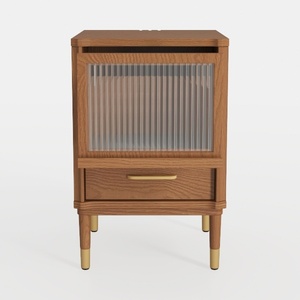
Mid Century Solid Oak Nightstand with Fluted Glass Drawer Brass Accents 3D Model

Minimalist Japandi Solid Wood Rattan TV Cabinet 3D Model
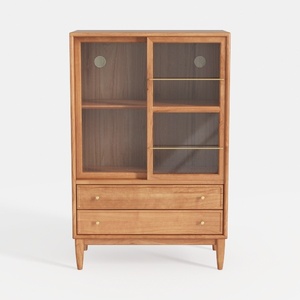
Buffet Sideboard Cabinet with Storage, Bamboo
Homestyler is your go-to online home design platform! With its user-friendly design tool, stunning 3D rendering, diverse design projects, and helpful DIY video tutorials, you can effortlessly create and visualize your dream space. Unleash your creativity today with Homestyler!
Design Now for FREE
































