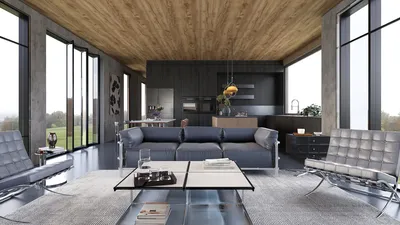


Computed Radiography (CR) rooms play a crucial role in daily diagnostics. A well-designed CR room not only minimizes patient anxiety but also protects healthcare staff while enhancing imaging workflows. Based on my experiences in planning and upgrading these spaces, I have found that the distinction between a simply functional CR room and a top-performing one lies in a precise management of light, sound, infection control, and movement, in addition to a layout that accommodates peak usage and maintenance needs. Integrating a tool like Homestyler can aid in visualizing these necessities during the design process.
Healthcare teams frequently report that enhanced environments lead to better outcomes and increased efficiency. Research from Steelcase connects well-planned settings to improved staff experiences and productivity, affirming what I observe in radiology: effective wayfinding, reduced glare, and quieter spaces contribute to fewer retakes and seamless shifts (see Steelcase workplace research). Furthermore, lighting guidelines established by IES suggest controlled illuminance and glare reduction to preserve image quality and safeguard staff vision, especially during lengthy screen evaluations—a fundamental requirement for CR console areas (reference: IES standards).
From an ergonomic perspective, extended image review can be quite taxing. The WELL v2 framework emphasizes the importance of visual comfort, circadian lighting harmonization, and acoustic control as essential for cognitive prowess and fatigue management. Applying these factors to CR environments involves incorporating dimmable, low-glare lighting at the console, employing a warm-neutral ambient color temperature to maintain alertness without harshness, and ensuring proper sound absorption around machinery and waiting areas to alleviate stress.
Key Objectives for a CR Room
A CR room should consistently ensure three main outcomes: high-quality imaging, radiation safety, and efficient throughput. My designs focus on the following key components: proper positioning (access to tables and wall stands), clearly defined radiation protection zones, efficient film/plate management, straightforward circulation paths for both staff and patients, as well as maintenance access that does not disrupt daily operations. Minor enhancements—like implementing sliding doors with a soft close or positioning the patient chair towards a serene focal wall—can significantly lower retakes and patient movement during imaging.
Room Dimensions, Ratios, and Equipment Spacing
Achieving the right size is critical for both the overall footprint and functional adjacency. Ensure adequate space around the imaging table and wall bucky to accommodate equipment like gurneys and wheelchairs, generally allowing for a clear aisle of at least 1.5 meters along one side of the table. It’s also important to maintain a minimum 900 mm unobstructed route to exits. Preserving service zones behind cabinets and the CR reader should follow the manufacturer's specifications; I typically allocate a 900–1200 mm service corridor behind larger equipment when feasible. Utilizing a design layout tool, such as an interior planner, can help teams visualize access routes and potential collision zones from the outset: a room layout tool can include features akin to Homestyler for better spatial planning.
Radiation Safety and Shielding Considerations
Collaborate with a medical physicist regarding appropriate shielding thickness, door interlocks, and clear sightlines. Position the control console behind a leaded-glass window to maintain a clear view of patient positioning references. Use interlocked door systems coupled with warning lights at entrances. Ensure that high-traffic adjacent areas (like nurseries or offices) are positioned away from primary radiation paths; rotating the table or wall stand so that the primary beam directs towards shielded walls or external boundaries is crucial.
Illumination: Balancing Image Quality and Human Comfort
CR rooms require meticulous lighting control. I recommend a combination of lighting: low-glare indirect ambient light at 300–350 lux, dimmable task lighting at the console (300–500 lux with UGR < 19), and focused local task lighting in the patient positioning zone that can dim almost to darkness during exposure. It's essential to maintain color temperatures between 3500–4000K to achieve a balance between alertness and visual comfort. The WELL guidelines on visual lighting enhance staff comfort, while IES standards inform the target illumination levels for display tasks. Additionally, using matte reflective surfaces can prevent loss of contrast on screens.
Acoustics and Patient Relaxation
Equipment noise, ventilation sounds, and foot traffic can elevate stress levels, even in CR environments. I specify a ceiling NRC of 0.75 or higher with acoustic ceiling tiles, incorporate wall absorbers near waiting seats, and ensure door seals to mitigate corridor noise. Even for short patient visits, quieter settings can significantly enhance patient calmness, aiding compliance with technician instructions and reducing motion artifacts. Choosing soft material palettes—like rubber or cushioned vinyl flooring—can minimize impact sound and facilitate sanitation.
Ergonomics and Healthcare Staff Well-being
Console stations ought to encourage a neutral posture: sit-stand desks, monitors positioned at eye level, and a viewing distance of 600–750 mm at the diagnostic displays. Supply anti-fatigue mats for technologists who frequently reposition patients. Ensuring clear reach zones for cassettes and controls is vital in preventing twisting and reaching injuries. The emphasis of WELL v2 on musculoskeletal comfort aligns well with adjustable workstations and minimizing distances between the console, CR reader, and patient table.
Workflow Design and Zoning
I categorize the room into four easily navigable zones: patient entry and preparation, positioning and exposure, console and review, and equipment servicing. Maintain a one-way flow from soiled to clean areas; strategically place hand hygiene and glove stations near patient entry points and the console. Store mobile aids (such as lead aprons and immobilizers) on recessed rails to keep floors clear. When adjusting the proximity of these zones to corridors or PACS rooms, a design tool like Homestyler can validate clearance for door swings and stretcher movements: such tools can benefit project planning.
Color Psychology and Navigation
Color choice can influence anxiety levels and patient compliance. Studies in color psychology suggest that muted blues and greens promote calmness and a sense of cleanliness. In my designs, I reserve vibrant colors for accent areas or navigation markers rather than large wall surfaces to prevent overstimulation. Implement contrasting trims for accessibility, and include clear symbols for changing alcoves and exits to minimize pre-exam dialogue.
Materials, Infection Control, and Upkeep
Opt for non-porous, high-durability surfaces: seamless vinyl with heat-welded seams, epoxy or solid-surface countertops, and integral coved bases. Cabinets with easy-clean fronts expedite maintenance. Choose antimicrobial finishes only where supported by evidence verifying durability and appropriate cleaning compatibility. For sustainability, prioritize low-VOC adhesives and energy-efficient lighting that reduces heat and electrical strain on imaging equipment.
Technology Implementation
Assign dedicated power circuits with proper grounding for the CR reader and console. Ensure low-voltage routing for PACS connections and potential DICOM updates. Organizing cable trays with removable lids keeps maintenance tracks tidy. Wi-Fi must be strong and interference-free, ensuring no disruption to medical devices. Incorporating an uninterruptible power supply (UPS) for the console safeguards ongoing studies during temporary outages.
Safety, Accessibility, and Compliance
Door openings must be wide enough for stretchers and wheelchairs. Utilize non-slip, matte flooring and ensure ample transfer space at the table. Install lead apron hooks at accessible heights and provide step stools with handholds. The room should be equipped with emergency stop buttons, visual alarms, and clearly marked signage with radiation symbols per local regulations. Work with safety systems to ensure that shielding does not compromise evacuation hardware or alarm sound levels.
Project Handover and Post-Occupancy Adjustments
Before the room goes live, I walk through the patient journey: arrival, preparation, positioning, and exit. I check illuminance levels, assess monitor glare, evaluate door interlocks, and simulate emergency scenarios to ensure ease of access. After opening, I collect feedback from technicians to fine-tune lighting settings, storage layouts, and chair placements. Minor adjustments, often cost-effective, can lead to significant enhancements in throughput and staff satisfaction.
Checklist: Final Verifications Before Project Sign-Off
- Shielding documentation verified by a physicist and installed to standards
- Clear visibility from console to patient markers through leaded glass
- Dimmable layered lighting verified with appropriate lux levels in key areas
- Acoustic elements present in ceiling and select walls
- Ergonomically sound console equipped with adjustable monitor mounts and work surfaces
- Surfaces that are easily sanitized, non-porous finishes with coved bases and secured joints
- Unobstructed paths for gurneys; compliant door widths and hardware
- Dedicated power supply, grounding, UPS, and labeled low-voltage connections for PACS
- Safe storage for aprons, immobilizers, and other supplies off the floor
- Commissioned light settings and staff education on control and safety procedures
FAQs
Question 1: What are the ideal lighting levels in a CR room?
Answer 1: Maintain an ambient illumination of 300–350 lux with adjustable task lighting providing 300–500 lux at the console. Ensure low glare (UGR < 19) and utilize a color temperature range of 3500–4000K for optimal alertness and comfort, in accordance with IES recommendations for visual tasks.
Question 2: How can I decrease retakes due to patient movement?
Answer 2: Enhance wayfinding and pre-positioning cues, integrate calming colors, minimize noise, and provide the technologist with an unobstructed view. Ergonomic access to the table along with clear verbal and visual instructions can help keep patients still longer.
Question 3: What key shielding factors should I be aware of?
Answer 3: Consult a medical physicist for guidance on lead equivalence for walls, doors, and windows. Ensure the primary beam is directed towards shielded areas or those with lower occupancy, and verify that interlock systems and warning lights are reliable.
Question 4: How should I set up the console for maximum efficiency?
Answer 4: Position the console directly opposite the centerline of the table behind leaded glass to maintain visibility. Place the CR reader close by to reduce turnaround time, and ensure that it has sit-stand adjustability with monitors positioned at eye level.
Question 5: What acoustic solutions are worthy of consideration?
Answer 5: Target a ceiling NRC of 0.75 or higher and incorporate targeted wall panels near patient seats and the console. Utilize door seals to suppress corridor noise, which can enhance patient compliance and staff concentration.
Question 6: Which materials excel in infection control?
Answer 6: Select seamless sheet vinyl flooring with welded seams, solid-surface or epoxy countertops, and coved bases that resist moisture and simplify cleaning. Opt for hardware designed to minimize joints and compatible with hospital disinfectants.
Question 7: How are WELL guidelines relevant to CR rooms?
Answer 7: The WELL v2 standards highlight the necessity of visual comfort, circadian lighting coordination, acoustic management, and ergonomic support—all applicable to the use of dimmable layered lighting, low-glare screens, tranquil finishes, and adjustable workstations for technologists.
Question 8: What clearances must I maintain for accessibility?
Answer 8: Ensure at least a 900 mm unobstructed pathway to exits, door widths suitable for stretchers, and an aisle of 1.5 meters along at least one side of the table for transfers. Provide accessible storage for aprons and equip step stools with handholds.
Question 9: How can layout tools assist in planning?
Answer 9: Utilizing a space design visualization tool allows teams to assess equipment clearances, door logics, and stretcher pathways early on, minimizing expensive changes while capturing potential sightline or collision issues before construction starts—similar to using Homestyler for effective planning.
Question 10: What essential power and IT requirements must be addressed?
Answer 10: Ensure dedicated power supply with clean grounding for imaging devices, UPS for the console, shielded low-voltage wiring for PACS/DICOM, and robust Wi-Fi coverage that doesn't interfere with medical technologies.
Question 11: Does color selection genuinely influence radiography spaces?
Answer 11: Absolutely. Muted blues and greens help diminish stress perception and promote adherence, while intense colors are best used in wayfinding to avoid overstimulation, which can lead to movement issues during imaging tasks.
Question 12: What should commissioning processes encompass?
Answer 12: Key commissioning activities should include measuring illumination at work sites, verifying interlock and alarm functionalities, simulating workflows with test patients, calibrating display glare, and acquiring technician insights for optimal positioning of storage and seating arrangements.
Homestyler is your go-to online home design platform! With its easy-to-use design tool, stunning 3D renderings, and a wealth of DIY video tutorials, you can effortlessly create and visualize your dream spaces. It's perfect for anyone looking to transform their home with style!
立即免费设计
































